Can Claude do image generation? As of August 2026, Claude is unable to independently create a finished photograph or illustrated raster image from a text prompt.
It can analyze uploaded images, describe visual content, create SVG and HTML visuals, build charts and diagrams, generate code-based data graphics, and work with external tools. Another image model or application must render direct text-to-image output.
This guide is for marketers, designers, developers, and business owners deciding whether Claude fits their visual workflow. It separates image generation from image analysis, coded visuals, prompt writing, and external rendering.
Claude Image Generation at a Glance
Claude is a visual reasoning and structured-creation tool, not a native photo generator.
|
Visual task |
Can Claude do it? |
|
Generate a native photo or illustration |
No |
|
Analyze an uploaded image |
Yes |
|
Describe objects, layouts, and charts |
Yes |
| Write an image prompt |
Yes |
| Create SVG or HTML visuals |
Yes |
| Build charts and diagrams |
Yes |
| Produce PNG data visualizations through code | Yes, when relevant tools are available |
|
Edit pixels by itself |
No |
| Coordinate supported image tools |
Yes |
| Create designs in Claude Design |
Yes, on eligible plans |
Can Claude create stunning images? Imagine having access to a rendered photograph, an editable vector, a detailed chart, a clear diagram, a functional prototype, and a versatile image prompt, all as unique outputs.
Can Claude Do Image Generation Natively?
No. Claude does not include a native raster image model that generates finished photos or illustrations from prompts.
An image generator converts instructions into pixels. It may create a person, product scene, landscape, advertising visual, or edited photograph. Claude focuses on reasoning about images, planning visual content, writing code for structured graphics, and coordinating tools to render images.
A description is not an image. SVG markup is not a raster photograph. A chart created from data is not generative artwork. A prompt sent to an external renderer also does not mean Claude produced the final asset.
When asked for a cinematic product photograph, Claude may offer a prompt, layout plan, shot list, or mockup. However, without a connected renderer, the photograph has not been generated.
What Claude AI Image Generation Really Covers
The phrase Claude AI image generation often combines five separate capabilities.
-
Image analysis
Claude can inspect an existing image and explain its contents. It may identify objects, read labels, interpret charts, compare layouts, or review hierarchy.
-
Image descriptions
Claude can write alt text, captions, accessibility descriptions, product-image notes, and design feedback. These are text outputs and do not modify the source file.
-
SVG creation
Claude can write vector code for icons, badges, diagrams, simple illustrations, interface elements, and process graphics. A browser or design application renders the code, and users can edit the shapes, labels, dimensions, and positions.
-
Code-based visuals
Claude can write HTML, CSS, JavaScript, or Python for dashboards, interactive explainers, simple animations, and data graphics. The browser, execution environment, or application performs the rendering.
-
External rendering
Claude creates tailored instructions for image models, Adobe applications, APIs, or automation platforms. His strategic planning ensures the external system efficiently generates or edits raster images, delivering outstanding results.
Image Understanding and Uploaded Images

Users can upload supported image files and ask Claude to explain a screenshot, summarize a chart, inspect a product photo, compare layouts, identify visible text, or turn a reference into a creative brief.
Common uses include:
- Reviewing hierarchy, spacing, contrast, and call-to-action placement.
- Describing a photo for accessibility or content management.
- Extracting visible labels, values, and relationships.
- Comparing a draft with an approved brand reference.
- Explaining a diagram to a nontechnical audience.
- Turning a reference into a prompt for an image model.
- Finding likely inconsistencies in campaign assets.
Claude can make mistakes. Small text, low resolution, hidden objects, technical imagery, and ambiguous scenes may reduce accuracy. Important findings need human verification.
Can Claude Edit Images?
Claude cannot directly edit pixels as a standalone image editor. It can analyze an uploaded asset, recommend changes, write an editing brief, and use supported connected applications.
For example, Claude can specify a tighter crop, softer background, stronger product contrast, corrected lighting, resized dimensions, or removed distractions. It can also turn repeated editing requirements into a checklist.
The actual edit must be performed by an image-capable tool. Through supported Adobe connectors, Claude can interpret a natural-language instruction and coordinate available Creative Cloud actions. Adobe remains the editing or rendering system.
Therefore, Claude alone does not manipulate pixels. Claude connected to a supported creative application may help direct the edit.
SVGs, Charts, Diagrams, and Data Graphics
Claude is most useful when the visual is structured, logical, or data-driven rather than photorealistic.
SVG creation works for icons, process illustrations, simple logos, badges, flow graphics, and interface elements. Because SVG is text-based markup, teams can edit colors, copy, dimensions, and geometry without recreating the asset.
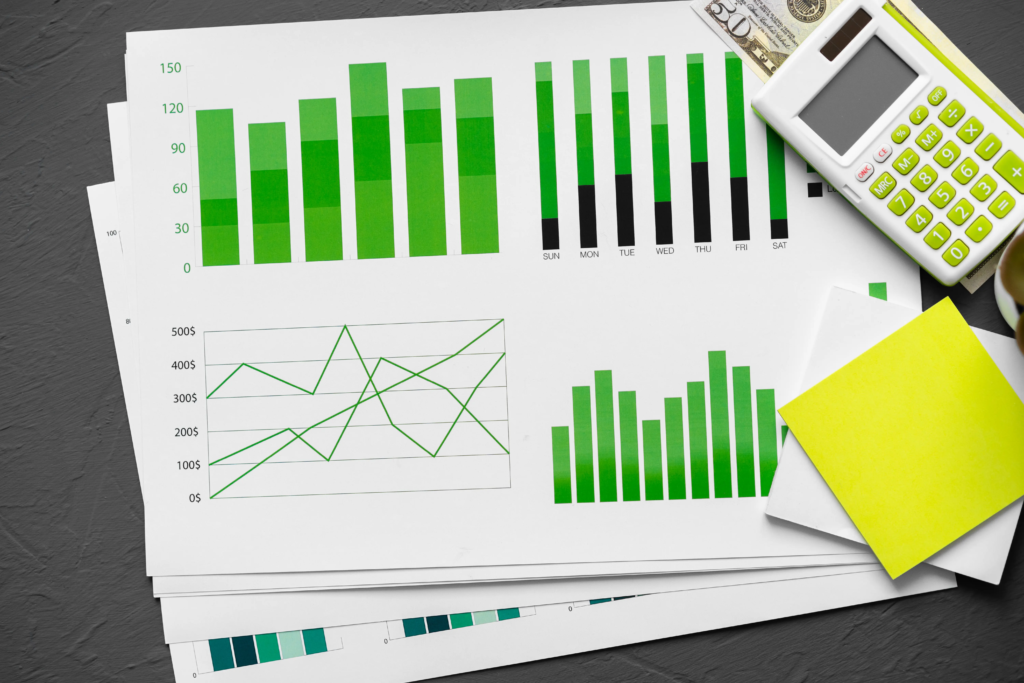
Claude can also build charts from supplied data. Depending on the environment, it may create interactive HTML or write Python that exports a PNG data visualization. That PNG is a rendered chart, not a synthetic photograph.
Claude can turn written information into a flowchart, decision tree, customer journey, architecture map, timeline, comparison graphic, or process diagram. These outputs suit sales, training, documentation, onboarding, and planning.
Claude may be sufficient for an infographic made from shapes, labels, data, and simple icons. Use a native image generator for a photorealistic hero image or detailed artistic scene.
Artifacts, Custom Visuals, and Claude Design
Claude can create visual and interactive outputs in dedicated workspaces, but these features are not native photo generation.
Artifacts let users view, revise, and reuse SVGs, diagrams, interactive components, interfaces, and data visualizations. Custom visuals can create charts, diagrams, and interactive explanations with HTML and SVG.
Claude Design extends this approach to designs, presentations, prototypes, and interactive microsites. As of August 2026, it is a beta feature for eligible Pro, Max, Team, and Enterprise plans. It suits layout, components, messaging, and brand consistency.
A designed canvas, coded visual, or prototype solves a different problem from generating a realistic person, product photograph, or illustrated scene.
Can Claude Generate Images Like ChatGPT?
No. ChatGPT provides native conversational image generation and editing. Claude focuses on visual understanding, coded visuals, structured design, and tool coordination.
In a comparison between Claude and ChatGPT for image generation, ChatGPT is the preferred option for users seeking a completed raster image within the conversation. It can create original scenes, refine compositions, edit uploaded assets, and produce variations without needing a separate rendering tool.
Claude is more useful as a planning layer. It can inspect references, identify missing requirements, create production briefs, write prompts, define review criteria, generate alt text, and document approvals.
Can Claude do image generation as directly as ChatGPT? No. Choose ChatGPT when the main requirement is prompt-to-picture output. Choose Claude when the work requires analysis, specifications, structured visuals, or workflow coordination.
Claude vs Gemini Image Generation
Gemini offers native image generation and editing, making it a more direct alternative to ChatGPT for prompt-to-image work.
In a Claude vs Gemini image generation comparison, Gemini is better suited to creating raster assets from text or revising uploaded images conversationally. Claude is more adept at analyzing inputs, organizing requirements, creating structured visuals, and coordinating broader processes.
Choose by task:
- Use ChatGPT or Gemini for direct conversational image creation.
- Use a specialized platform for deeper model selection, style control, or production scale.
- Use Claude for analysis, SVGs, diagrams, briefs, prototypes, and orchestration.
- Combine tools when a campaign needs both planning and polished imagery.
The best AI for image generation in 2026 is one that meets the necessary standards for style, text accuracy, editability, privacy, cost, and approval. Test real assets rather than trusting general rankings.
Can Claude Do Image Generation Free?
Claude’s free plan does not include a native text-to-photo or text-to-illustration model.
Free users may still access supported image analysis, custom visuals, SVG or HTML outputs, charts, diagrams, and code-based data graphics within applicable limits. Availability can depend on the interface, settings, region, usage allowance, and beta access.
External tools have separate rules. An image API, Adobe service, connector, or third-party renderer may require its own account, subscription, or credits.
Can Claude do image generation free through a hidden native model? No. Connecting Claude to a free external service does not make that renderer a Claude image model. Teams should identify which system created the image and which supplied the instructions.
Before adopting a free workflow, test output quality, commercial-use terms, data handling, rate limits, and export restrictions.
Can Claude Use Photoshop and External Tools?
Claude can work with supported Adobe creative tools through available connectors. Claude interprets the request and coordinates supported actions; the Adobe application operates.
This can turn feedback such as “brighten the subject, preserve the logo, reduce background distraction, and export a square version” into a clearer editing sequence. Available actions depend on the connector, application, plan, permissions, and current support.
Developers can also connect Claude to image systems through APIs, automation platforms, tools, or Model Context Protocol servers. A workflow may send an approved prompt to a renderer, save the result, generate variants, check dimensions, prepare alt text, and route the asset for review.
Claude coordinates the workflow. The external model or application remains responsible for pixel generation or editing.
A Practical Multi-Tool Visual Workflow

Claude works best when it handles reasoning and an image-capable system handles rendering.
- Define the goal. State the audience, channel, dimensions, offer, brand rules, and desired action.
- Analyze references. Ask Claude to identify layout, typography, hierarchy, lighting, and protected brand elements.
- Create the brief. Specify the subject, setting, composition, copy space, colors, exclusions, sizes, and acceptance criteria.
- Choose the renderer. Select ChatGPT, Gemini, Adobe Firefly, another image model, or a design application.
- Generate or edit. Send the approved prompt and references to the selected tool.
- Review the output. Check text, faces, hands, logos, products, lighting, dimensions, and brand accuracy.
- Prepare delivery. Create variants, filenames, alt text, captions, approval notes, and a record of tools used.
Claude can manage the reasoning layer while another system handles raster rendering.
Limits Buyers Should Consider
Claude can misinterpret text, overlook details, inaccurately infer objects, or generate code needing revisions. External tools may also compromise protected information or yield inconsistent results. Being aware of these limitations leads to better outcomes.
Use basic controls:
- Keep original files and version history.
- Verify logos, products, packaging, people, hands, and text.
- Review licensing, retention, privacy, and commercial-use terms.
- Avoid confidential uploads without an approved data policy.
- Test production tasks before committing to a platform.
- Assign a person to approve published assets.
Claude is effective for image creation that involves planning, analysis, vector graphics, data visuals, prototypes, and coordination. It is not the strongest standalone option for rapid raster generation.
Is Claude Going to Add Image Generation?
Anthropic has not announced a confirmed launch date for a native photo or illustration generator. Claude’s expansion into custom visuals, artifacts, design tools, file creation, and creative connectors shows broader visual capability. It does not confirm that a proprietary text-to-image model will launch.
Can Claude do image generation in the future? Possibly, but purchasing decisions should rely on released features. Teams should not delay a working visual process while waiting for an unconfirmed capability.
Keep the brief, prompt structure, review criteria, storage process, and approval rules independent of the renderer. A modular setup makes it easier to switch models or adopt a future Claude feature.
Image Generation Verdict: Can Claude Do Image Generation?
Can Claude do image generation? The final answer is no for native photos and illustrations. Claude cannot independently turn a text prompt into a finished photographic or illustrated raster asset.
It can analyze uploaded images, describe visual content, write prompts, create SVG and HTML visuals, build charts and diagrams, produce code-rendered data graphics, develop designs and prototypes, and coordinate supported external tools. These capabilities solve different problems from native text-to-image generation.
Choose Claude for disciplined briefs, asset analysis, structured graphics, specifications, and multi-tool coordination. Choose ChatGPT, Gemini, or a specialist renderer when the main need is direct image creation.
Flexlab can design a practical workflow that connects Claude’s planning strengths with suitable rendering, editing, review, and delivery tools. The goal is not to force one platform to handle every task. It is to create a clear path from creative brief to approved visual content with fewer gaps and less manual rework.
FAQs
1. Is Claude good for image creation?
Claude is useful for analyzing visuals, writing prompts, creating SVGs, building charts and diagrams, developing prototypes, and coordinating external tools. It is not a native replacement for a text-to-image model when the required deliverable is a finished photo or illustration.
2. Why can’t Claude generate images?
Claude’s native output centers on language, code, reasoning, and structured visuals rather than direct raster synthesis. It can describe an image or provide renderable instructions, but a separate image model or creative application must create photorealistic pixels.
3. Which AI is best for image generation in 2026?
ChatGPT and Gemini suit conversational generation and editing, while specialist platforms may offer deeper controls. Claude is more useful for analysis, briefs, SVGs, diagrams, and orchestration. The best choice depends on tested output quality and workflow requirements.