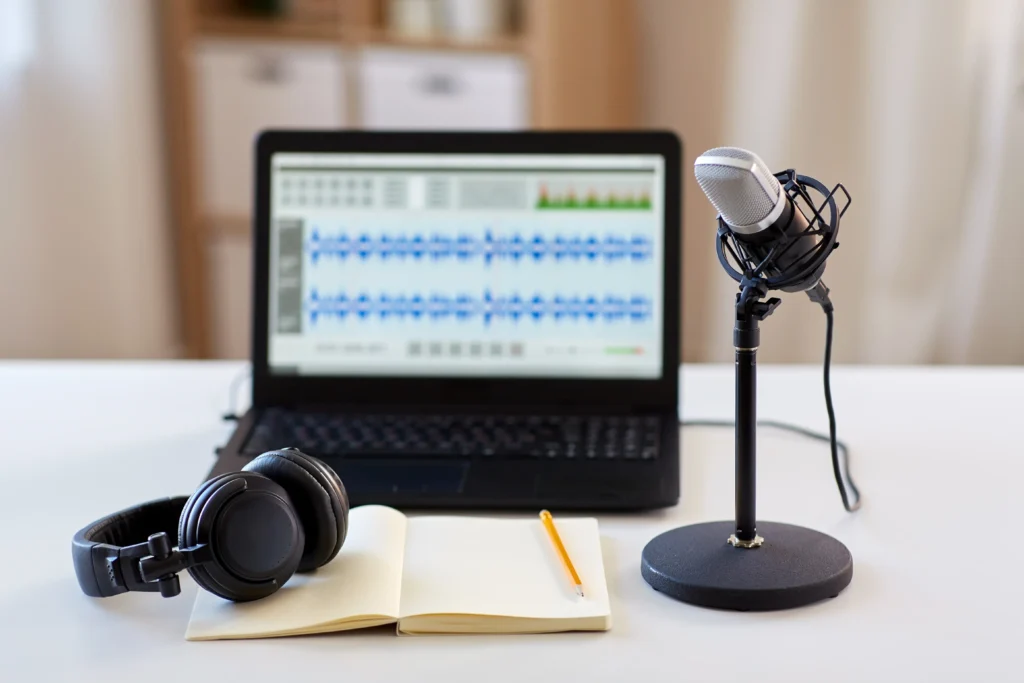
Can Claude transcribe audio? Not directly from a standard MP3, WAV, M4A, or similar audio upload. Claude is better suited for working with transcripts after a separate speech-to-text tool has converted the audio recording into text.
If you have a meeting, interview, podcast, lecture, webinar, customer call, or voice recording, the practical workflow is simple:
Audio recording → Speech-to-text tool → Transcript → Claude
The transcription tool converts speech into text. Claude can then summarize, edit, organize, analyze, and repurpose that text.
This approach is useful for businesses, content teams, researchers, sales teams, students, and anyone who needs to turn long recordings into useful written information.
Can Claude Transcribe Audio Directly?
Claude supports a range of document and image formats, but common audio formats such as MP3 and WAV are not treated as standard transcript inputs.
This means you should not expect to upload a one-hour MP3 recording and receive a complete transcript directly from Claude.
Instead, use a speech-to-text service to convert the recording into text first. Once the transcript is ready, Claude can process it in several ways:
- Summarize the conversation
- Extract action items
- Identify decisions
- Organize information by topic
- Clean up the transcript
- Extract questions and answers
- Find recurring themes
- Analyze customer feedback
- Create content from interviews
- Generate notes from meetings or lectures
The important distinction is that speech recognition and transcript analysis are two different tasks.
Does Claude Support MP3 and WAV Files?
MP3 and WAV are audio formats. A transcription system must first process the speech contained in those files and convert it into text.
For example, suppose you have a 90-minute customer interview saved as an MP3.
The recommended workflow is:
- Upload the MP3 to a speech-to-text service.
- Generate the transcript.
- Keep speaker labels and timestamps if available.
- Review important names and terms.
- Give the transcript to Claude.
- Ask Claude to extract the information you need.
The same process can be used with WAV, M4A, OGG, and other supported recording formats.
Why does this matter?
A transcription system is designed to recognize spoken language. It can also provide features such as:
- Speaker diarization
- Timestamps
- Language detection
- Word-level timing
- Punctuation
- Vocabulary customization
Claude can then work with the resulting text. Using separate tools for these tasks gives you more control over accuracy and output.
Can Claude Transcribe Audio Through the API?
Developers building an automated workflow should use a speech-to-text API for the recording and then send the transcript to Claude.
A typical application can follow this structure:
Recording → Transcription API → Transcript → Claude API → Structured output
For example, a company could automatically process sales calls.
The transcription service converts the call into text. Claude then extracts:
- Customer requirements
- Objections
- Product requests
- Buying signals
- Follow-up actions
- Important questions
The final information could then be sent to a CRM, database, project management system, or internal knowledge base.
This approach not only streamlines the process but also allows for easy switching of transcription providers in the future, eliminating the need to overhaul the entire workflow.
What Can Claude Do With a Transcript?
Claude can turn a raw transcript into structured information that is easier to read and use. Once the audio has been transcribed, Claude can handle many tasks.
Meeting transcripts
Claude can identify:
- Decisions
- Action items
- Owners
- Deadlines
- Risks
- Unresolved questions
- Important discussion points
Instead of reading a 60-minute transcript, a manager can receive a short summary with the information needed for follow-up.
Interview transcripts
Claude can organize interviews into:
- Questions and answers
- Key themes
- Customer pain points
- Important statements
- Repeated concerns
- Useful quotations
- Research findings
This is particularly useful for customer research and content teams.
Podcast transcripts
A podcast transcript can be turned into:
- Episode summaries
- Chapter headings
- Show notes
- Key points
- Article ideas
- Social content ideas
- Frequently asked questions
Customer call transcripts
Sales and support teams can use Claude to identify:
- Customer problems
- Objections
- Feature requests
- Complaints
- Purchase intent
- Follow-up tasks
Claude can also compare multiple transcripts and identify patterns across conversations.
Lecture transcripts
Students and educators can use transcripts to create:
- Study notes
- Topic summaries
- Definitions
- Key arguments
- Review questions
- Structured outlines
Can Claude Summarize an Audio Recording?
Claude can provide a summary of an audio recording after it has been transcribed. The transcript gives Claude the written content it needs to analyze the conversation.
For example, instead of asking for a generic summary, give Claude a specific instruction:
Summarize this meeting in five sections: decisions, action items, owners, deadlines, and unresolved questions. Do not add information that is not contained in the transcript.
This produces a more useful result because the required structure is clear. You can also ask Claude to create different outputs from the same transcript.
- For a meeting: Create a concise executive summary and list all action items with their owners.
- For an interview: Identify the five most important customer insights and group them by problem, impact, and requested solution.
- For a podcast: Create an episode summary, six chapter headings, and five key takeaways.
- For a lecture: Turn this transcript into study notes with headings, definitions, examples, and review questions.
Can Claude Clean Up a Machine-Generated Transcript?
Yes. Claude can improve the readability of a transcript produced by another speech-to-text tool.
Machine-generated transcripts often contain:
- Missing punctuation
- Long blocks of text
- Repeated words
- Filler words
- Incorrect capitalization
- Broken sentences
- Inconsistent speaker labels
Claude can clean these problems up.
For example, you can ask:
Remove unnecessary filler words and repeated phrases. Correct punctuation and paragraph breaks. Keep the original meaning and do not add information.
For a near-verbatim transcript, use stricter instructions:
Correct punctuation and formatting only. Do not paraphrase, shorten, reorder, or remove substantive statements.
The second approach is better when the exact wording matters.
For legal, research, journalistic, compliance, or contractual content, keep the original transcript and create the cleaned version separately.
Can Claude Identify Speakers in an Audio Recording?
Do not depend on Claude for accurate speaker diarization from an unsupported raw audio file.
If you need speaker identification, choose a transcription service that supports speaker diarization.
A useful transcript might look like:
- [00:08:14] Speaker 1: We need to reduce the launch timeline.
- [00:08:27] Speaker 2: Engineering needs another two weeks.
Claude can then analyze the conversation while preserving those speaker labels.
If the original transcript contains no speaker information, Claude may sometimes infer who is speaking from context, but that should not be treated as reliable speaker identification.
For business records, customer research, interviews, or compliance work, use actual speaker labels from the transcription system.
Can Claude Create Timestamps?

Claude can organize timestamps that already exist in a transcript, but it should not be relied on to generate accurate timestamps from an audio file it has not processed.
For example:
[00:14:32] Speaker 1: Let’s review the pricing changes.
Claude can use that timestamp to:
- Create a list of important moments
- Organize a transcript by time
- Group sections by topic
- Identify moments for review
The actual timestamp should come from the recording or transcription system.
Do not use AI-generated timestamps as evidence of when something was said unless they have been verified against the recording.
What Is the Best Way to Use Claude With Audio?
The best workflow is to use a dedicated transcription tool for speech recognition and Claude for transcript analysis.
Step 1: Start with a clear recording
Audio quality affects transcription accuracy.
Whenever possible, use the original recording rather than a heavily compressed copy.
Reduce background noise and use good microphones for meetings and interviews.
Poor audio can cause problems with:
- Names
- Numbers
- Technical terms
- Multiple speakers
- Accents
- Overlapping conversations
Step 2: Transcribe the recording
Choose a speech-to-text service that supports your recording format.
Look for:
- Language support
- Speaker diarization
- Timestamps
- File-size limits
- Recording-length limits
- API access
- Accuracy
- Privacy controls
- Data retention
- Pricing
If you handle numerous recordings, API access can automate your workflow.
Step 3: Keep the transcript metadata
Do not remove useful information from the transcript.
Keep:
- Speaker names or labels
- Timestamps
- Technical terms
- Important names
- Section headings
- Other useful metadata
This information gives Claude more context.
Step 4: Send the transcript to Claude
Upload the transcript in a supported document format or send the text through the API.
Then give Claude a specific task.
For example:
Analyze this customer interview. Identify the customer’s main problems, requested features, objections, and next steps. Use only information contained in the transcript.
Step 5: Review important information
AI-generated transcripts can contain errors.
Always verify:
- Names
- Dates
- Numbers
- Prices
- Quotations
- Legal statements
- Medical information
- Technical specifications
- Contractual commitments
The more important the information, the more important it is to check it against the original recording.
Claude vs. Gemini vs. ChatGPT for Audio Transcription
If your main requirement is direct audio transcription, use an AI system or transcription service that explicitly supports audio input.
Claude is useful for working with an existing transcript. Gemini offers features for audio input and analysis. ChatGPT enables audio transcription using supported features and APIs.
The best option depends on what you need.
| Requirement | Claude | Gemini | ChatGPT |
| Analyze transcripts | Yes | Yes | Yes |
| Summarize transcripts | Yes | Yes | Yes |
| Direct audio processing | Not the standard Claude workflow | Yes | Yes |
| Speaker diarization | Use transcription output | Supported in applicable features | Depends on feature |
| Audio transcription API | No native Claude transcription endpoint | Available | Available |
- If your primary task is transcript analysis, Claude can be a strong choice.
- If your primary task is audio-to-text conversion, start with a system that explicitly supports audio transcription.
Which AI Is Best for Audio Transcription?
A tool that works well for a clean podcast recording may perform differently on a noisy sales call. Before choosing a service, test it with recordings that represent your actual work.
Check its performance with:
- Multiple speakers
- Background noise
- Accents
- Technical vocabulary
- Proper names
- Overlapping speech
- Different languages
- Long recordings
Also consider whether you need:
- Speaker diarization
- Timestamps
- Real-time transcription
- Batch processing
- API access
- Export options
- Custom vocabulary
- Enterprise security
- Data deletion
Accuracy on your own recordings is more useful than a general accuracy claim.
Can You Transcribe Audio for Free?
Yes, free transcription options are available, but most have usage limits.
Free plans may restrict:
- Monthly minutes
- File size
- Recording length
- Export options
- Speaker identification
- API access
Some speech-to-text software can also run locally. This may be useful when recordings contain sensitive information and you do not want to send the audio to a third-party cloud service.
However, local transcription can require more technical setup and suitable hardware. Before choosing a free service, check its privacy and data-retention policies.
Is Audio Transcription Safe?
The safety of an audio transcription workflow depends on how every service handles the recording and transcript.
An ordinary meeting can contain sensitive information such as:
- Customer details
- Employee information
- Financial data
- Business plans
- Personal conversations
- Internal discussions
Before uploading sensitive audio, check:
- Where the recording is processed
- How long is audio stored
- How long are transcripts stored
- Whether data is used to improve models
- Who can access the information
- Whether data can be deleted
- What security controls are available
You should also make sure that recording and processing the conversation is permitted under the rules that apply to your situation.
For sensitive projects, keep the original audio and original transcript separate from AI-generated summaries and edited versions.
Common Mistakes When Using Claude With Audio
The main mistake is confusing audio transcription with transcript analysis. Avoid these common problems:
- Assuming voice mode means audio-file transcription: Voice interaction does not mean Claude’s standard file workflow supports every audio format.
- Uploading unsupported audio files: Use a dedicated speech-to-text tool to convert the recording into text first.
- Use a transcription service with speaker diarization for accurate speaker identification.
- Inventing timestamps: Keep timestamps generated by the recording or transcription system.
- Verify all names, dates, numbers, quotations, and key details against the original recording.
- Deleting the original transcript: Keep the original version when accuracy or traceability matters.
- Ignoring privacy: Check how the transcription and AI providers store, process, and protect your recordings.
Bottom Line: Can Claude Transcribe Audio?
Claude is not currently a native audio transcription tool for standard MP3, WAV, M4A, or similar audio uploads.
The practical workflow is:
Audio → Speech-to-text → Transcript → Claude
Use a speech-to-text tool to convert the recording into text, then use Claude to summarize, clean, analyze, organize, or repurpose the transcript.
This workflow works well for meetings, interviews, podcasts, lectures, webinars, customer calls, and other recorded conversations.
If you need to turn recordings into searchable transcripts, meeting notes, customer insights, or content, Flexlab can help you choose and connect the right transcription, Claude, and automation tools for your workflow. Contact Flexlab to discuss your requirements and get started.
FAQs
1. Can Claude transcribe MP3 files?
No. Claude does not currently provide native MP3 transcription through its standard file-upload workflow. Use a speech-to-text tool first, then give the transcript to Claude for analysis or editing.
2. Can Claude summarize an audio recording?
Yes, after the recording has been converted into a transcript. Claude can turn the transcript into summaries, action items, key points, notes, or structured reports.
3. What is the best way to use Claude with audio?
Transcribe the audio with a dedicated speech-to-text tool, then send the transcript to Claude.
Claude can clean, summarize, analyze, and repurpose the transcript.