
AI Applications for Businesses You Can Implement Now

Innovative AI Applications You Can Implement Today

Cutting-Edge AI Applications You Can Start Using Today

AI Marketing Tools | AI Voice Agents | AI Business Ideas

AI applications have moved beyond experiments once limited to tech giants. Today, they power faster workflows, sharper decisions, and a real competitive advantage for businesses and individuals. As 2026 accelerates digital adoption, organizations shift from debating AI to executing it with speed and purpose.

AI applications are intelligent systems that analyze data, automate decisions, and continuously improve performance, helping businesses operate faster, smarter, and more efficiently.

Some of the most advanced AI applications today include multimodal AI, which can process and integrate multiple data types such as text, images, and audio, to deliver richer insights and smarter decisions. Recent industry studies reveal that more than 65 percent of companies using AI report measurable improvements within the first six months.

This guide breaks down innovative AI applications you can implement today. It focuses on real use cases, clear benefits, potential risks, and practical steps. Ultimately, it turns curiosity into confident action.

How AI Applications Work in Real Life 

AI systems turn data into actionable insights. They learn and improve over time using machine learning, NLP, and predictive modeling. Businesses replace manual estimation with data-driven decisions. AI systems track operations, customer behavior, and performance metrics. 

A retail company used AI systems to flag slow-moving products and adjust pricing, boosting revenue by 12% in weeks. Scalable and efficient, AI systems handle thousands of decisions at once, far beyond manual capabilities, making them essential for modern businesses.

Top AI Applications and Real-World Use Cases

AI Application Primary Function Key Benefit Real-World Example
Autonomous AI Agents Streamline complex workflows Reduces manual oversight, saves time A financial firm uses autonomous AI agents to monitor global stock movements and alert analysts only when unusual activity occurs
Conversational AI Tools Customer engagement Faster, personalized responses A mid-size e-commerce store deployed conversational AI tools to guide visitors through purchases, boosting conversions by 18%
Predictive AI Forecast trends Smarter marketing and operational decisions A subscription-based company leverages predictive AI to identify high-risk churn customers, reducing churn by 22%
Generative AI Content creation Saves hours, scales content production A SaaS company used generative AI to produce weekly blogs and social posts tailored to different customer segments, increasing engagement by 35%
Smart Manufacturing AI Process optimization Reduces downtime, improves quality A manufacturing plant uses smart manufacturing AI to detect defects on the production line instantly, cutting rework costs by 30%

Key Benefits of Best AI Applications


The best AI applications deliver value quickly when businesses implement them with crystal clear objectives. While tools and platforms vary, the benefits remain consistent across industries.
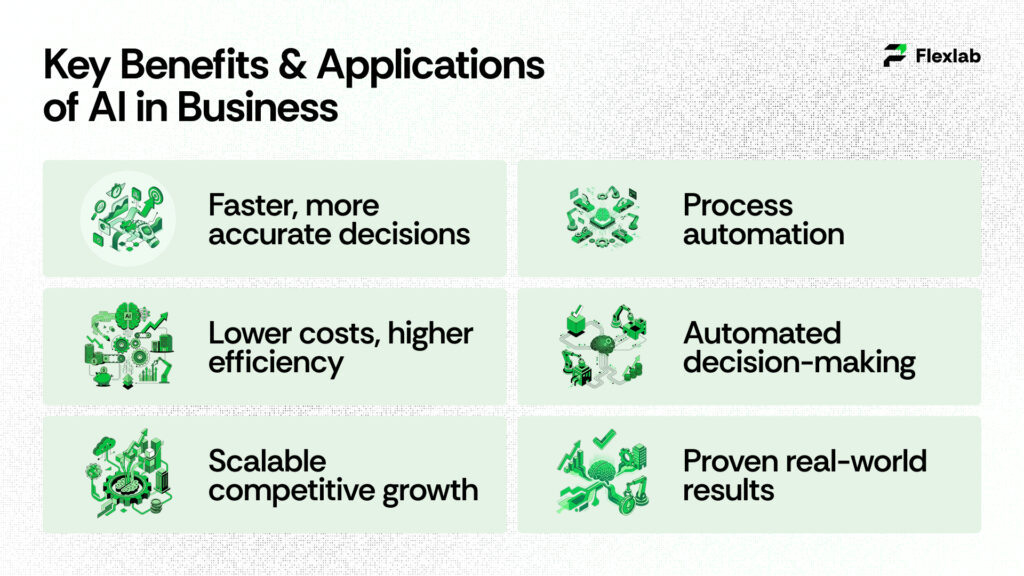
Key Benefits & Applications of AI in Business

  • Faster Decisions and Better Accuracy

AI analyzes large datasets in seconds. As a result, leaders receive insights faster and with fewer errors. Studies show that organizations using AI-driven insights improve decision accuracy by nearly 30 percent compared to manual analysis.

  • Lower Costs and Higher Efficiency

AI reduces reliance on repetitive manual tasks. This leads to fewer mistakes and lower operational costs. For instance, companies that apply AI to routine workflows often notice cost reductions of up to 25 percent within the first year.

  • Scalable Growth and Competitive Advantage

AI grows with your business. Whether you serve hundreds or millions of users, AI systems adapt without requiring the same increase in staff. Therefore, organizations using AI scale faster while maintaining consistent quality and performance.

Together, these benefits explain why AI adoption has accelerated across industries. Consequently, businesses that delay implementation often struggle to keep pace with more agile competitors.

Best AI Applications for Business Use

Today’s organizations rely on the best AI tools for business to reduce costs, simplify operations, and improve decision quality while connecting data, workflows, and teams into a single intelligent system.

Businesses that adopt AI early often gain an advantage because they act faster and adapt more easily. In fact, industry reports indicate that companies utilizing AI-driven operations achieve up to 30 percent higher efficiency within the first year.

1. Business Process Automation

Many companies start their AI journey with business process automation. This approach replaces repetitive manual tasks with intelligent workflows that run continuously and accurately. For example, a logistics company automated invoice processing and shipment updates using AI. As a result, the company reduced processing time by 40 percent and significantly decreased human errors. Employees then focused on higher-value tasks instead of routine administration.

2. Automated Decision-Making

Another powerful use case involves automated decision-making. AI evaluates large volumes of data and instantly recommends actions. This eliminates delays from manual approvals and slow analysis. A retail chain applied automated decision systems to inventory planning. Consequently, stock shortages decreased and excess inventory dropped by 18 percent. These improvements directly increased profitability without adding operational complexity.

3. Real-World Use Case

Consider a medium-sized manufacturing firm struggling with production delays. After implementing AI-driven workflow automation, the company gained real-time visibility into operations. Bottlenecks became easier to identify. Within six months, on-time delivery improved by 22 percent, and customer satisfaction increased. This clearly highlights that when businesses choose the right AI applications, noticeable results appear quickly and compound over time.

Autonomous AI Agents in Action
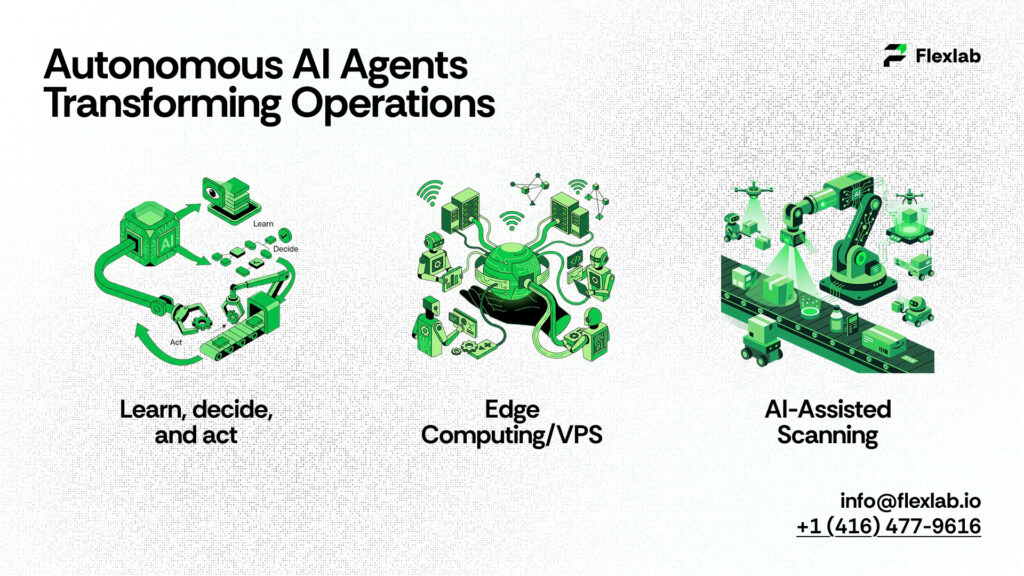
Autonomous software agents improving business operations

Autonomous AI agents are changing how businesses handle complex workflows. Unlike standard software, these AI systems can monitor multiple processes, make decisions, and take action with minimal human oversight. Consequently, the result is faster, smarter, and more accurate operations.

Organizations adopting autonomous AI agents report substantial efficiency gains. For example, a financial services firm deployed autonomous AI agents to track global market trends and detect unusual activity. The system alerted analysts only when anomalies appeared. reducing data review time by 50 percent,  while freeing them to focus on strategy and decision-making.

How Autonomous Systems Work

These AI agents combine data analysis, predictive modeling, and automated execution using advanced AI techniques that allow systems to learn from patterns, adapt in real time, and improve decision accuracy over time.

They continuously learn from new inputs, improving over time. Instead of merely alerting humans to potential issues, they can act on rules or models directly, such as rebalancing a stock portfolio or adjusting production schedules.

Managing Complex Workflows

At the same time, businesses benefit when AI agents handle interdependent tasks across different systems. For instance, in logistics, autonomous agents can coordinate warehouse operations, shipping, and inventory management simultaneously. This integration reduces delays and minimizes errors that often occur when tasks are handled manually.

Real-World Use Case

A global e-commerce company implemented autonomous AI agents to oversee supply chain operations. Autonomous AI agents automatically flagged delayed shipments, rerouted packages, and optimized delivery priorities. Within three months, the company reduced late deliveries by 30 percent and improved overall customer satisfaction scores. This example shows why autonomous AI agents are no longer optional. They are essential for scaling operations efficiently while maintaining quality and accuracy.

AI in Marketing and Customer Growth
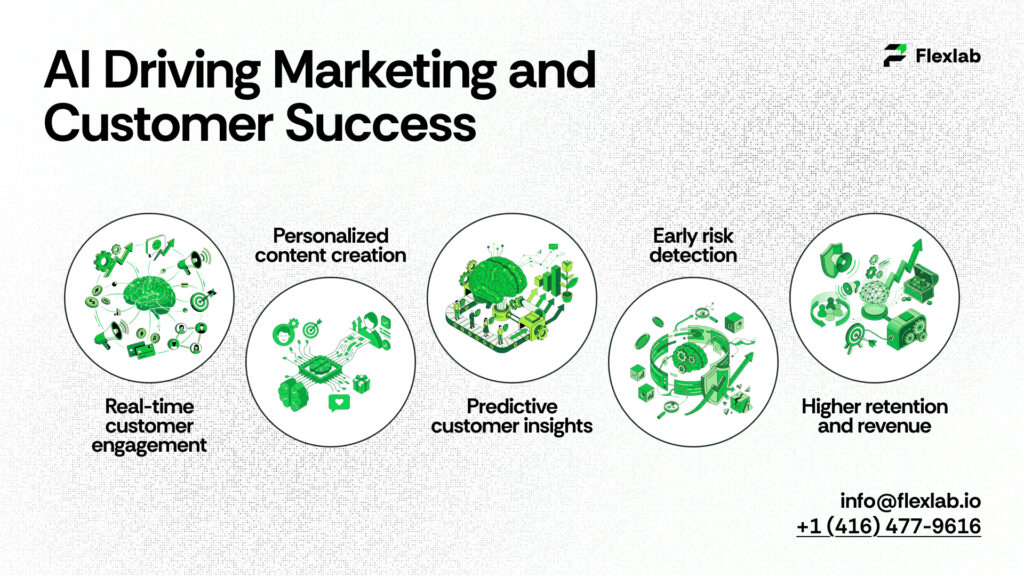
Artificial intelligence improving marketing and customer engagement

AI is transforming marketing from a reactive function into a proactive growth engine. Businesses now utilize AI in marketing to understand customer behavior, personalize experiences, and predict outcomes more accurately than ever before.

Recent studies show that companies integrating AI into marketing experience 20–30 percent higher campaign effectiveness compared to traditional methods. By analyzing data from multiple touchpoints, AI helps marketers deliver the right message to the right audience at the right time.

Conversational AI Tool

Conversational AI tools enable real-time customer interactions across websites, apps, and messaging platforms. These systems can answer questions, recommend products, and even complete transactions without human intervention.

For example, an average-sized online retailer implemented a conversational AI chatbot that interpreted visitor intent and guided users through the buying process. Therefore, conversion rates increased by 18 percent, while customer support costs declined by 25 percent.

Generative AI for Content

Generative AI automates content creation, from social media posts to blogs and ad copy. It learns a brand’s voice and adapts messaging to various audiences. As a result, marketing teams can save significant manual working hours.

Real-World Use Case

A subscription service applied predictive modeling to identify users likely to discontinue. Then, using AI-generated personalized retention messages, the company reduced turnover by 22 percent, thereby proving AI’s tangible impact on revenue growth.

Predictive Insights With AI

Companies leveraging predictive AI can forecast customer behavior, identify risks, and respond proactively rather than reactively. Meanwhile, market data suggests that organizations using predictive AI reduce operational costs by 15–20 percent while also improving decision-making speed. Thus, it makes predictive insights a critical advantage in competitive markets.

Predictive Analytics in Business

Predictive analytics in business utilizes historical and real-time data to identify patterns and forecast future outcomes. As an illustration, a subscription-based company applied predictive models to predict which customers were likely to cancel their plans. This insight enabled personalized retention campaigns, and accordingly, turnover dropped by 22 percent.

Anomaly Detection

Anomaly detection is another predictive technique that identifies unusual behavior or errors before they worsen. A global retailer used AI-driven anomaly detection to monitor transactions and spot potential fraud. The system flagged suspicious activity instantly. Hence, it reduces financial losses by 40 percent.

Real-World Use Case

A logistics company integrated predictive AI into its delivery operations. By analyzing weather forecasts, traffic patterns, and historical delivery times, the system automatically optimized routes. Thus, it reduced fuel costs by 18 percent and improved on-time deliveries, demonstrating how predictive insights can transform operational efficiency.

Security and AI in Fraud Detection

As digital transactions increase, businesses face growing risks from cyberattacks and financial fraud. AI in fraud detection enables organizations to identify suspicious activity in real-time, reducing losses and protecting sensitive data.

Research shows that companies implementing AI-driven fraud detection experience up to 40 percent fewer fraudulent transactions compared to traditional methods. It continuously learns from new patterns, staying ahead of evolving threats.

AI and Robotics in Security

AI and robotics collaborate to create layered protection. It analyzes vast amounts of data to spot irregularities, while robotic systems can automate responses, such as freezing accounts or flagging suspicious activity. For instance, a global bank monitors transactions with AI and robotics, cutting fraud losses by 35% in a year.

AI Engineering for Risk Management

AI engineering ensures that models are scalable, resilient, and explainable. Engineers design algorithms capable of detecting threats across multiple platforms, including web, mobile, and IoT devices.

A leading insurance company applied AI engineering principles to claims processing. The system analyzed claims and behavioral patterns, flagging high-risk cases with 90 percent accuracy, enabling faster review and fraud prevention.

AI in Smart Manufacturing and Edge AI
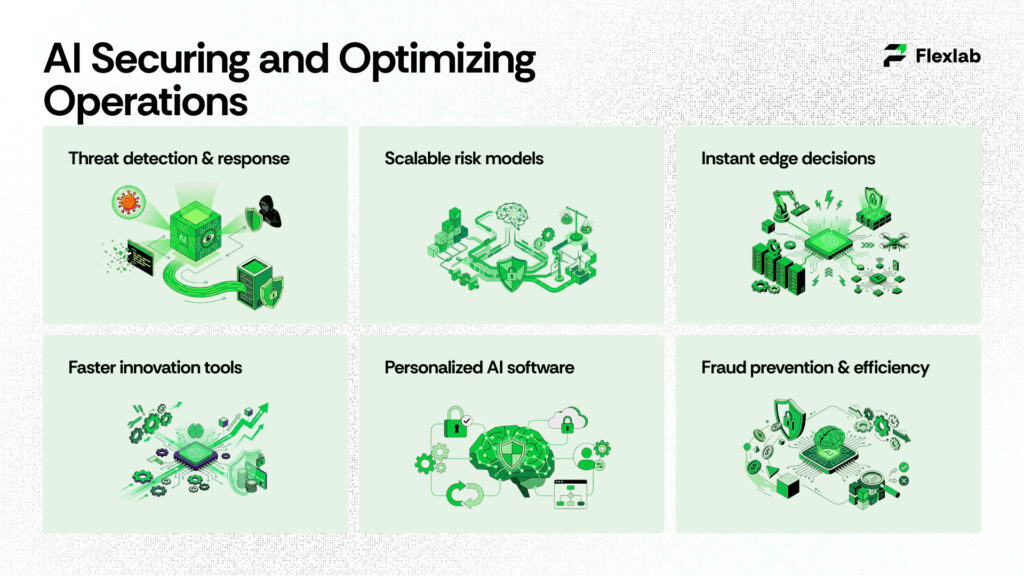
AI-powered systems enhancing security and operational efficiency

The manufacturing sector is rapidly evolving with the emergence of AI. Smart manufacturing leverages AI-driven systems and robotics to optimize production, reduce waste, and ultimately improve quality. Furthermore, by combining predictive analytics, sensors, and automation, companies gain real-time visibility and control over operations. Industry research indicates that factories implementing AI-driven manufacturing systems achieve up to 25 percent higher productivity and 30 percent lower operational cost, thereby highlighting the tangible impact of AI.

Edge AI for Real-Time Decisions

Edge AI processes data locally on machines instead of sending it to the cloud. This reduces latency and enables systems to make real-time decisions, which is crucial for industries where seconds matter. For instance, a car assembly plant implemented edge AI to inspect products on the production line. Edge AI systems detected defective parts immediately, preventing costly rework and saving thousands of dollars in production losses.

Real-World Use Case

A global electronics manufacturer integrated smart manufacturing with edge AI. The system monitored equipment health, predicted failures, and automatically adjusted workflows. Within six months, downtime decreased by 20 percent, efficiency improved, and product quality became more consistent. Therefore, combining smart manufacturing with edge AI provides both operational and financial benefits while enhancing production reliability.

AI Developer Tools and Software Development

Innovation in AI depends on the tools developers are using. AI developer tools help engineers test, build, and deploy efficient intelligent systems, while AI software development enables companies to create solutions that learn, adapt, and deliver personalized experiences.

AI Developer Tools for Faster Innovation

Modern AI developer tools include model training platforms, analytics dashboards, and low-code AI frameworks. These tools allow teams to experiment, iterate, and scale applications without starting from scratch.

For example, a robotics startup leveraged AI developer tools to design predictive maintenance models for factory equipment. This reduced downtime by 20 percent, allowing the company to scale production efficiently.

AI Software Development for Personalized Experiences

AI software development enables companies to deliver customized solutions. From fitness apps that adjust workouts in real time to financial apps providing personalized budgeting advice, these systems anticipate user needs and adapt accordingly.

A leading fitness app implements AI algorithms to develop exercise plans based on user progress and recovery metrics. Engagement increased by 30 percent, demonstrating how intelligent software enhances user experiences.

Consumer-Facing AI Applications and Smart Home Devices
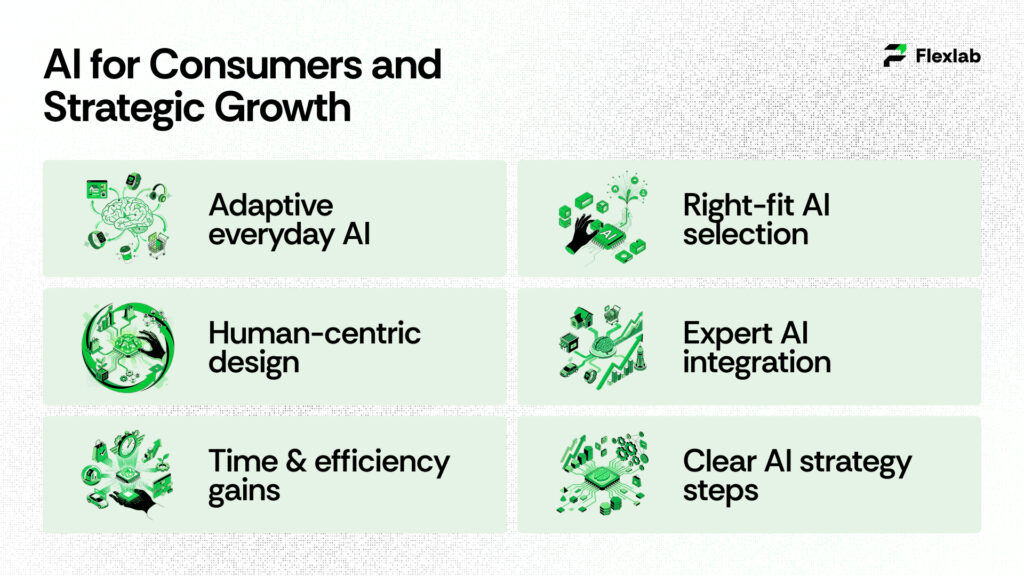
Consumer-focused artificial intelligence driving business growth

AI now operates beyond offices and factories. Smart home devices and consumer-facing applications transform daily life, making homes safer, more efficient, and more convenient. From intelligent thermostats to AI-powered security cameras, these tools adapt to user behavior and preferences.

Recent studies show that households using AI-powered smart devices report up to 25 percent lower energy consumption while enjoying improved comfort and convenience.

  • AI-Powered Software for Everyday Life

AI software development allows companies to create apps that learn from user behavior, and anticipate needs while delivering personalized experiences. For example, it includes fitness trackers, health monitoring apps, and personal finance tools.

  • AI Developers Designing Human-Centric Tools

AI developers focus on creating intuitive systems, such as voice assistants, smart appliances, and recommendation engines that anticipate user needs without being intrusive.

For instance, a voice-enabled kitchen assistant suggests recipes based on dietary preferences and available ingredients. Families reported a 20 percent reduction in meal preparation time, highlighting the practical impact of AI on daily life.

Getting Started With AI Strategy and Consulting Services
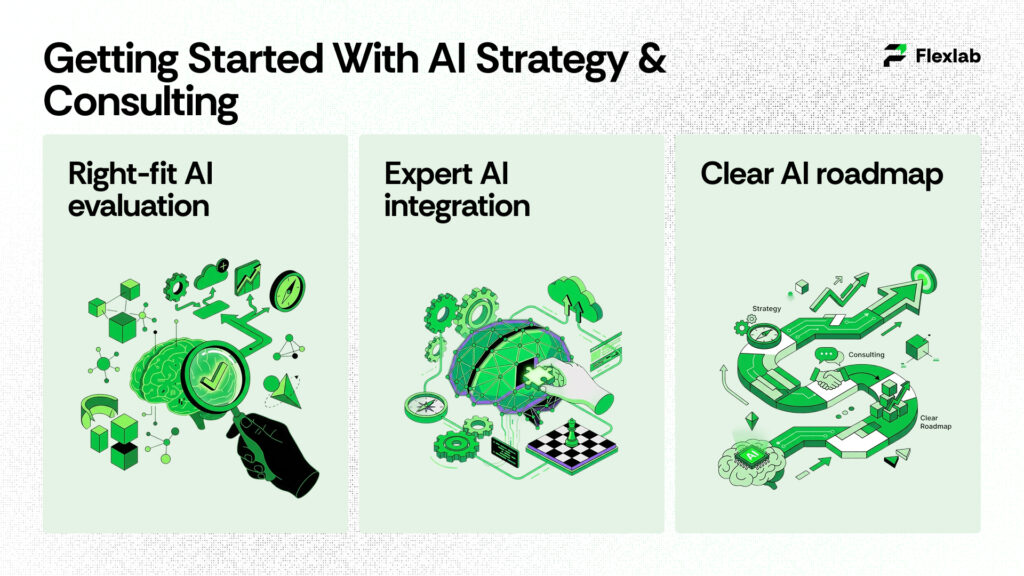
Business leaders planning an artificial intelligence strategy

Implementing AI successfully begins with a clear strategy. AI strategy consulting helps businesses identify the right applications, align them with objectives, and maximize ROI. 

Proper guidance ensures that businesses adopt AI effectively, deliver measurable results, and avoid wasted resources. Recent studies indicate that organizations with a structured AI strategy are 2.5 times more likely to achieve ROI within the first year compared to ad hoc implementations.

Evaluating AI Systems for Your Needs

Selecting the right AI systems requires understanding workflows, data availability, and the problems you aim to solve. Systems can range from predictive analytics platforms to AI-powered customer service solutions.

For example, a retail chain implemented AI systems to optimize inventory and supply chain management. Accurate demand forecasts reduced overstock by 20 percent and improved order fulfillment efficiency.

Partnering With an AI Automation Agency

Working with an AI automation agency ensures smooth integration of AI tools into existing workflows. Agencies provide expertise, select the right software, and customize solutions for specific business needs.

A mid-sized e-commerce company collaborated with an AI automation agency to implement automated customer support and personalized recommendations. Within six months, response times improved by 30 percent, and conversion rates grew by 15 percent.

Key Steps to Start Your AI Strategy

  • First, assess needs by identifying processes that benefit most from AI. 
  • Next, select tools by evaluating AI systems aligned with business goals.
  • Then, pilot and scale by starting small, measuring results, and expanding deployment gradually. 
  • Finally, monitor and optimize by continuously refining AI performance using analytics. 

By following these steps, businesses can implement AI efficiently, achieving operational excellence and competitive advantage.

Supercharge Your Business with AI Applications at Flexlab
Supercharge Your Business with AI Applications at Flexlab

At Flexlab, we empower businesses to implement cutting-edge AI applications that automate workflows. In doing so, we deliver measurable results while saving valuable time. Whether you want to streamline operations, enhance customer experiences, or make smarter, data-driven decisions, our team guides you every step of the way. Don’t wait to unlock your business’s full potential.

Explore our portfolio to see real-world transformations, or learn more about our tailored services that fit your unique needs. Stay updated on AI innovations by visiting our blog, and connect with us on LinkedIn to follow our latest insights. Don’t just implement AI, partner with Flexlab, and contact us to turn innovation into action and discover how intelligent solutions can elevate every aspect of your business. Discover related blogs for practical AI insights.

Conclusion: Embrace AI Applications Today

AI is a practical, transformative tool for smarter decisions, greater efficiency, and competitive advantage. By adopting AI applications, organizations streamline operations, enhance customer experiences, and reduce risks with predictive analytics, autonomous agents, and intelligent automation. Success depends on identifying high-impact processes, choosing the right tools with expert guidance, and piloting before scaling. Combining AI insights with human judgment and scalable systems turns innovation into measurable results and secures long-term growth in an AI-driven world.

Ready to Automate Your Business Workflows with AI?

📞 Book a FREE Consultation Call: +1 (416) 477-9616
📧 Email Us: info@flexlab.io

FAQ’s

1: What are the best AI tools for businesses to boost productivity?

The best AI tools for business include workflow automation platforms, predictive analytics software, AI-powered customer support, and intelligent scheduling tools. These applications streamline repetitive tasks, reduce human error, and provide actionable insights, helping teams focus on strategic work. Even small businesses can leverage cloud-based AI solutions to gain a competitive edge without large upfront investments, while larger organizations can scale them for enterprise-wide efficiency.

2: How do AI voice agents improve customer support and engagement?

AI voice agents handle real-time, hands-free interactions, answering routine queries, guiding customers through processes, and resolving simple issues instantly. They reduce wait times, improve first-call resolution rates, and allow human agents to focus on complex or high-value cases. Businesses in sectors like e-commerce, telecom, and banking report higher customer satisfaction, faster response times, and lower operational costs after integrating these systems.

3: How is generative AI transforming content marketing strategies?

Generative AI automatically produces blogs, social media content, ad copy, and emails while adapting to brand tone and audience preferences. It enables marketers to maintain consistency across channels, increase output, and quickly test content variations. Companies using generative AI report faster content creation, higher engagement, and improved campaign ROI, turning content marketing into a scalable, data-driven growth engine.

Leave a Reply

Your email address will not be published. Required fields are marked *

How top consultancies use AI and automation is no longer a theoretical question.

Leading firms deploy intelligent software to crunch data at speed, automate tedious processes, and surface insights that guide strategy.

These technologies are embraced because they make projects faster, more accurate and more scalable, yet they complement rather than replace human expertise.

This article explains how AI transforms consulting, highlights real‑world examples and tools, lays out a simple process for spotting automation opportunities, and points to what’s next for the industry.

What Does AI and Automation Mean for Consulting Firms Today?

Consultancies worldwide are embracing AI because it makes them more efficient, more accurate and more scalable.

Instead of replacing humans, intelligent software allows teams to handle larger datasets, uncover hidden trends and reduce manual effort.

A 2025 McKinsey survey shows that 88 percent of organizations use AI in at least one business function,  up from 50 percent in 2022.

The same study found that executives who deploy AI tools in sales can see up to a 25 percent increase in conversion rates and 30 percent lower customer acquisition costs. Such numbers illustrate why consultancies can’t ignore automation.


What new expectations drive adoption? 

Clients expect answers quickly. Traditional consulting projects often took months; todays decision makers want insights in days.

AI speeds up research by scanning thousands of documents and data points, summarizing findings and flagging anomalies.

It also offers scale; even a small team can deliver complex analyses once reserved for large teams. Moreover, 80 percent of executives believe automation can apply to any business decision, which means clients increasingly look for consultancies that can harness AI’s potential.


How does AI improve efficiency and accuracy? 

AI automates repetitive tasks such as data extraction, document review, and pattern recognition.

This reduces errors and frees consultants to focus on creative problem-solving.

For example, Enterprise AI platforms can cut operational expenses by up to 40 percent and reduce downtime by 50 percent through predictive maintenance.

In supply chain consulting, AI forecasting improves demand accuracy by 30–50 percent, while Walmart maintains 98 percent on-shelf availability, and UPS saves $400 million annually on fuel through intelligent routing.


What misconceptions still hold firms back? 

Some consultants fear that AI will replace them, yet research shows it actually augments human expertise.

Only 32 percent of executives in McKinsey’s survey expect workforce decreases due to AI.

Another common myth is that faster work reduces revenue; however, automation allows firms to handle more projects and deliver value‑based outcomes, thereby increasing profitability. Finally, many organizations worry about AI’s maturity.

While adoption surged to 88 percent in 2025, only 18 percent of professional services firms measure ROI, showing that clear metrics and governance are still evolving.

How Are Leading Consultancies Using AI and Automation? 

Top consultancies integrate AI into research, strategy, operations and client engagement.

They develop proprietary platforms, partner with technology vendors and embed automation throughout their workflows. Adoption has accelerated recently as more professionals incorporate AI into their daily tasks.


Which consultancies lead the AI charge? 

Firms like Accenture, Deloitte, PwC and McKinsey have built dedicated AI practices. Accenture’s SynOps platform streamlines finance, supply chain and procurement by combining machine learning, robotic process automation (RPA) and data analytics.

Deloitte’s CortexAI helps clients analyze complex datasets, forecast scenarios and simulate outcomes. IBM Consulting leverages Watson and hybrid cloud platforms to automate processes and build custom AI solutions.

BCG’s Gamma team uses advanced analytics and AI to develop predictive models for marketing and operations. These examples show how consultancies create competitive advantage by developing their own AI ecosystems.


How do they embed AI into client work? 

Consultancies apply AI across the project lifecycle:

  • Market research and sentiment analysis: Natural language processing mines customer reviews and social media to reveal emerging trends, enabling targeted product and marketing strategies.
  • Strategy development: Machine learning models evaluate financial, market and operational data, simulate “what-if” scenarios, and identify key performance indicators.
  • Operational optimization: AI systems monitor sensors, predict equipment failures and optimize production schedules. Manufacturers using these tools reduce downtime by up to 50 percent.
  • Customer experience: Chatbots and virtual assistants handle inquiries 24/7. Klarna’s AI agents resolve two‑thirds of customer chats, while L’Oréal’s beauty advisors deliver personalized recommendations at scale.
  • Risk management and fraud detection: Banks employ AI to spot unusual transaction patterns, cutting response times by 60 percent.

What internal knowledge platforms amplify their impact? 

Leading consultancies build internal knowledge bases so teams can find past proposals, deliverables and industry benchmarks within seconds.

Tools like McKinsey’s “Periscope” or Bain’s “Vector” centralize proprietary data, best practices and frameworks. AI search engines index these resources and recommend relevant insights during client conversations.

Such platforms ensure that consultants start projects with the latest information, avoid reinventing the wheel and maintain consistency across offices.

What AI and Automation Tools Do Top Consultancies Use? 

consulting firms using ai

Although every firm customizes its stack, several categories of tools recur across the industry. Consultants should understand these categories to identify opportunities and avoid being overwhelmed by hype.


How do data analytics and visualization platforms help? 

Tools like Tableau, Power BI and Qlik allow consultants to visualize complex data in interactive dashboards.

They connect to multiple data sources and provide real‑time insights. When combined with cloud warehouses like Snowflake or BigQuery, they enable on‑demand, scalable analysis.

Leading firms also use specialized AI libraries (e.g., TensorFlow, PyTorch) to build predictive models. These platforms turn raw data into narratives that clients can understand.


Why are AI assistants becoming mainstream? 

Large language models (LLMs) power AI assistants that summarize reports, draft emails and answer questions during workshops.

Many consultancies build custom assistants tailored to their knowledge bases.

For instance, an AI copilot can generate a first draft of a strategic plan or compare client metrics against industry benchmarks.

However, consultants remain accountable for verifying outputs, interpreting nuances and providing human judgment.


What role does robotic process automation play? 

RPA tools such as UiPath, Automation Anywhere and Blue Prism automate repetitive tasks like data entry, invoice processing and report generation. 

By mimicking human actions across software applications, they reduce errors and free up time for higher‑value work.

When combined with AI (sometimes called intelligent automation), RPA bots can handle decisions based on structured data and call AI services for unstructured inputs like invoices or emails.

Will AI replace Consultants? 

Many worry that smart software might make consultants obsolete, but evidence suggests otherwise.

AI handles data‑intensive tasks, yet human expertise remains crucial for interpretation, creativity and relationship management.


Why does human judgment still matter? 

AI can recognize patterns and simulate scenarios, but it lacks context and empathy.

Consultants understand organizational politics, navigate stakeholder dynamics and craft compelling narratives.

Even Gartner predicts that by 2026, 40 percent of enterprise applications will include autonomous agentic AI, but these agents work alongside humans rather than replacing them. Only 32 percent of leaders anticipate workforce reductions due to AI.


Which tasks are best suited for AI versus people? 

AI excels at collecting data, summarizing documents, and running simulations.

Humans excel at defining goals, asking the right questions, negotiating agreements, and making ethical decisions.

Hybrid tasks, like strategy workshops, benefit from AI copilots that surface relevant data, while consultants interpret insights and steer discussions.


How can consultants upskill for the AI era? 

Professionals should learn data literacy, machine learning fundamentals and prompt‑engineering techniques.

At the same time, they must strengthen soft skills: storytelling, emotional intelligence and critical thinking. Continuous learning is essential: attending workshops, experimenting with new tools, and partnering with data scientists.

Firms that invest in training will be better positioned to lead clients through AI‑driven change.

How Do Firms Identify Automation Needs? 

how to get clients for ai automation agency

Implementing AI without a clear roadmap often leads to frustration. Consultants should follow a structured process to identify high‑value automation opportunities.


What steps help map opportunities? 

  1. Map current workflows: Document processes across research, analysis and client delivery, noting inputs, outputs and pain points.
  2. Prioritize repetitive, high‑volume tasks: Candidate processes include data collection, report drafting and meeting scheduling. In sales, AI helps qualify leads and update CRM records automatically.
  3. Assess data readiness: Determine whether data is structured, accessible and clean. Use AI to process unstructured data (e.g., PDFs or emails) when necessary.
  4. Evaluate ROI: Estimate potential savings, revenue uplift or risk reduction. AI strategy consulting can deliver 25–40 percent cost savings and twice‑as‑fast decisions.
  5. Pilot and measure: Start with small proofs of concept, track metrics and refine models. Only then scale successful initiatives.

Which tools assist with prioritization? 

Process‑mining tools like Celonis and Signavio visualize workflows and identify bottlenecks.

Task analytics platforms quantify time spent on each activity. AI maturity assessments help benchmark readiness.

For example, Flexlab offers a 30‑Day AI Blueprint that turns messy enterprise resource planning data into Amazon‑level efficiency.


How do firms manage change and governance? 

Successful automation requires clear governance.

Firms should establish data quality standards, ethical guidelines and compliance checks. Cross‑functional teams combining consultants, data scientists and change managers ensure balanced perspectives. Transparent communication helps stakeholders understand benefits, address concerns and adopt new tools.

Finally, measuring ROI and client satisfaction helps refine strategy over time.

Impact of AI on Management Consulting and Future Outlook  

AI is reshaping consulting business models and client expectations.

The economic stakes are enormous: AI is projected to contribute $15.7 trillion to global GDP by 2030. Yet the shift from experiments to enterprise‑wide use comes with growing pains.


How is AI transforming consulting work? 

AI reduces manual research, enabling consultants to focus on strategy and innovation.

Automated knowledge bases improve accuracy and consistency, while predictive models enhance scenario planning and real‑time analytics support dynamic decision‑making.

However, only 18 percent of professional‑services firms track AI ROI, highlighting a gap between usage and measurement.


What does the future business model look like? 

Firms are moving from hourly billing toward outcome‑based contracts and subscription models. Proprietary AI platforms and continuous analytics create ongoing value streams.

Consulting may become more productized, with packaged dashboards and AI‑driven recommendations sold as recurring services.

As AI tools become more sophisticated, consultancies will differentiate themselves based on domain expertise, data quality, and ethical practices rather than simply access to technology.


What should consultancies do now? 

Invest in AI capabilities, develop cross‑disciplinary teams and build ethical governance frameworks.

Upskill consultants in both hard and soft skills. Start with small, measurable automation projects and scale successes.

Partner with AI specialists and tech vendors when necessary. Remember that AI is a tool—human insight, empathy and creativity remain irreplaceable.

How Top Consultancies Use AI and Automation: Conclusion 

AI and automation are not optional extras for consulting firms; they are the engines driving faster insights, smarter decisions and better client outcomes.

From market research and strategy development to operational optimization and customer engagement, top consultancies are embracing AI to stay competitive.

Statistics indicate that adoption is accelerating, yet the need for clear ROI and thoughtful governance persists. By combining the right tools with human expertise, consultancies can unlock transformative value.

If you’re ready to explore what AI and automation can do for your organization, consider partnering with Flexlab.

As a specialist in AI‑powered consulting and automation solutions, Flexlab helps clients identify high‑impact opportunities, implement cutting‑edge tools and upskill teams for the future. 

Ready to take the next step? Reach out to Flexlab today and start your AI transformation journey.

FAQs: How Top Consultancies Use AI and Automation

1. How are top consultancies using AI and automation in project delivery?

Consultants employ AI assistants to surface relevant frameworks, answer questions in real time and generate first drafts of reports, significantly accelerating project timelines. Machine learning models analyze client data to reveal opportunities and risks, while RPA bots handle repetitive tasks.

2. Which consulting firms lead in AI adoption?

Firms such as Accenture, Deloitte, PwC, KPMG, Bain & Company, McKinsey & Company, Boston Consulting Group and IBM Consulting have established robust AI practices and proprietary platforms.

3. What are the best AI use cases across industries?

AI enhances demand forecasting, personalizes marketing, predicts equipment failure, detects fraud, and improves customer service. In healthcare, AI supports diagnosis; in finance, it assesses risk; in manufacturing, it optimizes production schedules; and in retail, it increases conversion rates.

4. How do consulting firms decide which tasks to automate? 

They map current processes, prioritize repetitive tasks, assess data readiness, evaluate return on investment, and run pilot projects before scaling. Tools like process mining and task analytics help identify the highest‑value opportunities.


An AI automation agency helps businesses use artificial intelligence, workflow automation, software integrations, and AI agents to reduce manual work, speed up operations, improve customer experience, and make better use of business data.

In place of selling a generic chatbot or another software subscription, a strong AI automation agency looks at how your business actually runs.

It studies your workflows, finds repetitive or slow tasks, connects your existing tools, and builds automated systems that save time or increase revenue.

How Does an AI Automation Agency Work?

An AI automation agency helps a business find slow, repetitive, or messy processes and turn them into automated workflows using AI, software integrations, and sometimes AI agents.

The goal is to remove work that wastes time, causes delays, or creates avoidable mistakes. For instance, a sales team may spend hours copying lead details from website forms into a CRM, sending the same follow-up emails, and reminding team members to call prospects.

An AI automation agency can connect the form, CRM, email platform, and calendar so the lead is captured, qualified, routed, followed up with, and automatically tracked. The process usually works like this:

Workflow discovery

The agency first studies how work gets done today. This includes reviewing the tools your team uses, who handles each step, where information moves, and where delays happen.

For example, they may review how a customer inquiry moves from a website form to sales, support, billing, or operations.

Automation audit

Next, the agency identifies which tasks are good candidates for automation. The best tasks are usually repetitive, rule-based, time-consuming, data-heavy, or dependent on fast responses.

Common examples include lead qualification, customer support replies, invoice processing, appointment reminders, report generation, CRM updates, and internal notifications.

Solution design

After the audit, the agency designs the right automation system, including AI agents, CRM automation, chatbot support, document processing, reporting dashboards, email workflows, and API integrations.

A good agency does not force one tool into every problem. It chooses the simplest and most reliable setup for the workflow.

Build and integration

Once the plan is clear, the agency connects the required platforms such as HubSpot, Salesforce, Slack, Google Workspace, Shopify, Airtable, Zapier, Make, n8n, or custom business software.

Once connected, the automation becomes functional and data starts moving between systems without someone manually copying and pasting it.


Testing and human review

Before launch, the automation is tested with real examples and the agency checks whether the system handles normal cases, edge cases, missing information, duplicate records, and handoffs to humans.

For urgent or sensitive tasks, such as customer complaints, financial approvals, or legal documents, human review is usually kept in the workflow.


Optimization

Lastly, after the automation goes live, the agency monitors its performance, adjusts prompts, improves routing rules, cleans up data fields, adds new steps, or removes unnecessary actions.

This is an essential step because useful automation should improve with the company, not break after the first process change.

An AI automation agency connects  people, processes, data, and platforms, and performs multiple tasks, including:

  • Customer support chatbots that answer FAQs and create tickets
  • AI sales assistants that qualify leads and update the CRM
  • Invoice and document processing workflows
  • Internal knowledge assistants trained on company documents
  • Marketing personalization systems
  • AI reporting dashboards
  • Email, scheduling, and follow-up automation
  • Predictive analytics for sales, inventory, or customer churn
  • AI agents that complete multi-step tasks using connected tools


What is an AI automation agent?

What is an AI automation agent

An AI automation agent is software that can understand a goal, use tools, follow steps, and complete a task with less human input.

For example, a basic chatbot can answer, What are your business hours? 

An AI automation agent can do more. It might read a customer request, check order history, create a support ticket, update the CRM, send a follow-up email, and alert the right team member.

OpenAI describes agents as applications that can plan, call tools, collaborate across specialists, and keep enough state to accomplish multi-step tasks.


AI Automation Agency Examples

Here are real-life examples of where an AI automation agency creates value.


1. Lead qualification for a service business

A law firm, clinic, or home services company receives leads from forms, ads, calls, and emails. AI can score each lead, ask missing questions, route it to the right person, and automatically create a CRM record.


2. Customer support for e-commerce

An online store gets hundreds of “Where is my order?” messages every week. 

AI can check order status, shipping data, return rules, and customer history before replying or escalating.


3. Invoice processing for finance teams

A company receives vendor invoices by email. AI can extract amounts, due dates, PO numbers, and vendor names, then push the data into accounting software for approval.


4. Sales follow-up for B2B teams

After a discovery call, AI can summarize notes, draft follow-up emails, update deal stages, schedule reminders, and suggest next actions.

5. Operations reporting for leadership

AI can collect data, summarize changes, flag risks, and create a dashboard instead of managers pulling reports from five tools every Monday.

These are not “nice to have” automations. They remove the kind of repetitive work that quietly eats hours every week.

AI automation agency tools

AI automation agency tools

The choice of the right toolkit depends on what the business wants to automate, how complex the workflow is, and which systems are already being used.


AI models and assistants

These tools provide the “intelligence” behind the automation.

Therefore, they can understand text, summarize information, write responses, classify requests, extract data, and help users make decisions. 

Common examples include ChatGPT, Claude, Gemini, Perplexity, and custom large language models. 

An agency may use these tools to power customer support bots, internal knowledge assistants, sales email drafts, document summaries, or AI agents.


Automation platforms

Automation platforms connect different apps and move data between them. 

Tools like Zapier, Make, n8n, Relay, and Bardeen are often used to build workflows without creating everything from scratch. 

For example, when a new lead fills out a form, the automation can add the lead to HubSpot, notify the sales team in Slack, send a personalized email, and create a follow-up task.


Agent frameworks

Agent frameworks are used when a business needs AI to handle multi-step tasks. 

An AI agent can follow instructions, use tools, check information, and take action across connected systems. 

Examples include OpenAI Agents SDK, LangChain, CrewAI, and AutoGen. 

These are useful for more advanced workflows, such as research assistants, sales agents, support triage agents, or operations assistants.

Databases and knowledge tools

Many AI systems require a place to store, search, and retrieve information. 

Tools like Pinecone, Supabase, Weaviate, Airtable, and Notion help manage business data, documents, FAQs, customer records, and internal knowledge. 

For example, an AI support assistant can search a company’s help docs, product policies, and past tickets before answering a customer.

Business platforms

Most automations need to connect with the tools a company already uses. 

These may include HubSpot, Salesforce, Shopify, Zendesk, Intercom, Slack, Google Workspace, Microsoft 365, or custom internal software. 

A good AI automation agency does not replace these systems unless needed. It usually makes them work together better.

Analytics and monitoring tools

Once an automation is live, businesses need to know if it is working. 

Tools like Looker Studio, Power BI, Datadog, and custom dashboards can track response time, completed tasks, failed workflows, customer satisfaction, lead conversion, and cost savings. 

Monitoring is important because even a small automation error can create problems if nobody is watching it.

The best tool depends on the workflow. A small business may only need ChatGPT, Airtable, and Zapier to automate lead follow-ups or customer replies. 

A growing company may need Make, HubSpot, Slack, and a reporting dashboard. 

An enterprise may need secure APIs, custom AI agents, private data handling, audit logs, approval flows, and role-based access.

The goal is to build the simplest system that reliably solves the business problem.

AI Automation Agency Business Model

The AI automation agency business model usually combines strategy, implementation, and ongoing support. Common models include:

Project-based builds

A fixed-price automation, such as a lead-routing system or AI chatbot.

Monthly retainers

Ongoing workflow support, monitoring, optimization, and new automation builds.

Paid discovery

A short audit where the agency maps processes and recommends automation opportunities.

Productized services

Repeatable packages for specific niches, like AI receptionists for clinics or AI sales assistants for agencies.

Custom enterprise builds

Larger, secure, multi-system automations with compliance, integrations, and support.The strongest agency model includes continuous monitoring and maintenance because tools change, APIs break, workflows evolve, and teams find new use cases after launch.

Is an AI Automation Agency Worth it?

Yes, an AI automation agency is worth it when the automation solves a measurable business problem. It is usually worth it when,

  • Your team spends too much time on repetitive admin work
  • Leads or customers wait too long for responses
  • Employees copy data between tools manually
  • Reporting takes hours every week
  • Support volume is growing faster than headcount
  • Your business has clear workflows, but poor system integration
  • You want AI, but do not have the internal team to build safely

It may not be worth it if your process is unclear, your data is messy, or the task changes every time. In that case, start with process cleanup before automation.

How to Start an AI Automation Agency

Start an AI automation agency by picking a niche, learning workflow automation, building proof, and selling business outcomes instead of tools. A practical path looks like this:

  1. Choose a niche, such as real estate, clinics, ecommerce, B2B sales, legal, or finance.
  2. Learn core tools like Zapier, Make, n8n, Airtable, HubSpot, and AI APIs.
  3. Build three demo workflows that solve real problems.
  4. Offer a paid automation audit.
  5. Turn successful projects into case studies.
  6. Create repeatable packages.
  7. Add monthly optimization and support.

The mistake many new agencies make is selling “AI” as the product. Clients do not really buy AI. They buy faster response times, fewer errors, lower admin costs, better reporting, and more booked calls.

How to get Clients for an AI Automation Agency

Get clients by targeting businesses with visible workflow pain and showing them the money or time they are losing. Good client channels include:

  • LinkedIn outreach with a specific workflow idea
  • Loom audits showing a broken process
  • Partnerships with CRM consultants or web agencies
  • Niche landing pages
  • Local business networking
  • Case-study-based email outreach
  • Webinars for one industry
  • Free workflow checklists that lead into paid discovery

A strong pitch sounds like this: “We noticed your intake form does not qualify leads before booking. We can build a workflow that automatically scores inquiries, sends the right follow-up, and updates your CRM.”That is much stronger than saying, “We build AI solutions.”

When should a business hire an AI automation agency?

Hire an AI automation agency when manual work is slowing growth, but your team does not have the time or technical skill to fix it internally. You are probably ready if you can answer these questions:

  • Which task do we want to reduce or remove?
  • How often does it happen?
  • Who owns the process today?
  • What tools are involved?
  • What would success look like?
  • How much time or revenue is at stake?

What is an AI Automation Agency? Final Take

An AI automation agency helps businesses replace repetitive, manual, and disconnected work with smarter systems that make daily operations easier to manage.

The best agencies do not push AI just because it is trending. They look at where your team is losing time, where customers are waiting too long, and where manual work is slowing growth.

Therefore, they build practical automations around those real business problems.

For most companies, the smartest move is to start small: one painful workflow, one clear goal, and one automation that proves value.

Once that works, you can expand AI automation into sales, support, reporting, operations, or customer experience with more confidence. Ready to find your best automation opportunity?

Contact Flexlab to start a focused AI automation audit.

FAQs

1. Can you make money with an AI automation agency?

Yes, you can make money with an AI automation agency if you solve real business problems for a clear target market. The most successful agencies build long-term automation systems, not just one-time AI bots.

2. How much do AI automation agencies charge?

AI automation agencies may charge from $2,500 to $15,000+ for smaller projects and more for complex enterprise systems. Monthly retainers often range from $500 to $5,000+, depending on support, integrations, reporting, and maintenance.

3. What does an AI agency do? 

An AI agency helps businesses use artificial intelligence to improve operations, reduce manual work, and make faster decisions. It may build chatbots, AI agents, workflow automations, reporting tools, and software integrations.


What’s the top-rated AI sales automation tool? More businesses are asking this as sales teams look for faster ways to generate leads and close deals.

Manual sales work takes a lot of time. Sales reps still spend hours updating CRMs, sending follow-ups, and managing repetitive tasks.

AI sales tools help automate that work so teams can focus more on selling and building relationships.

Today, businesses use sales automation AI for prospecting, outreach, lead scoring, forecasting, and customer engagement. Some tools are built for startups, while others are designed for large enterprise teams.

This guide covers the best AI sales automation tools in 2026, what each platform does best, and how to choose the right one for your business goals.


Top-Rated AI Sales Automation Tool in 2026 for Growing Businesses 

The top-rated AI sales automation tools combine CRM automation, AI prospecting, workflow automation, personalization, analytics, and forecasting into one streamlined platform.

For most businesses, HubSpot and Salesforce remain the most widely adopted platforms because they combine automation with scalability.

Meanwhile, tools such as Apollo.io, Gong, Outreach, and Clari dominate specific areas such as prospecting, engagement, and revenue intelligence.


Which Automation Tool Is in Demand Right Now?

AI SDR platforms, AI prospecting tools, and revenue intelligence software are currently seeing the highest demand.

Businesses want tools that can:

  • Automate lead generation
  • Personalize outreach
  • Score leads automatically
  • Predict deal outcomes
  • Reduce repetitive manual work
  • Improve sales conversion rates

Additionally, companies are increasingly investing in AI sales agents that can automatically engage prospects through email, chat, and conversational workflows.


What Is a Sales AI Agent?

What-Is-a-Sales-AI-Agent

A sales AI agent is an AI-powered assistant that automates parts of the sales process.

Instead of simply sending scheduled emails, modern AI agents can:

  • Analyze prospect behavior
  • Write personalized outreach
  • Respond to leads
  • Schedule meetings
  • Update CRMs automatically
  • Recommend next actions

For instance, a SaaS company can use an AI sales agent to qualify inbound leads before a human rep joins the conversation.


How Does Sales Automation AI Actually Work?

Sales automation AI combines machine learning, workflow automation, CRM integration, and behavioral analysis to automate repetitive sales tasks.

Instead of manually managing every step of the pipeline, sales teams use AI to streamline prospecting, outreach, lead nurturing, and forecasting.


How Do AI Sales Tools Help Teams Close More Deals?

AI sales tools reduce the time sales reps spend on repetitive administrative work.

As a result, teams can focus more on:

  • Building relationships
  • Closing deals
  • Strategic selling
  • Customer conversations

For instance, AI can automatically prioritize leads based on buying intent and engagement history.


Which Repetitive Sales Tasks Can AI Automate?

Modern sales automation AI tools can automate:

  • Lead scoring
  • Follow-up emails
  • CRM updates
  • Meeting scheduling
  • Pipeline tracking
  • Sales Forecasting
  • Contact enrichment
  • Prospect research
  • Chat responses

Consequently, businesses reduce human error while improving response speed.


How Do AI Tools Improve Sales Prospecting?

The best AI tools for sales prospecting use behavioral data, buying signals, and lead intelligence to identify high-converting prospects.

For example:

  • Apollo.io helps sales reps discover verified B2B contacts
  • ZoomInfo provides intent data and company insights
  • Cognism enriches lead data automatically
  • Clay automates lead enrichment workflows

This makes prospecting faster, smarter, and far more scalable.


How Can Businesses Identify Automation Opportunities?

Before implementing AI sales tools, businesses should identify where manual bottlenecks exist.

Step-by-Step Process:

  1. Audit your current sales workflow
  2. Identify repetitive manual tasks
  3. Analyze response delays
  4. Review CRM inefficiencies
  5. Find lead drop-off points
  6. Prioritize automation opportunities
  7. Measure ROI after implementation

Companies that adopt AI strategically usually achieve better long-term results than businesses that try to automate everything at once.


31 Best AI Sales Automation Tools in 2026

Businesses now use AI sales tools to automate prospecting, outreach, CRM updates, forecasting, and customer engagement.

Below are the most popular AI sales automation tools helping companies scale revenue operations more efficiently.

Tool

Best For

Core AI Feature

HubSpot SMB sales teams AI CRM automation
Salesforce Enterprises Predictive AI + forecasting
Apollo.io Prospecting Lead intelligence
Outreach Outreach automation AI sequences
Gong Call analytics Conversation intelligence
Clari Revenue forecasting Pipeline AI
ZoomInfo Lead generation Buyer intent data
Clay Workflow automation AI enrichment
LinkedIn Sales Navigator Social selling Prospect insights
Cognism B2B prospecting Verified lead data
Lemlist Personalized outreach AI email personalization
Reply.io Multichannel outreach AI SDR workflows
Drift Website conversions AI chat automation
Intercom Customer engagement AI support + sales
Freshsales SMB automation AI lead scoring
Pipedrive Pipeline management AI sales assistant
Zoho CRM Budget-friendly automation Workflow automation
Close Remote sales teams AI-powered calling
Monday.com Workflow automation AI task automation
Brevo Free AI sales tools AI email automation
Tidio AI live chat Chatbot automation
ChatGPT Sales content AI writing + research
Lavender Email optimization AI email scoring
People.ai Enterprise analytics AI activity capture
Salesloft Sales cadences AI workflow optimization
LeadIQ Prospect capture AI contact enrichment
Seamless.AI Real-time prospecting AI lead discovery
Regie.ai AI messaging AI-generated outreach
Conversica AI sales agents Automated conversations
Microsoft Dynamics 365 Enterprise CRM AI insights + automation
Oracle CX Large organizations AI-driven CRM workflows

HubSpot — Best Overall AI Sales Automation Tool for SMBs

HubSpot remains one of the most popular AI sales tools because it combines CRM management, email automation, pipeline tracking, and AI-powered workflows in a single platform.

Small and mid-sized businesses prefer HubSpot because the interface is easy to use, setup is fast, and the free plan offers strong automation features.

Additionally, HubSpot helps teams automate follow-ups, track leads, score prospects, and manage customer interactions without needing a large technical team.

For businesses searching for a top-rated AI sales automation tool for free, HubSpot is often the first platform recommended.


Salesforce — Best Enterprise AI Sales Automation Platform

Salesforce dominates the enterprise market because of its advanced AI ecosystem, Einstein AI capabilities, forecasting tools, and deep workflow automation.

Large sales organizations use Salesforce to:

  • Automate lead routing
  • Predict deal outcomes
  • Analyze customer behavior
  • Improve forecasting accuracy
  • Manage large-scale pipelines

Although Salesforce has a steeper learning curve than smaller CRM platforms, its scalability makes it ideal for enterprise teams.


Apollo.io — Best AI Tool for Sales Prospecting

Apollo.io is one of the best AI tools for sales prospecting because it combines lead databases, email outreach, intent signals, and automation workflows in a system.

Sales teams use Apollo.io to:

  • Find verified B2B contacts
  • Build prospect lists quickly
  • Automate cold outreach
  • Track buyer intent
  • Personalize outbound campaigns

Businesses focused on AI tools for sales lead generation often choose Apollo.io because it reduces the manual time spent researching prospects.


Gong — Best for Revenue Intelligence and Call Analysis

Gong analyzes sales calls, meetings, and conversations using AI.

Instead of relying on guesswork, sales managers can identify the following pain points

  • Winning conversation patterns
  • Objection trends
  • Rep performance gaps
  • Deal risks
  • Customer sentiment

As a result, teams make better coaching and forecasting decisions.

Gong works especially well for companies managing large outbound sales teams.


Outreach — Best AI SDR and Outreach Platform

Outreach helps businesses automate outbound communication across email, LinkedIn, phone calls, and multichannel sequences.

The platform improves:

  • Follow-up consistency
  • SDR productivity
  • Pipeline management
  • Outreach personalization
  • Response tracking

Many fast-growing SaaS companies rely on Outreach because it helps sales reps scale prospect engagement without sacrificing personalization.


Clari — Best for Forecasting and Pipeline Visibility

Clari focuses heavily on revenue forecasting and pipeline management.

Enterprise sales leaders use Clari to:

  • Track pipeline health
  • Detect risky deals
  • Improve forecast accuracy
  • Analyze sales performance
  • Monitor revenue operations

Consequently, businesses gain more visibility into future revenue performance.


ChatGPT — Best Free AI Tool for Sales Content and Research

ChatGPT has become one of the most widely used free AI tools for sales teams.

Sales professionals use it for:

  • Cold email writing
  • Proposal generation
  • Meeting summaries
  • Objection handling
  • Prospect research
  • Follow-up messaging

Although ChatGPT is not a CRM platform, it significantly improves sales productivity when paired with automation tools.


Intercom — Best AI Chat Tool for Lead Qualification

Intercom helps businesses automate website conversations and qualify leads in real time.

Instead of waiting for manual responses, companies use Intercom AI chatbots to:

  • Answer prospect questions
  • Route conversations
  • Capture lead information
  • Schedule meetings
  • Improve conversion rates

This is especially useful for SaaS and e-commerce businesses handling large amounts of inbound traffic.


Salesloft — Best for Sales Engagement Workflows

Salesloft helps businesses automate sales cadences and improve the consistency of outreach.

The platform supports:

  • Multichannel engagement
  • Workflow automation
  • AI recommendations
  • Activity tracking
  • Team performance insights

Businesses with dedicated SDR teams often use Salesloft to improve outbound efficiency.


Microsoft Dynamics 365 — Best Enterprise CRM Alternative

Microsoft Dynamics 365 combines CRM, AI automation, analytics, and Microsoft ecosystem integrations.

Large organizations prefer it because it connects easily with:

  • Microsoft Teams
  • Outlook
  • Excel
  • Power BI
  • Azure services

Additionally, Dynamics 365 provides AI insights that help sales teams prioritize opportunities and automate repetitive tasks.


Which AI Sales Tool Should You Choose?

The right platform depends on your business goals.

  • Startups often prefer HubSpot or Brevo
  • Prospecting-heavy teams usually choose Apollo.io or ZoomInfo
  • Enterprises frequently adopt Salesforce or Microsoft Dynamics 365
  • Revenue operations teams benefit from Gong and Clari
  • Outreach-focused teams often use Outreach or Salesloft

Instead of choosing the most expensive tool, businesses should focus on workflow compatibility, scalability, and long-term usability.


What Features Should You Look for in AI Sales Automation Software?

ai tools for sales lead generation

Not every AI sales platform delivers the same value.

Therefore, businesses should focus on features that directly improve sales efficiency and conversion rates.


Which AI Features Matter Most?

The most valuable AI features include:

  • Predictive lead scoring
  • AI-generated outreach
  • Revenue forecasting
  • Automated workflows
  • Conversation intelligence
  • AI-powered recommendations
  • Prospect enrichment

These capabilities help businesses scale sales operations without scaling manual work.


Why CRM Integration Is Critical

CRM integration keeps customer data centralized and accurate.

Without proper integration, businesses often face:

  • Duplicate records
  • Inaccurate reporting
  • Broken workflows
  • Poor sales visibility

The best AI sales tools integrate with:

  • Salesforce
  • HubSpot
  • Slack
  • Zoom
  • LinkedIn
  • Microsoft Teams

This improves operational efficiency across marketing, sales, and customer success teams.


What Reporting Features Improve Revenue Forecasting?

Strong reporting features help sales leaders make smarter decisions.

Look for tools offering:

  • Pipeline visibility
  • Deal forecasting
  • Team performance dashboards
  • Conversion tracking
  • Sales activity analytics
  • Revenue predictions

Platforms like Gong and Clari are especially strong in this area.


Should You Use All-in-One Platforms or Specialized Tools?

All-in-one platforms work best for businesses wanting centralized operations.

Meanwhile, specialized tools work better for teams needing advanced prospecting, outreach, or forecasting features.

For example:

  • HubSpot is ideal for unified sales workflows
  • Apollo.io is stronger for prospecting
  • Gong excels in conversation intelligence
  • Clari focuses heavily on forecasting

The right choice depends on your sales process complexity.


What Are the Pros and Cons of AI Sales Automation?

AI sales automation delivers major efficiency gains, but businesses should also understand its limitations.

Biggest Benefits Businesses See After Automation

Companies using AI sales tools commonly experience:

  • Faster response times
  • Better lead qualification
  • Improved forecasting
  • Higher productivity
  • Reduced administrative work
  • Increased conversion rates

Additionally, sales reps can spend more time building relationships instead of updating spreadsheets.


Common Challenges Teams Face During Adoption

Despite the advantages, businesses often face challenges such as:

  • Poor CRM data quality
  • Complex integrations
  • Employee resistance
  • Workflow misalignment
  • Over-automation

Consequently, successful implementation requires proper onboarding and realistic automation goals.


Can AI Replace Human Sales Reps?

AI can automate repetitive work, but it cannot fully replace human relationship-building.

Customers still value:

  • Trust
  • Empathy
  • Strategic conversations
  • Negotiation skills
  • Human decision-making

Therefore, the best approach combines AI efficiency with human expertise.


Real Examples of Businesses Using AI Sales Automation

A SaaS company might use Gong to analyze sales calls and identify objection patterns.

Meanwhile, an e-commerce business could automatically use Intercom chatbots to qualify leads.

Similarly, a B2B agency may rely on Apollo.io and Outreach to automate outbound prospecting.

These real-world workflows demonstrate how AI sales automation improves operational efficiency across industries.


What’s the Top-Rated AI Sales Automation Tool for Your Business?

The best AI sales automation tool depends on your company size, sales workflow, and growth objectives.


Best Tools for Startups

Startups usually prioritize affordability and ease of use.

Recommended tools include:

  • HubSpot
  • Brevo
  • Tidio
  • Zoho CRM
  • ChatGPT

These platforms provide lightweight automation without overwhelming setup requirements.


Best Tools for SMBs

Small and mid-sized businesses typically need:

  • CRM automation
  • Lead tracking
  • Email sequencing
  • Workflow automation

Strong options include:

  • HubSpot
  • Freshsales
  • Pipedrive
  • Apollo.io
  • Monday.com

These tools balance scalability with usability.


Best Tools for Enterprise Teams

Enterprise organizations require advanced forecasting, analytics, governance, and integrations.

Top enterprise AI sales tools include:

  • Salesforce
  • Clari
  • Gong
  • Microsoft Dynamics 365
  • Oracle CX

These platforms support large teams and complex revenue operations.


How to Choose the Right Platform Step-by-Step

Before selecting a platform, businesses should:

  1. Define sales goals
  2. Identify workflow bottlenecks
  3. Audit existing tools
  4. Set a realistic budget
  5. Test free trials and demos
  6. Compare integration capabilities
  7. Evaluate scalability
  8. Train teams properly

Choosing the wrong platform can create unnecessary operational complexity. Therefore, businesses should focus on long-term usability instead of flashy features alone.


Conclusion: What’s the Top-Rated AI Sales Automation Tool?

The top-rated AI sales automation tool ultimately depends on your business goals, sales workflow, and operational complexity.

For startups and SMBs, HubSpot, Apollo.io, and Freshsales offer strong automation with user-friendly workflows.

Meanwhile, enterprises often prefer Salesforce, Gong, Clari, and Microsoft Dynamics 365 because of their advanced forecasting and analytics capabilities.

The biggest advantage of sales automation AI is simple: businesses can eliminate repetitive manual work while improving sales performance.

Companies that adopt AI strategically are already:

  • Closing deals faster
  • Improving conversion rates
  • Scaling prospecting efficiently
  • Increasing sales productivity
  • Making smarter forecasting decisions

If your business wants to automate workflows, improve lead generation, and build scalable AI systems, Flexlab can help you identify the right automation strategy for your sales operations.


FAQs About What’s the Top-Rated AI Sales Automation Tool?

What’s the top-rated free AI sales automation tool?

HubSpot is one of the best free AI sales automation tools because it offers CRM management, email tracking, pipeline automation, and AI-powered workflows without requiring a large budget.

Which AI sales tool is best for lead generation?

Apollo.io, ZoomInfo, and Cognism are among the best AI tools for sales lead generation because they provide verified contact data, buying intent signals, and prospect enrichment.

What is sales AI agent technology?

Sales AI agent technology uses artificial intelligence to automate conversations, lead qualification, follow-ups, scheduling, and CRM updates. These systems reduce repetitive work for sales teams.

Which automation tool is in demand in 2026?

AI SDR platforms, AI prospecting tools, and revenue intelligence software are currently the most in-demand sales automation technologies because businesses want scalable growth with fewer manual processes.

What is AI-powered automated bidding?  In today’s digital marketplace, success hinges on capturing customer attention at the exact moment they’re ready to act.

Manual bid adjustments struggle to keep pace with millions of real-time auctions, yet every click influences your bottom line. AI‑powered automated bidding addresses this challenge by using machine‑learning algorithms to evaluate data and adjust bids continuously.

As a result, advertisers report more conversions at lower costs, while freeing teams to focus on creative and strategic decisions.

This article explains how AI‑powered bidding works, compares smart bidding to other automated strategies, presents real-life examples, and guides you on integrating AI into your marketing process.


What is AI‑Powered Automated Bidding?

Automated bidding uses algorithms to set ad bids without manual input.

When artificial intelligence is added, those algorithms learn from historical and real-time signals, such as device type, location, time of day, search intent, and previous interactions, to predict conversion likelihood.

They then raise or lower bids to meet your goals. Instead of adjusting hundreds of keywords by hand, you set performance targets like cost per acquisition (CPA) or return on ad spend (ROAS).

The system takes over, analyzing patterns humans might miss, such as conversions spiking on mobile devices during rainy weekends or high‑intent search terms converting better in the evening.

Because it processes vast datasets faster than any person can, AI‑powered bidding delivers more efficient campaigns and reduces wasted spending.


Common AI‑powered bidding strategies

Popular strategies include Target CPA, Target ROAS, Maximize Conversions, Maximize Conversion Value and Enhanced CPC.

Target CPA keeps your average cost per sale at a defined level while Target ROAS focuses on revenue, bidding higher when the potential value is greater.

Other strategies aim to maximize sales or revenue within your budget, or to layer automation onto manual bidding. All of them use thousands of signals and update bids in real time.

Let’s clarify this with a simple example

Imagine a small outdoor retailer promoting waterproof hiking boots.

Their goal is a cost of €40 per purchase. They set up a Target CPA campaign and imported conversion data from their website.

As the campaign runs, the algorithm notices that customers are more likely to buy when the forecast calls for rain and when they search on mobile devices near hiking trails.

It increases bids for these high‑value moments and reduces bids for general queries during dry weekdays.

Within a few weeks, the retailer sees a 30 % lift in sales without exceeding the €40 CPA.

This example demonstrates how AI‑powered bidding uncovers actionable patterns and reacts faster than any manual process.


Smart Bidding vs Automated Bidding: Differences Explained

smart bidding vs automated bidding

Both smart bidding and automated bidding take the guesswork out of ad management, but they serve different objectives.

Automated bidding encompasses any system that sets bids algorithmically, including strategies that maximize clicks or impression share.

Smart bidding is a subset tailored to maximize conversions or revenue.


  • What is smart bidding?

Smart bidding is Google Ads’ suite of conversion‑focused strategies.

These include Target CPA, Target ROAS, Maximize Conversions, Maximize Conversion Value and Enhanced CPC. Because they optimize for outcomes beyond simple clicks, they use machine learning to evaluate thousands of signals in auctions.

Data points such as user device, location, search intent, and past behavior shape each bid. Industry studies suggest that combining smart bidding with broad‑match keywords can generate up to one‑third more conversions at the same cost.

More importantly, smart bidding learns and adapts in real time; as the algorithm collects more data, it improves its predictions.


  • What is smart bidding in Google Ads?

Within Google Ads, smart bidding strategies automate bid adjustments to achieve your specified goals.

When you set a target CPA or ROAS, the algorithm predicts how likely a search is to lead to a conversion and sets your bid accordingly.

For instance, it might raise bids for a user who has visited your site before and is now searching a high‑intent term, while decreasing bids for someone browsing generic queries.

This approach works across multiple campaigns or ad groups, allowing marketers to manage portfolios holistically rather than micromanaging each keyword.

Because smart bidding uses real‑time signals and conversion data, it tends to outperform manual or basic automated strategies.


  • Which approach should you use?

Selecting between smart bidding and other automated strategies depends on your campaign goals.

If your objective is awareness, strategies like Maximize Clicks or Target Impression Share may be appropriate because they focus on traffic or visibility.

However, if you care most about conversions, leads or revenue, smart bidding is the better choice because it optimizes toward those outcomes.

Many advertisers begin with manual or rules‑based bidding to collect data and then transition to smart bidding once enough conversions accrue.

  • The key is aligning your bidding approach with your business objectives.


Real‑Life Examples of AI‑Powered Ads

what is ai powered automated bidding example

Stories from real businesses show how AI‑driven bidding delivers results.

  • Eco‑friendly apparel company: A clothing brand promoting sustainable winter coats set a Target ROAS of 500 %.
  • The algorithm identified high‑value queries like “recycled winter coat” and bid aggressively on them.
  • It also noticed that lunch‑hour searches from city professionals yielded strong conversion value, so it increased bids during those hours.
  • After six weeks, revenue rose by one‑third and repeat purchases grew by 20 %.
  • This demonstrates how AI can spot profitable segments and allocate budget more efficiently.

B2B software provider

  • A project management SaaS firm wanted more qualified leads.
  • They used Maximize Conversions with broad‑match keywords.
  • The system analyzed intent signals and prioritized high‑intent searches, resulting in a 35 % increase in demos at the same cost per lead.
  • Furthermore, the algorithm automatically tested different headlines and descriptions, preferring messages about streamlining remote work and integrating with existing tools.
  • This example shows that AI can optimize both targeting and creative performance.

These examples highlight how AI‑powered bidding improves results across industries. Whether you sell consumer goods or business software, algorithms can find the right audience and maximize performance.


Integrating AI into Your Campaign and Content Creation

Automation isn’t just for bidding; it should shape your entire marketing workflow.

According to McKinsey’s 2024 AI survey, 72 % of organizations now use AI in at least one business function, with adoption especially high in marketing and sales.

To integrate AI effectively, audit your workflow to spot repetitive, data‑heavy tasks; choose tools that fit your goals and systems; feed high‑quality data and set clear KPIs; and run experiments to refine your approach.

Embed AI throughout, from research and creative to bidding and reporting, so automation enhances every phase.

Solutions such as smart bidding platforms, generative AI for copy and design, predictive models and chatbots automate tasks across the flow, allowing your team to focus on creativity and strategy.


Impact of AI on Management Consulting and Marketing

In management consulting, AI automates data collection and analysis, uncovering patterns that inform strategic decisions.

Consultants use machine‑learning models to forecast trends, model scenarios and identify process improvements—for example, automating inventory management to reduce costs and speed up restocking. By offloading repetitive analysis, consultants can concentrate on high‑level strategy and client interaction.

In marketing, algorithms analyze user behavior and intent to deliver personalized ads and emails, while recommendation engines and generative models suggest products and write optimized copy.

As AI interprets more signals and refines messages, marketing becomes more efficient and engaging.


When and How to Automate: Identifying the Need

Introducing automation should be a strategic decision.

Consider the following questions to evaluate whether your business is ready for AI‑powered bidding and other automation tools:


  • Document processes and volume

Map each step in your marketing workflow and highlight high‑volume, repetitive tasks, such as adjusting bids or producing countless ad variants.


  • Assess the impact of errors

Identify tasks where mistakes are costly; automation reduces these errors through consistent application of rules.


  • Evaluate standardization

Automation works best for tasks with clear rules and outcomes, like campaigns with fixed CPA or ROAS targets, while creative decisions still need a human touch.


  • Check data readiness

AI depends on accurate conversion tracking and customer data; invest in clean, consistent data before automating.


  • Align with business goals

Ensure automation supports objectives such as scaling into new markets, improving customer experience or lowering costs; start with small pilots to measure results before a full rollout.

By applying these criteria, you can prioritize where to deploy AI and estimate the benefits.


Choosing AI‑Powered Automation Tools

Selecting the right tools is essential to maximizing AI’s benefits. Categories of solutions include:

Look for platforms that adjust bids in real time, generate copy and visual assets, forecast demand and automate customer interactions.

The most powerful solutions combine smart bidding engines with generative content tools, predictive analytics and chatbots so your campaigns run seamlessly from search to conversion.

When evaluating vendors, ensure they integrate with your current systems, explain how they make decisions and offer transparent reporting.

Run small pilots, review case studies and expand usage once you see measurable improvements.


Conclusion: How Flexlab Helps You Implement AI‑Powered Automated Bidding

AI‑powered bidding is no longer optional, it’s a cornerstone of competitive digital marketing.

By analyzing real‑time signals and adjusting bids instantly, smart bidding strategies deliver more conversions, reduce waste, and free your team to focus on creativity.

As AI adoption accelerates and digital advertising becomes more competitive, the businesses that embrace automation now will lead their markets.

If you’re ready to unlock these benefits, Flexlab can help.

As the best AI automation agency in Toronto, Flexlab guides businesses through every step of the automation journey.

Our AI & Machine Learning services provide custom chatbots, predictive analytics, and recommendation engines.

We share a practical guide to automating tasks and designing custom AI solutions to increase revenue.

Contact Flexlab today to discover how AI‑powered bidding and automation can elevate your marketing and drive measurable results.


What is AI‑Powered Automated Bidding – FAQs

1. Which of the following are effective ways to integrate AI into your campaign and content creation?

Effective integration starts with identifying repetitive or data‑heavy tasks, choosing AI tools that align with your goals, and feeding algorithms high‑quality data.

Set clear KPIs, run experiments to compare different strategies, and refine your approach based on results.

Most importantly, embed AI across the campaign, from research and creative development to bidding and reporting, so automation enhances, rather than replaces, human expertise.

2. What is AI‑powered automated bidding?

AI‑powered automated bidding uses machine‑learning algorithms to set and adjust bids in real time.

The system analyzes signals such as user intent, device, location, and past behavior to predict conversion probability, then raises or lowers bids to meet your target CPA or ROAS.

This approach delivers more conversions at a lower cost compared with manual bidding and frees marketers to focus on strategy.

3. What is smart bidding?

Smart bidding is Google Ads’ suite of conversion‑focused automated bidding strategies, such as Target CPA, Target ROAS, Maximize Conversions, Maximize Conversion Value, and Enhanced CPC. These strategies use machine learning to evaluate thousands of signals at the moment of auction and adjust bids to maximize conversions or revenue within your budget.

4. What is an AI‑powered automated bidding example?

A retailer selling waterproof boots sets a Target CPA of €40 in Google Ads.

The AI system identifies high‑intent moments, like rainy weekend searches on mobile devices and increases bids for those auctions while lowering bids for less promising queries.

After a few weeks, sales rise by around 30 % without exceeding the CPA target, showing how AI‑powered bidding uncovers and exploits patterns humans might miss.

5. How do AI‑powered ads compare with manual ads?

AI‑powered ads outperform manual ads because algorithms process more data and respond faster than humans.

Manual bidding relies on averages and static rules, which can’t adjust to real‑time changes in user behavior or competition.

AI uses continuous signals to optimize each auction, resulting in higher conversion rates and better ROI.

That said, manual strategies can still work for small campaigns or niche markets where data is limited.

Faster invoice approvals are good. Fraudulent payments are not. That is why more finance teams are moving from manual invoice processing to AP automation software with AI fraud detection.

The right platform does more than scan invoices or route approvals. It helps identify duplicate invoices, fake vendors, suspicious payment changes, unusual approval behavior, and invoice anomalies before money leaves your account.

If you are searching for where to buy AP automation software with AI fraud detection, this guide will help you compare your options, understand which features matter, and choose a platform that fits your business size. ERP system, invoice volume, and fraud risk.

Understanding AP Automation Software With AI Fraud Detection?

What Is AP Automation?

AP automation software helps businesses digitize and automate accounts payable tasks, such as:

  • Invoice capture
  • Invoice data extraction
  • Approval routing
  • PO matching
  • Vendor management
  • Payment scheduling
  • Audit tracking
  • Reporting

When AI is added, the platform becomes more proactive. Instead of only moving invoices through a workflow, AI can analyze invoice data, vendor behavior, payment history, and approval patterns to detect possible fraud.

AI-powered AP automation can flag

  • Duplicate invoices
  • Fake supplier profiles
  • Changed banking details
  • Unusual invoice amounts
  • Suspicious payment timing
  • Vendor impersonation attempts
  • Split invoices below approval limits
  • Approval activity that does not match normal behavior

How AP Automation Software Works

AP automation software can identify duplicate payments by cross-checking data points such as vendor name, invoice number, and amount. 

Conclusively, AP automation helps finance teams process invoices faster. AI fraud detection helps them process invoices more safely.

Where Can You Buy AP Automation Software With AI Fraud Detection?

You can buy AP automation software directly from vendor websites, ERP marketplaces, accounting software marketplaces, software review platforms, or implementation partners.

The best buying option depends on your business

Business Type Best Buying Option
Enterprise companies Direct vendor demo or ERP partner
Mid-sized businesses AP automation vendor website
Small businesses Accounting marketplace or cloud AP platform
SAP, Oracle, NetSuite users ERP marketplace or certified implementation partner
Teams comparing tools G2, Capterra, Gartner Digital Markets, or vendor comparison pages

Why Manual Accounts Payable Processes Create Fraud Risk

Manual AP processes are slow, fragmented, and prone to manipulation.

Invoices often arrive through email, PDFs, supplier portals, spreadsheets, and paper documents.

Approval notes may live in inboxes. Vendor data may be updated manually. Payment requests may move through different people without a clear audit trail.

That creates three major risks.

1. Duplicate Payments

Duplicate invoices are one of the most common AP problems

A supplier may send the same invoice twice. An employee may upload a duplicate file. 

A vendor name may appear slightly different across systems.

Without automation, these errors are easy to miss.

2. Vendor Impersonation

Fraudsters typically pretend to be trusted suppliers. They may request urgent bank account changes, send fake invoices, or pressure teams to approve payments quickly.

AI-based vendor verification helps detect unusual supplier changes before payment.

3. Weak Approval Controls

When approvals happen through email or spreadsheets, it is challenging to prove who approved what, when they approved it, and whether the approval followed company policy.

A strong AP automation platform creates a clear audit trail for every invoice, approval, exception, and payment.

How AI Detects Fraud in Accounts Payable

best AP automation software for small business

AI fraud detection works by comparing current invoices and vendor activity against historical patterns.

Here is how it usually works:

AI Capability What It Helps Detect
OCR and data extraction Invoice numbers, dates, totals, tax details, line items
Duplicate detection Similar invoices, repeated invoice IDs, matching amounts
Vendor risk scoring Suspicious supplier changes or fake vendor profiles
Behavioral analysis Unusual approval activity or payment timing
Three-way matching Differences between invoices, purchase orders, and receipts
Anomaly detection Outlier amounts, strange payment behavior, abnormal patterns
Machine learning New fraud patterns based on historical data

AP platform uses OCR, auto-coding, ERP syncing, and line-item checks to catch fraud and overbilling before payment. 

Hence, AI accounts payable software is useful for finance teams that want both speed and control.

Best Places to Buy AP Automation Software With AI Fraud Detection

The best place to buy AP automation software depends on your budget, company size, invoice volume, and current accounting system.


1. Buy Directly From AP Automation Vendors

This is the best option for mid-sized and enterprise businesses.

Buying directly from the vendor gives you access to:

  • Product demos
  • Custom pricing
  • Security documentation
  • Integration support
  • Implementation planning
  • Fraud detection walkthroughs
  • Customer success teams

This is usually the right path if you need advanced AI fraud detection, ERP integration, global payments, supplier onboarding, or compliance support.

Best for:

  • Enterprises
  • Multi-entity companies
  • High invoice volume businesses
  • Regulated industries
  • Finance teams with complex approval workflows


2. Buy Through ERP Marketplaces

If your business uses SAP, Oracle, NetSuite, Microsoft Dynamics, or another ERP, check that ecosystem first.

ERP marketplaces help you find AP automation tools that are already built to connect with your accounting environment.


3. Buy Through Accounting Software Marketplaces

Small businesses often start with accounting software marketplaces.

These platforms may not always offer advanced AI fraud detection, but they can help with:

  • Invoice capture
  • Bill management
  • Vendor payments
  • Duplicate payment reduction
  • Approval workflows
  • Basic automation


4. Compare Vendors on Software Review Platforms

Software review platforms are useful when you want to compare real user feedback.

Look for reviews that mention:

  • Ease of implementation
  • Fraud detection accuracy
  • ERP integration quality
  • Customer support
  • Approval workflow flexibility
  • Invoice processing speed
  • Reporting and audit trails

Do not choose a platform only because it has a high star rating. Read the negative reviews too. They regularly reveal integration issues, training problems, or missing features.


5. Work With an Implementation Partner

If your AP workflow is complex, an implementation partner can help you select, configure, and launch the right system.

This is useful when your business has:

  • Multiple locations
  • Several approval layers
  • Custom ERP requirements
  • Vendor master data issues
  • Compliance obligations
  • High fraud exposure
  • Multi-currency payments

A partner can also help clean your vendor database before implementation.

What to Look for in AP Automation Software With AI Fraud Detection

AP automation AI platform

Businesses evaluating AP automation software typically compare platforms based on workflow automation, fraud prevention capabilities, ERP compatibility, scalability, and operational visibility.

There is no single solution that fits every organization. The right platform depends on your invoice volume, approval complexity, finance workflows, compliance requirements, and fraud risk exposure.

Here is a simplified comparison of common AP automation platforms businesses evaluate:

Platform Best For Key Strength
Flexlab AI-driven AP automation and fraud prevention Intelligent workflow automation, invoice intelligence, fraud detection, operational visibility
Tipalti Global accounts payable operations Supplier onboarding and international payments
Coupa Enterprise procurement and spend management Spend visibility and procurement controls
Ramp Startups and growing businesses Expense management and bill automation

When comparing AP automation software, focus on the features that directly improve financial control, operational efficiency, and fraud prevention.

Features You Should Compare Before Buying AP Automation Software

Before buying any AP automation AI platform, compare these features carefully.

AI-Powered Invoice Capture

The software should extract key invoice details, including:

  • Vendor name
  • Invoice number
  • Invoice date
  • Due date
  • Line items
  • Tax amount
  • Total amount
  • Payment terms

Good invoice capture reduces manual entry and helps prevent data errors.

Duplicate Invoice Detection

Duplicate invoice detection is one of the most important AP fraud prevention features.

The system should compare:

  • Invoice numbers
  • Vendor names
  • Invoice dates
  • Amounts
  • Purchase orders
  • Bank details
  • Similar invoice patterns

Do not rely entirely on exact-match duplicate detection. Strong platforms should detect near-duplicates too.

Vendor Verification

Vendor fraud generally starts with supplier data changes.

Your AP software should help verify:

  • Vendor identity
  • Tax details
  • Bank account changes
  • Payment history
  • Email domain changes
  • Supplier master data

Any sudden banking change should trigger a review before payment.

Two-Way and Three-Way Matching

Two-way matching compares invoices with purchase orders.

Three-way matching compares:

  • Invoice
  • Purchase order
  • Goods receipt or service confirmation

This helps prevent overbilling, fake invoices, and payment for goods or services that were never received.

Approval Automation

Look for flexible approval workflows based on:

  • Department
  • Amount
  • Vendor
  • Location
  • Project
  • Cost center
  • Risk score

The platform should prevent unauthorized approvals and reduce bottlenecks.

Audit Trails

A strong AP automation platform should record:

  • Who uploaded the invoice
  • Who approved it
  • When it was approved
  • What changes were made
  • Why were exceptions flagged
  • When the payment was released

This is significant for compliance, audits, and fraud investigations.

ERP and Accounting Integrations

Your AP platform should connect with your current systems.

Common integrations include:

  • SAP
  • Oracle
  • NetSuite
  • Microsoft Dynamics
  • QuickBooks
  • Xero
  • Sage
  • Zoho
  • Bank feeds
  • Procurement systems

Disconnected systems create blind spots. Blind spots create risk.

Scalability

The right AP automation software should support business growth, increasing invoice volume, and expanding finance operations without adding unnecessary operational complexity.

Businesses looking to modernize AP operations with intelligent automation and AI-powered fraud prevention can also explore solutions from Flexlab for scalable workflow automation and finance process optimization.

How to Choose the Right AP Automation Vendor

Choosing the appropriate AP automation software is not about picking the platform with the longest feature list.

 It is about selecting the platform that solves your actual workflow problems.


Step 1: Map Your Current AP Workflow

Document how invoices move through your business.

Review:

  • How invoices arrive
  • Who reviews them
  • Who approves them
  • How vendor changes are handled
  • How payments are released
  • Where delays happen
  • Where fraud risk exists
  • This gives you a clear baseline.


Step 2: Identify Your Fraud Risks

Ask these questions:

  • Can vendors change bank details without verification?
  • Are duplicate invoices checked manually?
  • Can employees bypass approval rules?
  • Do you have a clear audit trail?
  • Are invoice exceptions reviewed before payment?
  • Is your vendor master data clean?
  • The answers will show which features matter most.


Step 3: Match Software to Business Size

  • Small businesses usually need simplicity.
  • Mid-sized companies require stronger workflows and integrations.
  • Enterprises require compliance, controls, scalability, and deeper ERP integration.
  • Do not overbuy. Do not underbuy either.


Step 4: Ask for a Fraud Detection Demo

Do not accept vague AI claims.

Ask vendors to show:

  • Duplicate invoice detection
  • Vendor banking change alerts
  • Suspicious invoice examples
  • Approval anomaly detection
  • Risk scoring
  • Exception routing
  • Audit trail reports

The best vendors can explain exactly how their AI supports AP fraud prevention.


Step 5: Review Implementation Requirements

Before signing, ask:

  • How long does setup take?
  • Who handles ERP integration?
  • Is supplier onboarding included?
  • What training is provided?
  • Is support included in pricing?
  • Can workflows be customized?
  • What data migration is required?

Implementation quality often matters as much as software quality.


Common Mistakes to Avoid When Buying AP Automation Software

Choosing Based Only on Price

Cheap software may cost more later if it lacks fraud controls, integrations, or audit features.

A low monthly fee is not useful if your team still has to manually review every exception.

Ignoring ERP Integration

If your AP software does not sync properly with your ERP or accounting system, your finance team may end up doing double entry.

That defeats the purpose of automation.

Believing Every AI Claim

Many vendors use AI language. Not all of them offer strong fraud detection.

Ask for proof, demos, documentation, and customer examples.

Automating a Broken Process

Automation does not fix poor workflows. It makes them move faster.

Before implementation, clean up:

  • Duplicate vendor records
  • Unclear approval rules
  • Outdated payment policies
  • Weak vendor verification steps
  • Inconsistent invoice coding

Forgetting About User Adoption

If the platform is difficult to use, employees will avoid it.

Choose software with:

  • Clean dashboards
  • Simple approvals
  • Mobile access
  • Clear notifications
  • Easy exception handling

AP Automation Implementation Checklist

Use this checklist before you buy.

Checklist Item

Why It Matters

Map the current AP workflow Shows bottlenecks and fraud risks
Clean vendor master data Reduces duplicate and fake vendor risk
Define approval rules Prevents unauthorized payments
Confirm ERP integration Reduces double entry
Test invoice capture accuracy Prevents data errors
Review fraud detection features Confirms real risk protection
Ask about audit trails Supports compliance
Train finance users Improves adoption
Monitor KPIs after launch Proves ROI

What ROI Can You Expect From AP Automation?

AP automation ROI usually comes from several areas:

  • Lower invoice processing cost
  • Faster approvals
  • Fewer duplicate payments
  • Reduced manual data entry
  • Better cash flow visibility
  • Fewer late payment fees
  • Improved vendor relationships
  • Stronger fraud prevention
  • Better audit readiness

Common KPIs to track include:

  • Cost per invoice
  • Invoice approval time
  • Number of invoice exceptions
  • Duplicate invoice rate
  • Late payment fees
  • Early payment discounts captured
  • Manual touches per invoice
  • Fraud alerts reviewed
  • Month-end close speed

The best AP automation software should help your finance team move from manual invoice chasing to higher-value work such as forecasting, vendor strategy, and cash flow planning.

Where to Buy AP Automation Software With AI-Based Fraud Detection: Final Thoughts

Choosing where to buy AP automation software with AI-based fraud detection is not just about speeding up invoice approvals. 

The right platform should help your business reduce manual work, improve visibility, strengthen approval controls, and detect suspicious payments before they turn into costly financial risks.

Start by evaluating your current AP workflow, identifying fraud vulnerabilities, and understanding where delays or errors occur most often. 

Then compare solutions based on features like AI-powered invoice capture, duplicate payment detection, vendor verification, ERP integration, audit trails, and implementation support.

A well-designed AP automation solution should help your finance team process invoices faster, improve accuracy, increase compliance, and create a more secure accounts payable workflow as your business grows.

If you are planning to modernize your AP process with intelligent automation, AI-driven fraud prevention, and scalable finance workflows, 

Flexlab can help you build a smarter and more secure accounts payable system tailored to your business needs.

FAQs

1. Is AP automation worth it for small businesses?

Yes, AP automation can be useful for small businesses if they process enough invoices to justify the cost. Small teams benefit from faster approvals, fewer payment errors, better visibility, and reduced manual entry.

2. How long does AP automation implementation take?

Small business implementation can take a few weeks. Enterprise implementation may take several months, depending on ERP integration, workflow complexity, vendor onboarding, and data migration.

3. What features matter most in AP automation software?

The most important features are invoice capture, duplicate detection, vendor verification, approval automation, two-way or three-way matching, audit trails, ERP integration, and fraud risk alerts.

4. Where to buy AP automation software with AI-based fraud detection for free?

Free tools exist for testing OCR capture and basic fraud detection. Start small, then upgrade to full-featured platforms.


Learning how to automate Instagram posts with AI is no longer just a trend; it’s becoming an essential strategy for creators, influencers, and businesses that want to stay consistent without spending hours managing content manually.

With Instagram continuing to prioritize Reels, carousel posts, and regular engagement, maintaining an active presence can quickly become overwhelming.

AI-powered automation tools simplify the process by helping users generate captions, create visuals, schedule posts, and analyze performance more efficiently.

As a result, creators can focus more on strategy, creativity, and audience engagement than on repetitive tasks.

Whether you’re exploring free AI tools or building a long-term content strategy, this guide explains how to automate Instagram posts effectively while keeping your content authentic and engaging.

What Is AI Automation for Instagram and Why Does It Matter?

AI automation combines content creation, scheduling, and performance analysis to reduce the manual effort required to manage Instagram accounts.

Instead of handling every task separately, AI tools streamline workflows and improve consistency.

What does it mean to automate Instagram posts using AI?

Automating Instagram posts means using AI-powered tools to assist with tasks such as:

  • Generating captions
  • Creating visuals
  • Suggesting hashtags
  • Scheduling posts
  • Tracking analytics
  • Optimizing publishing times

Unlike traditional scheduling platforms, modern AI tools can also analyze engagement patterns and recommend content strategies based on audience behavior.

For example, some tools can suggest the best times to publish a Reel, while others generate multiple caption variations tailored to different tones or audiences.

How can AI save time and improve Instagram performance?

Managing Instagram manually often involves repetitive tasks that consume hours every week. From designing posts and writing captions to researching hashtags and scheduling uploads, content management can become difficult to maintain consistently.

AI helps simplify these processes by automating time-consuming tasks while improving workflow efficiency.

For example:

  • A creator can generate an entire week of captions in minutes
  • A small business can schedule content in advance instead of posting daily
  • Marketing teams can identify top-performing content faster using analytics insights

As a result, AI automation helps users:

  • Maintain a consistent posting schedule
  • Reduce content creation time
  • Improve organization and workflow efficiency
  • Monitor engagement more effectively
  • Focus more on creativity and audience interaction

Which types of Instagram posts can AI create?

AI tools now support nearly every major Instagram content format, making content creation more flexible and efficient.

Common AI-generated content includes:

  • Image posts with branded graphics
  • Carousel posts for tutorials or storytelling
  • Reel captions and text overlays
  • Story templates
  • Promotional content
  • Product showcases
  • Educational graphics

Additionally, many AI tools include customizable templates that help creators maintain visual consistency across their content.

For example, businesses can quickly create branded carousel posts, while creators can generate motivational quote graphics or educational Reels more efficiently.

How to Identify the Need for Automating Instagram Posts

Not every account requires advanced automation immediately. However, certain challenges usually indicate that your workflow could benefit from AI support.

How do you know your Instagram workflow needs automation?

You may benefit from automation if:

  • Posting consistently feels difficult
  • Content creation takes too much time
  • Engagement drops because of irregular posting
  • Managing hashtags becomes repetitive
  • Analytics are difficult to track manually
  • Planning content feels overwhelming

Over time, these issues can slow growth and reduce consistency. Therefore, automation becomes valuable when manual workflows affect productivity and engagement.

How to define goals for AI-powered Instagram automation

Before selecting automation tools, it’s important to define your goals clearly. Different tools focus on different areas, including scheduling, analytics, design, and content generation.

Common Instagram automation goals include

Goal How AI Helps
Increase engagement Suggests captions, hashtags, and posting times
Improve consistency Automates scheduling and content planning
Save time Reduces repetitive manual tasks
Strengthen branding Uses templates and visual consistency tools
Grow audience reach Optimizes content timing and discoverability

Clear goals help create a more focused and effective content workflow.

How to choose the right AI tools for your Instagram goals

The best automation tools depend on your workflow, content style, and posting frequency. While some platforms focus on scheduling, others specialize in design, analytics, or AI-generated content.

Before choosing a tool, look for:

  • Easy scheduling capabilities
  • Template variety
  • Caption generation support
  • Analytics dashboards
  • User-friendly interfaces
  • Brand customization options
  • Multi-platform support

Free tools are often enough for beginners testing automation for the first time. However, growing brands may eventually benefit from advanced analytics and workflow features.

Most importantly, choose tools that support your creativity rather than fully replacing it.

Best Posting Strategy Using AI Automation in 2026

Best Posting Strategy Using AI Automation in 2026

To get the best results from Instagram automation, you need a simple but consistent posting strategy supported by AI insights.

Maintain a consistent posting frequency

Instead of posting randomly, focus on consistency. Most creators perform well with 3–5 posts per week, while businesses may post slightly more depending on their goals.

Use a balanced mix of content formats

A healthy mix of Reels, carousel posts, and static images helps improve reach and engagement. Reels are great for discovery, while carousels work well for value-based content.

Leverage AI for timing and optimization

AI tools can analyze your audience behavior and suggest the best times to post. Using these insights increases the chances of higher engagement and visibility.

Continuously improve based on analytics

Instagram growth is not one-time work. Review your performance weekly and adjust your content strategy based on what gets the most saves, shares, and interactions.

Step-by-Step Guide: How to Automate Instagram Posts with AI

Automating Instagram posts becomes much easier when broken into simple steps. The goal is to build a workflow that saves time while still maintaining creativity and authenticity.

Step 1: How to Create an Instagram Post Using AI for Free

AI tools make content creation significantly faster, even for users without design or marketing experience.

Pick a Free AI Content Creation Tool

Popular options include:

Many free tools include:

  • Ready-made templates
  • Caption suggestions
  • Basic scheduling
  • Design customization
  • Content generation support

Starting with free tools is often the easiest way to test AI workflows before investing in advanced features.

Select Your Post Type

Choose the content format that best matches your audience and goals.

Common Instagram content formats:

  • Static image posts
  • Carousel tutorials
  • Promotional graphics
  • Reels with text overlays
  • Educational slides
  • Story content

For example:

  • Carousel posts often perform well for educational content
  • Reels usually improve reach and discoverability
  • Stories help maintain daily audience interaction

Using multiple content formats typically leads to stronger engagement over time.

Choose a Creative Template

Templates help reduce design time while improving branding consistency.

When selecting templates:

  • Match your brand colors
  • Use consistent fonts
  • Keep layouts simple and readable
  • Maintain similar visual styles

Consistent branding makes your content easier to recognize in crowded feeds.

Input Your Content

Most AI tools allow users to enter:

  • Topic ideas
  • Keywords
  • Brand tone
  • Calls to action

For example:

5 productivity tips for remote workers
Tone: Professional and motivational
CTA: Save this post for later

The AI then generates captions or visual suggestions based on that information.

Review and Customize the Final Post

Although AI speeds up content creation, reviewing posts before publishing is still essential.

Check for:

  • Brand tone consistency
  • Grammar and readability
  • Accurate messaging
  • Relevant hashtags
  • Visual alignment

Adding a human touch helps content feel more authentic and engaging.

Step 2: How to Schedule AI-Generated Instagram Posts

Once your content is ready, scheduling helps maintain consistency without requiring daily manual posting.

Choose an Automation Platform

Scheduling tools help users:

  • Plan content calendars
  • Batch upload posts
  • Auto-publish content
  • Track engagement trends
  • Manage multiple content formats

Some platforms also recommend optimal publishing times based on audience activity.

Plan Your Posting Schedule

Consistency matters more than posting excessively.

A realistic schedule may include:

  • 3–5 weekly posts for creators
  • 4–7 weekly posts for businesses
  • Multiple Reels weekly for growth-focused accounts

Additionally, creating content in batches can significantly reduce stress and improve organization.

Upload and Schedule Content

Most scheduling tools allow users to:

  • Upload media files
  • Add captions
  • Insert hashtags
  • Schedule publishing times
  • Preview feed layouts

As a result, batch-scheduling several posts at once can save hours each week compared to manual publishing.

Step 3: How to Ensure AI Posts Align with Your Brand

Automation works best when your content still feels personal, recognizable, and consistent.

Keep Fonts, Colors, and Visual Style Consistent

Use:

  • Similar color palettes
  • Consistent typography
  • Repeating design elements
  • Clear logo placement

Visual consistency strengthens brand recognition and builds audience trust over time.

Generate Captions in Your Brand Voice

AI-generated captions should still reflect your personality or business tone.

Before publishing:

  • Adjust robotic phrasing
  • Add personal insights
  • Match your target audience’s communication style or financial status.
  • Keep messaging conversational

The goal is to enhance creativity,  not remove the human element entirely.

Review Hashtags and Engagement Prompts

AI-generated hashtag suggestions can be useful, but they should still be reviewed manually.

Avoid:

  • Irrelevant trending hashtags
  • Repetitive hashtag blocks
  • Overly generic tags

Instead:

  • Combine broad and niche hashtags
  • Rotate hashtag groups regularly

Use natural engagement prompts such as:

  • “What do you think?”
  • “Would you try this?”
  • “Save this post for later.”

Tips for Maximizing Engagement with AI-Generated Content

Tips for Maximizing Engagement with AI-Generated Content

Automation alone does not guarantee engagement. Strong results usually come from combining AI efficiency with audience-focused strategies.

Optimizing Captions and Hashtags

Captions play a major role in engagement and discoverability.

Try experimenting with:

  • Short-form captions
  • Storytelling captions
  • Educational posts
  • Question-based hooks
  • Clear calls to action

Additionally, AI tools can generate multiple caption variations, allowing users to test different styles more efficiently.

Analyzing Post Performance

Analytics help identify what content performs best with your audience.

Track metrics such as:

  • Reach
  • Saves
  • Shares
  • Comments
  • Watch time
  • Follower growth

Over time, these insights help refine posting strategies and improve content performance.

Experimenting with Content Types and Templates

Testing different content formats can reveal what resonates most with your audience.

Consider rotating between:

  • Reels
  • Carousel posts
  • Tutorials
  • Quotes
  • Behind-the-scenes content
  • Educational graphics

Refreshing templates periodically also helps keep your feed visually engaging.

For more content ideas, explore:

  • How to Create Engaging Social Media Content Fast
  • Step-by-Step Guide to Instagram Reels Optimization
  • Creative Instagram Post Templates That Work

Common Mistakes to Avoid When Using AI for Instagram Automation

While AI makes Instagram automation much easier, there are a few common mistakes that can reduce your results if you’re not careful.

Over-automating content without reviewing it

One of the biggest mistakes is relying completely on AI without reviewing the output. Although AI can generate captions and visuals quickly, it may still miss tone, context, or brand personality. Always make small edits before posting.

Using repetitive captions and hashtags

Many users reuse similar AI-generated captions or hashtags, which can make content feel repetitive. Instead, try mixing different caption styles and rotating hashtag groups to maintain freshness and reach.

Ignoring analytics and performance data

AI tools often provide useful insights, but ignoring them limits your growth. Reviewing engagement data regularly helps you understand what content actually works and what needs improvement.

Losing brand voice due to automation

Automation should support your brand voice, not replace it. If posts start sounding too generic, adjust the tone so they feel more natural and better aligned with your audience.

FAQs

Can I automate Instagram posts for free using AI?

Yes. Many AI tools offer free plans that include basic features such as caption generation, templates, and limited scheduling. However, premium plans typically include advanced analytics, automation, and multi-platform publishing.

How to create an Instagram account with AI assistance?

AI tools can help generate:

  • Bio ideas
  • Caption suggestions
  • Hashtag groups
  • Content plans
  • Posting schedules

As a result, new creators and businesses can organize their content strategy more efficiently from the beginning.

Is AI-generated content safe and effective?

Yes, when reviewed properly. AI-generated content can improve efficiency, but human editing is still important for maintaining originality, accuracy, and brand voice.

How often should I post using AI automation?

Posting frequency depends on your audience and workflow.

General recommendations include:

  • Creators: 3–5 quality posts weekly
  • Businesses: 4–7 weekly posts
  • Reels: Multiple weekly uploads for broader reach

Ultimately, consistency and quality matter more than posting excessively.

Conclusion: How to Automate Instagram Posts With AI

AI tools are making Instagram content creation faster, more organized, and easier to manage for creators, businesses, and growing brands. Instead of spending hours manually planning posts, users can streamline repetitive tasks like caption writing, scheduling, and content planning while maintaining creativity and authenticity.

With the right workflow, automation can help you:

  • Stay consistent with posting
  • Save time on repetitive tasks
  • Improve engagement tracking
  • Simplify content management

As your content strategy grows, platforms like Flexlab can help streamline scheduling, analytics, and AI-powered content management in one place.

Ultimately, the goal of automation isn’t to replace creativity; it’s to make your workflow more efficient so you can focus on building stronger connections with your audience.

CALL NOW