

Why Is Automated Machine Learning Important and How Does It Work?
AI Marketing Tools | Multimodal AI | AI Voice Agents
What automated machine learning is. Imagine spending weeks buried in code, tweaking endless models just to predict customer churn, only for a no-name marketer to upload data and nail it in hours. That’s the AutoML revolution: your smart shortcut to AI superpowers without the PhD or coding marathon. Whether spotting fraudulent transactions, tagging product pics with computer vision, or chatting via natural language processing NLP models, AutoML automates the grind from data prep to deployment.
Ready to turn data chaos into business wins? Dive in and see how Flexlab makes it dead simple.
What is AutoML?
AutoML stands for Automated machine learning or Automated ML. AutoML automates the time-consuming and iterative task of end-to-end automation in developing machine learning pipelines and AI and machine learning models (ML models). It enables non-experts to create and implement artificial intelligence systems. It streamlines the AI workflow for data scientists, analysts, and developers, allowing them to build machine learning models with increased productivity and efficiency while maintaining model quality.
Automated machine learning tools simplify and ease the process of developing machine learning models. Users get help from its user-friendly interface, where they can create, train, validate, and deploy generative AI models and other deep learning frameworks. It also facilitates AI implementation in regulated industries with its explainable and repeatable results.
Every step in the machine learning workflow—such as data preparation, preprocessing, feature engineering, and hyperparameter tuning—must be carried out manually unless AutoML is used. By automating these tasks, AutoML makes machine learning accessible to anyone interested in exploring its potential. Meanwhile expert MLOps team and data science professionals can automate routine tasks with the help of AutoML while focusing more on other demanding learning tasks.
How Does AutoML Work?
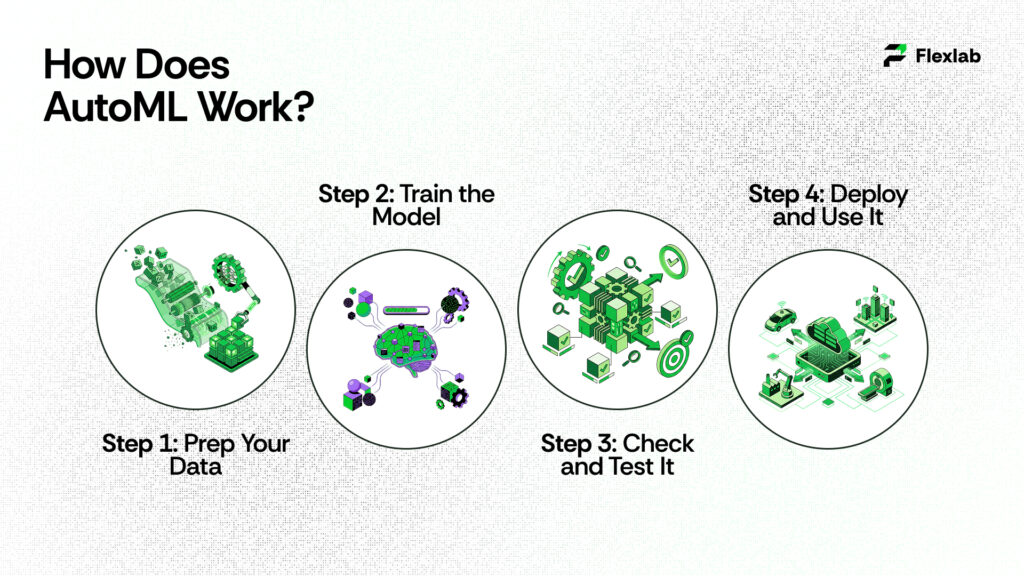
AutoML is like having a smart robot assistant that builds machine learning models for you, without needing to be a coding wizard or math whiz. Instead of spending weeks tweaking code and guessing what works, you just give it your data, tell it what you want to predict, and it handles the rest, finding patterns, picking the best setup via neural architecture search, and creating a ready-to-use model. Google search results from the US (like official Cloud docs, tutorials, and blogs) show it’s super popular for no-code ML, especially Google’s own AutoML tools for images, text, or spreadsheets.
Step 1: Prep Your Data
First of all, you need to upload your stuff, such as photos of cats and dogs (labeled them “cat” or “dog”), customer sales spreadsheets, or text reviews. AutoML automatically cleans it up, like fixing missing bits, resizes images, splitting numbers into ranges, or even creating new columns known as features from your given raw info through the process of AI analytics. There was no manual scrubbing needed. It ensures that everything is ready before training, such as prepping ingredients before baking.
For example, a food delivery app like DoorDash uploads past order data (time, distance, weather) labeled with “on-time” or “late”. AutoML neatly organizes it.
Step 2: Train the Model
Now comes the working part. At this stage, AutoML goes to work much like a chef experimenting in the kitchen. First, it tries hundreds of different techniques, including various model types—such as decision trees that branch like a flowchart or neural networks that mimic brain connections. In addition, it experiments with different settings, or hyperparameters, for example, how deep the branches should go. Finally, AutoML combines multiple approaches using ensemble machine learning, thereby improving overall model performance and reliability.
It uses these tricks:
- Neural Architecture Search NAS: AutoML invents network designs on the fly.
- Bayesian Optimization: Smart guessing to test promising options first, skipping duds.
- Transfer Learning: Starts with Google’s pre-trained brains (from billions of images or texts) and tweaks them for your data.
You watch progress on a dashboard showing accuracy graphs. Training might take hours to days, depending on data size, but you pay only for compute time on Google Cloud.
Step 3: Check and Test It
Once the process is complete, AutoML evaluates the model, essentially giving it a report card with metrics like accuracy (how often it’s correct), precision (few false alarms), recall (catches most real cases), and confusion matrices (tables showing mix-ups). Importantly, it tests the model on data it hasn’t seen before to ensure the results are genuine.
Step 4: Deploy and Use It
Here, your model is live! AutoML turns it into an easy API (like a web address you ping with new data for instant predictions) via seamless AI deployment. Plug it into apps, websites, or dashboards. Examples:
- E-commerce site auto-tags product pics.
- Bank flags fraudulent transactions in real-time.
It monitors performance too, if new data drifts (like holiday shopping changes patterns), retrain easily. Scales to millions of predictions without crashing.
Why is Automated Machine Learning Important?
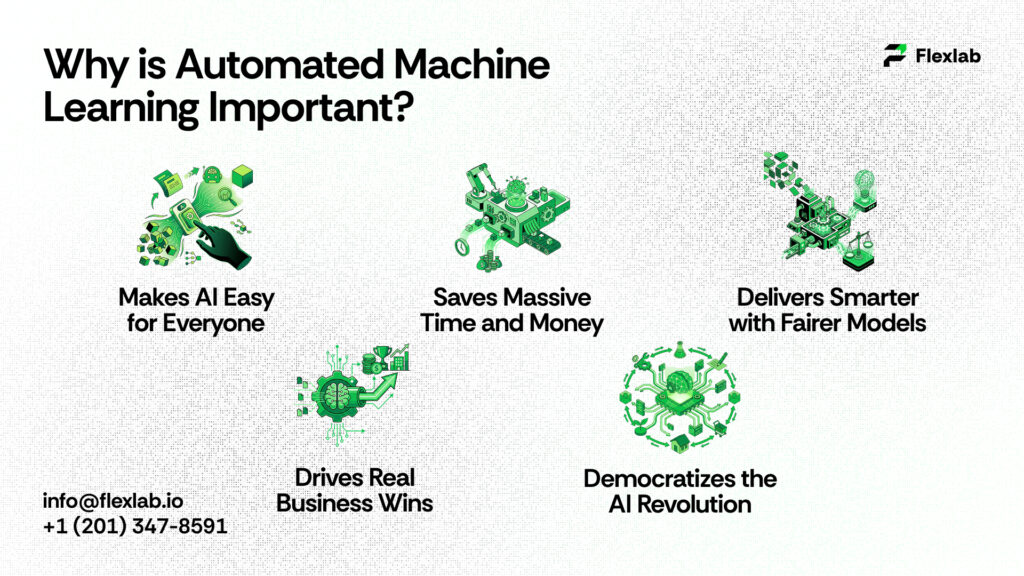
Here are some benefits of AutoML to look at:
-
- Makes AI Easy for Everyone: There’s a huge shortage of data scientists (fewer than 10,000 experts for millions of jobs). AutoML automates the tough stuff and starts data cleaning, model picking, like trees, neural nets, and tweaking settings. Thus, marketers, small business owners, or anyone can upload data, say “predict sales,” and get results in hours where no coding or a PhD is needed.
- Saves Massive Time and Money: Manual ML takes weeks of testing 50+ algorithms and fixing errors. AutoML uses smart tricks like Bayesian optimization to find winners fast, cutting development time by 80-90% and labor costs. Scales to big data analytics without extra hires or servers. It’s ideal for startups.
- Delivers Smarter with Fairer Models: Humans can miss biases or bad tweaks; however, AutoML can’t. It tests thousands of combos systematically and often beats experts with higher accuracy. Moreover, it prevents overfitting, ensures repeatable results, and flags biases for fair use in finance, hiring, or healthcare diagnostics.
- Drives Real Business Wins:
-
- Retail: According to McKinsey, fast demand forecasts cut overstock; boost margins up to 60 basis points.
- Finance: Real-time AI in fraud detection slashes losses; churn prediction lifts retention 5% for 25-95% profit gains.
- Manufacturing: Predictive maintenance reduces breakdowns by 70% as researched by Deloitte.
- Healthcare/Marketing: Personalization and sentiment analysis build loyalty and sales.
- Democratizes the AI Revolution: Turns data piles into quick decisions for any company size, letting non-tech folks compete in a data-driven world without waiting on specialists.
When to Use AutoML
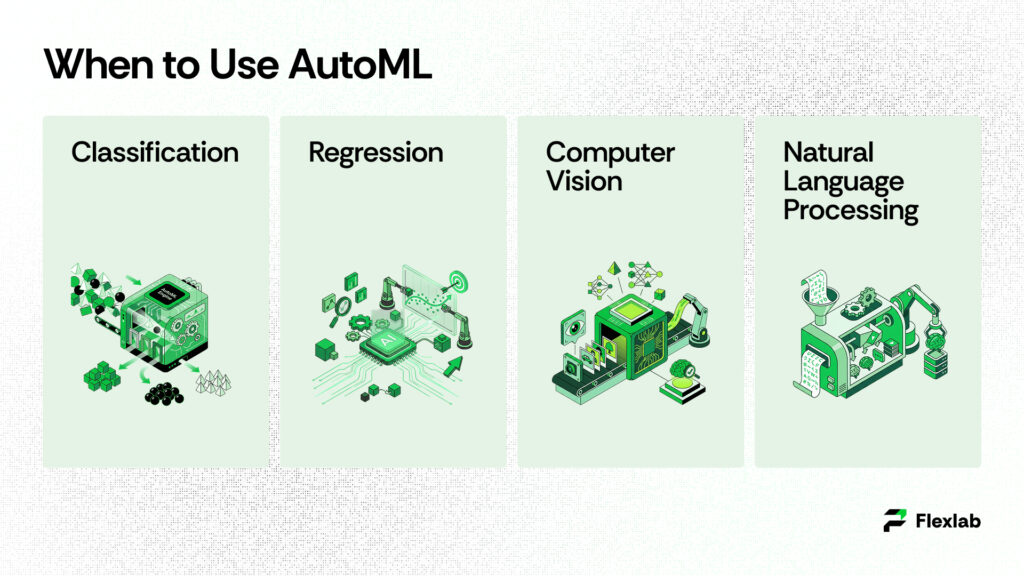
Use cases of AutoML can be applied to a wide range of supervised learning and other machine learning tasks, including;
- Classification
- Regression
- Computer vision
- Natural language processing
Classification
Classification is the machine learning task of assigning data inputs into designated categories. Predictive models leverage input data features to predict the correct labels, or outputs. AutoML systems can build and test a wide range of algorithms, such as random forests and support vector machines (SVMs), to process tabular data.
AutoML manages a variety of common machine learning tasks that businesses and developers encounter daily. For instance, it can sort data into categories (classification), predict specific numbers or values (regression), analyze images and videos (computer vision), and interpret human language in text (natural language processing or NLP). Whether you are a beginner or an expert, AutoML tools make it easier to build powerful models without getting bogged down in complex coding or mathematical details.
Common real-world examples include:
- Fraud detection: Banks use it to flag suspicious credit card charges by looking at spending patterns, location, and time of day.
- Spam filtering: Email services like Gmail rely on this to keep junk out of your inbox.
- Disease diagnosis: Doctors might classify X-rays as “healthy” or “problematic” based on visual patterns.
The beauty is that AutoML detects these patterns on its own from your labeled dataset, builds the model, and even explains why it made certain choices, so you don’t need a PhD in data science.
Regression Explained Step by Step
Regression goes beyond classification by predicting exact value or number instead of just categories.It’s like drawing a trend line through your data to guess what’s next. For instance, if you run a car dealership, you could use past sales data to predict the price of a new SUV based on factors like engine size, fuel efficiency, color popularity, and safety ratings.
There are a couple of main types:
- Linear regression: This assumes a straight-line relationship. For example, higher gas mileage usually means a higher car price. It’s great for simple forecasts like stock levels or website traffic growth.
- Logistic regression: Even though it has “regression” in the name, it’s actually for probabilities, like the chance (say, 75%) that a customer will buy something or that a patient might get sick based on age, habits, and test results.
AutoML simplifies this process by automatically linking your input variables to the target outcome, such as price or risk score. Moreover, it can handle complex “multivariate” cases where numerous factors influence each other—tasks that would take weeks to set up manually. Common applications include market forecasting (predicting next quarter’s sales), risk analysis (estimating loan default odds), and even sports betting predictions based on player statistics.
Computer Vision Made Accessible
Computer vision enables machine to see and understand the world through cameras or photos, just like humans do. However, a computer will do much faster without being tired. AutoML tools generate ready-to-use models for tasks like:
- Object detection: Spotting and boxing items in a photo, e.g., finding all the apples in a grocery store image or pedestrians for self-driving cars.
- Image classification: Labeling a whole picture, like “this is a cat photo” vs. “dog photo.”
- Optical character recognition (OCR): Reading text from scanned documents, receipts, or signs.
Picture content moderators on social media: AutoML can automatically scan uploads to flag inappropriate images. Similarly, factories can use it for quality control, where cameras detect defects on assembly lines before products ship. For more advanced applications, such as autonomous vehicles, AutoML can fine-tune pre-built models on your specific data, improving accuracy for tasks like road sign recognition or obstacle avoidance. Importantly, there’s no need for a team of vision experts—simply upload labeled images, and AutoML handles the rest, including video processing when necessary.
Natural Language Processing (NLP) Simplified
NLP enables AI to communicate with humans naturally by turning messy language into data that computers can process. Meanwhile, AutoML automates model building for text-heavy tasks such as:
- Chatbots: Creating virtual assistants that understand questions like “What’s my order status?” and reply helpfully.
- Sentiment analysis: Gauging if customer reviews are happy, angry, or neutral. It’s perfect for brands tracking feedback.
- Named entity recognition: Picking out key details like names, dates, or places in legal docs or news articles.
- Language translation: Switching English to Spanish on the fly.
- Text classification: Sorting support tickets into “billing issue” or “tech problem.”
Without AutoML, you would either have to code models from scratch—which is very slow—or modify existing models that may not fit your needs perfectly. In contrast, AutoML optimizes everything automatically, leveraging powerful pre-trained models such as BERT for top performance. Moreover, it is multilingual, capable of handling data ranging from English tweets to Arabic contracts, and it scales efficiently to massive datasets like customer emails.
In short, these use cases show AutoML’s power: it turns raw data into smart predictions across industries, from finance to healthcare, without requiring you to be a machine learning wizard. Start with your data, pick a task, and let it do the heavy lifting.
6 Top Automated Machine Learning Tools in 2026

Let’s have a look at the best tools for AutoML and pick the right tool to grow your business:
1. Auto Sklearn
Auto-Sklearn is a free, open-source AutoML framework built on top of the scikit-learn library. Designed with usability in mind, it provides a simple and easy-to-navigate interface for building machine learning models through an automated process. Rather than relying on a single approach, the framework explores thousands of possible model configurations, including selecting suitable algorithms (such as tree-based models or neural networks), tuning hyperparameters, and preparing data through steps like scaling or handling missing values. To make this search efficient, Auto-Sklearn uses Bayesian optimization to intelligently narrow down options instead of testing them randomly, along with meta-learning techniques that draw on past projects to predict effective solutions for new tasks.
2. Google AutoML
Google Cloud AutoML provides a set of services for applications, including image recognition, natural language processing, and tabular data analysis. It has a simple interface for creating and deploying bespoke machine learning models. It’s part of Google Cloud, so it scales huge without you worrying about servers.
They have specialized versions:
- General AutoML: For images (spotting objects), text (understanding language), or videos.
- AutoML Tables: Made just for spreadsheets that handle classification, regression, or forecasting sales over time.
It automates data cleaning, model building, testing, and even explains why it picked certain features. You get a simple web dashboard or code it with Python.
3. H2O.ai (Driverless AI)
H2O Driverless AI is an all-in-one platform that covers the entire machine learning journey. From the outset, it handles everything from messy raw data to deploying a live, production-ready model. In other words, the H2O AI tool acts like an intelligent assistant by managing data preparation tasks such as fixing errors and creating new features. Additionally, it selects appropriate models and fine-tunes them for optimal performance. Most importantly, the platform also helps mitigate bias, for example, in cybersecurity risk assessment scenarios, thereby supporting more fair and reliable outcomes.
It works on both structured data (spreadsheets) and unstructured stuff (text or images). You can run it in the cloud, on your server, or locally.
4. Microsoft Azure AutoML
As part of Azure Machine Learning, this tool integrates seamlessly into the broader Azure ecosystem. Notably, it offers a user-friendly experience through either a drag-and-drop studio or Python-based workflows. In terms of functionality, it supports core machine learning tasks such as sorting data into categories (classification), predicting numerical values (regression), and analyzing future patterns through time-series forecasting.
It works nicely with other Azure stuff like data storage or Power BI for dashboards. You can specify your goal (e.g., “maximize accuracy”), and it tries dozens of models.
5. Databricks AutoML
Databricks AutoML is designed for big data professionals who want to simplify the process of building machine learning models on massive datasets. It provides an interactive environment for both model development and evaluation. Additionally, it can handle a wide range of tasks, including classification, regression, forecasting, and even NLP or image analysis on large-scale datasets.
6. TIBCO Data Science
TIBCO is a team-focused platform designed for building, sharing, and running machine learning models. In practice, it automates key steps such as feature engineering, model tuning, and deployment. Additionally, the platform includes collaboration-friendly features like version control, making it similar to GitHub for machine learning workflows and enabling teams to work together more efficiently.
Limitations of Automated Machine Learning
Some of the AutoML disadvantages are:
- Weaker Models Than Expert Hands
- Black-Box Mystery
- Junk In, Junk Out and Data Dependency
- High Costs and Compute Hunger
- Less Control and Customization
- Privacy and Security Risks
- Scalability and Consistency
- No Common Sense or Creativity
Let’s dig into each disadvantage in detail.
- Weaker Models Than Expert Hands
AutoML leverages general recipes to search for the best setup; on the other hand, a skilled data scientist can often create better and more accurate models by customizing everything in detail over time. It’s good for quick wins but not always plays top performance on tricky data.
- Black-Box Mystery
You get awesome results, but good luck figuring out why. AutoML hides how it picked features, tweaks, or fixes. Total black box. This sucks for banks or hospitals needing to explain decisions to bosses or regulators. - Junk In, Junk Out
AutoML rocks with clean, labeled data but crashes on messy, biased, or small sets. Garbage data means bad predictions, overfitting (memorizes training but fails real world), or unfair biases like discriminatory hiring AI. - Expensive Compute Hog
Testing thousands of model combos burns cloud cash. Hours or days on big data. Startups hate the bills, especially retraining for changing trends. - No Control for Experts
Pros can’t fine-tune for weird industry needs or rare events. Too rigid for complex stuff like real-time AI. Skips deployment monitoring. - Privacy Nightmares
Cloud tools touch sensitive health/finance data. Breach risks and GDPR/HIPAA headaches if security slips. - Inconsistent Results
Random searches mean different outcomes each run. Weak on advanced feature work. Struggles with shifting data, like post-pandemic habits. - Zero Common Sense
Great at patterns, terrible at “why” questions, ethics, or brand-new situations. Needs humans for real-world smarts.
How Flexlab Turns AutoML into 5-8x Marketing ROI
As an AI development company and AI automation agency, Flexlab empowers businesses with Automated Machine Learning (AutoML) by integrating tools like Google AutoML, Azure, and H2O.ai into SEO, blockchain, and marketing workflows. Notably, they deliver professional models for fraud detection, churn prediction, demand forecasting, and personalization—without the need for in-house data scientists. In practice, Flexlab handles data preparation and custom tuning for applications such as crypto trading bot or NFT analytics (boosting returns by 25%), audience segmentation (achieving 5–8× ROI), and predictive maintenance (reducing downtime by 70%). Moreover, expert oversight overcomes black-box limitations, improving accuracy by 20–30%. Finally, models can be deployed seamlessly via Zapier or Gumloop into CRM and ERP systems for scalable, compliant results.
Ready to Automate your Edge?
📞 Book a FREE Consultation Call: +1 (416) 477-9616
📧 Email us: info@flexlab.io
Final Verdict: Automated Machine Learning
In conclusion, Automated Machine Learning (AutoML) transforms complex AI development into an accessible powerhouse, automating data prep, model training, and deployment for tasks like classification, regression, computer vision, and NLP. It is saving 80-90% time while driving wins in fraud detection, personalization, and forecasting across industries.
From top tools like Google AutoML and H2O.ai to overcoming limitations like black-box opacity and data biases, it democratizes AI for non-experts and pros alike. Explore our Blockchain and AI blog and visit our LinkedIn page. Discover more on AI marketing tools, multimodal AI, AI voice agents, AI-powered chatbots, AI business ideas, and AI voice assistants.
FAQs
1. What are the 4 types of machine learning?
Supervised learning trains on labeled data to make predictions, like classifying emails as spam or not. Unsupervised learning uncovers patterns in unlabeled data, such as grouping similar customers. Semi-supervised learning combines a small labeled set with lots of unlabeled data for better efficiency. Reinforcement learning lets agents learn through trial-and-error rewards, powering things like game bots or robots.
2. Is ChatGPT AI or ML?
ChatGPT is an artificial intelligence system powered by machine learning at its core. Specifically, it is built on a large language model, a type of ML trained on massive text datasets. During training, it undergoes supervised fine-tuning followed by reinforcement learning from human feedback. Overall, ChatGPT represents advanced AI driven by sophisticated machine learning techniques.
3. What is the difference between MLOps and AutoML?
AutoML automates the model-building phase, taking care of tasks like feature selection, training, and hyperparameter tuning to create models quickly. On the other hand, MLOps handles the operational side, including deployment, performance monitoring, scaling, and retraining models in production environments. In short, AutoML gets you a model fast, while MLOps ensures it runs reliably over time. Together, they form a complete ML workflow—from creation to ongoing maintenance.
















3 Responses