What Is Automated Machine Learning and How Does It Work?

What Is Automated Machine Learning and How Does It Work?

Why Is Automated Machine Learning Important and How Does It Work?

AI Marketing Tools | Multimodal AI | AI Voice Agents

What automated machine learning is. Imagine spending weeks buried in code, tweaking endless models just to predict customer churn, only for a no-name marketer to upload data and nail it in hours. That’s the AutoML revolution: your smart shortcut to AI superpowers without the PhD or coding marathon. Whether spotting fraudulent transactions, tagging product pics with computer vision, or chatting via natural language processing NLP models, AutoML automates the grind from data prep to deployment. 

Ready to turn data chaos into business wins? Dive in and see how Flexlab makes it dead simple.

What is AutoML?

AutoML stands for Automated machine learning or Automated ML. AutoML automates the time-consuming and iterative task of end-to-end automation in developing machine learning pipelines and AI and machine learning models (ML models). It enables non-experts to create and implement artificial intelligence systems. It streamlines the AI workflow for data scientists, analysts, and developers, allowing them to build machine learning models with increased productivity and efficiency while maintaining model quality.

Automated machine learning tools simplify and ease the process of developing machine learning models. Users get help from its user-friendly interface, where they can create, train, validate, and deploy generative AI models and other deep learning frameworks. It also facilitates AI implementation in regulated industries with its explainable and repeatable results.

Every step in the machine learning workflow—such as data preparation, preprocessing, feature engineering, and hyperparameter tuning—must be carried out manually unless AutoML is used. By automating these tasks, AutoML makes machine learning accessible to anyone interested in exploring its potential. Meanwhile expert MLOps team and data science professionals can automate routine tasks with the help of AutoML while focusing more on other demanding learning tasks.

How Does AutoML Work?
How Does AutoML Work?

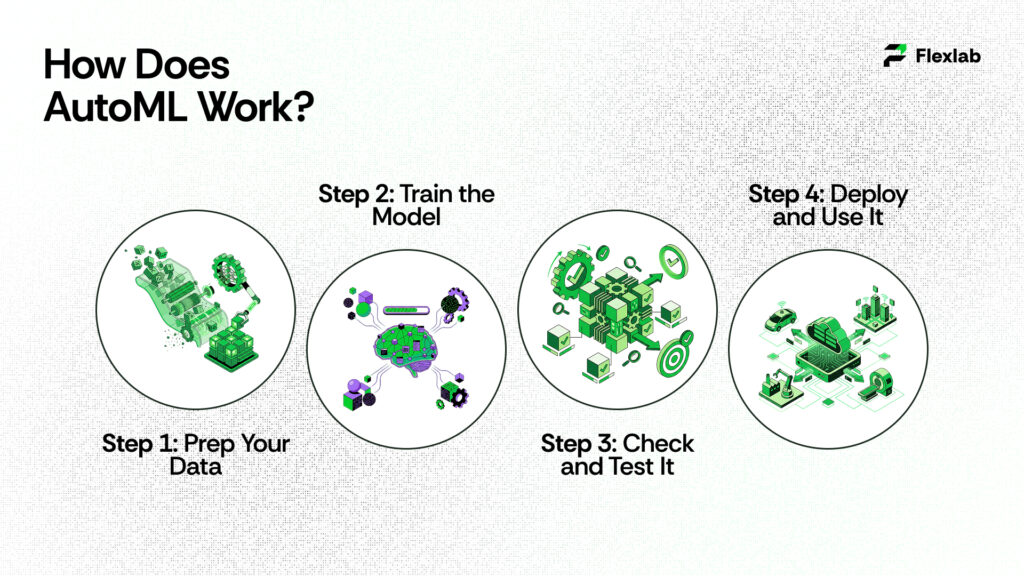
AutoML is like having a smart robot assistant that builds machine learning models for you, without needing to be a coding wizard or math whiz. Instead of spending weeks tweaking code and guessing what works, you just give it your data, tell it what you want to predict, and it handles the rest, finding patterns, picking the best setup via neural architecture search, and creating a ready-to-use model. Google search results from the US (like official Cloud docs, tutorials, and blogs) show it’s super popular for no-code ML, especially Google’s own AutoML tools for images, text, or spreadsheets.​

Step 1: Prep Your Data

First of all, you need to upload your stuff, such as photos of cats and dogs (labeled them “cat” or “dog”), customer sales spreadsheets, or text reviews. AutoML automatically cleans it up, like fixing missing bits, resizes images, splitting numbers into ranges, or even creating new columns known as features from your given raw info through the process of AI analytics. There was no manual scrubbing needed. It ensures that everything is ready before training, such as prepping ingredients before baking.

For example, a food delivery app like DoorDash uploads past order data (time, distance, weather) labeled with “on-time” or “late”. AutoML neatly organizes it.

Step 2: Train the Model

Now comes the working part. At this stage, AutoML goes to work much like a chef experimenting in the kitchen. First, it tries hundreds of different techniques, including various model types—such as decision trees that branch like a flowchart or neural networks that mimic brain connections. In addition, it experiments with different settings, or hyperparameters, for example, how deep the branches should go. Finally, AutoML combines multiple approaches using ensemble machine learning, thereby improving overall model performance and reliability.

It uses these tricks:

  • Neural Architecture Search NAS: AutoML invents network designs on the fly.
  • Bayesian Optimization: Smart guessing to test promising options first, skipping duds.
  • Transfer Learning: Starts with Google’s pre-trained brains (from billions of images or texts) and tweaks them for your data.

You watch progress on a dashboard showing accuracy graphs. Training might take hours to days, depending on data size, but you pay only for compute time on Google Cloud.​

Step 3: Check and Test It

Once the process is complete, AutoML evaluates the model, essentially giving it a report card with metrics like accuracy (how often it’s correct), precision (few false alarms), recall (catches most real cases), and confusion matrices (tables showing mix-ups). Importantly, it tests the model on data it hasn’t seen before to ensure the results are genuine.

Step 4: Deploy and Use It

Here, your model is live! AutoML turns it into an easy API (like a web address you ping with new data for instant predictions) via seamless AI deployment. Plug it into apps, websites, or dashboards. Examples:

It monitors performance too, if new data drifts (like holiday shopping changes patterns), retrain easily. Scales to millions of predictions without crashing.

Why is Automated Machine Learning Important?
Why is Automated Machine Learning Important?

Here are some benefits of AutoML to look at:

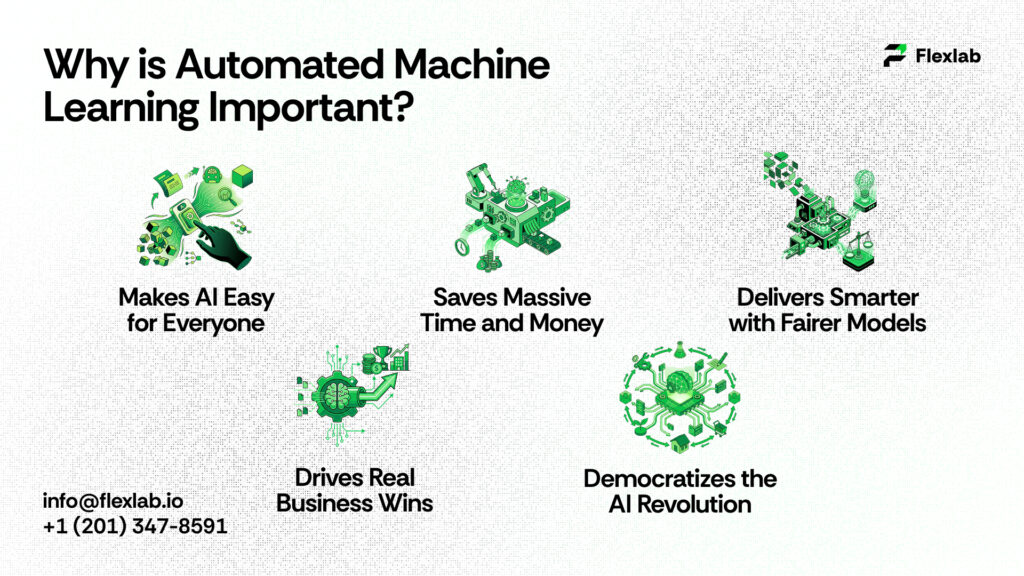
    • Makes AI Easy for Everyone: There’s a huge shortage of data scientists (fewer than 10,000 experts for millions of jobs). AutoML automates the tough stuff and starts data cleaning, model picking, like trees, neural nets, and tweaking settings. Thus, marketers, small business owners, or anyone can upload data, say “predict sales,” and get results in hours where no coding or a PhD is needed.​
    • Saves Massive Time and Money: Manual ML takes weeks of testing 50+ algorithms and fixing errors. AutoML uses smart tricks like Bayesian optimization to find winners fast, cutting development time by 80-90% and labor costs. Scales to big data analytics without extra hires or servers. It’s ideal for startups.
    • Delivers Smarter with Fairer Models: Humans can miss biases or bad tweaks; however, AutoML can’t. It tests thousands of combos systematically and often beats experts with higher accuracy. Moreover, it prevents overfitting, ensures repeatable results, and flags biases for fair use in finance, hiring, or healthcare diagnostics.​
  • Drives Real Business Wins:
    • Retail:  According to McKinsey, fast demand forecasts cut overstock; boost margins up to 60 basis points.
    • Finance: Real-time AI in fraud detection slashes losses; churn prediction lifts retention 5% for 25-95% profit gains.
    • Manufacturing: Predictive maintenance reduces breakdowns by 70% as researched by Deloitte.
    • Healthcare/Marketing: Personalization and sentiment analysis build loyalty and sales.​
  • Democratizes the AI Revolution: Turns data piles into quick decisions for any company size, letting non-tech folks compete in a data-driven world without waiting on specialists.

When to Use AutoML 
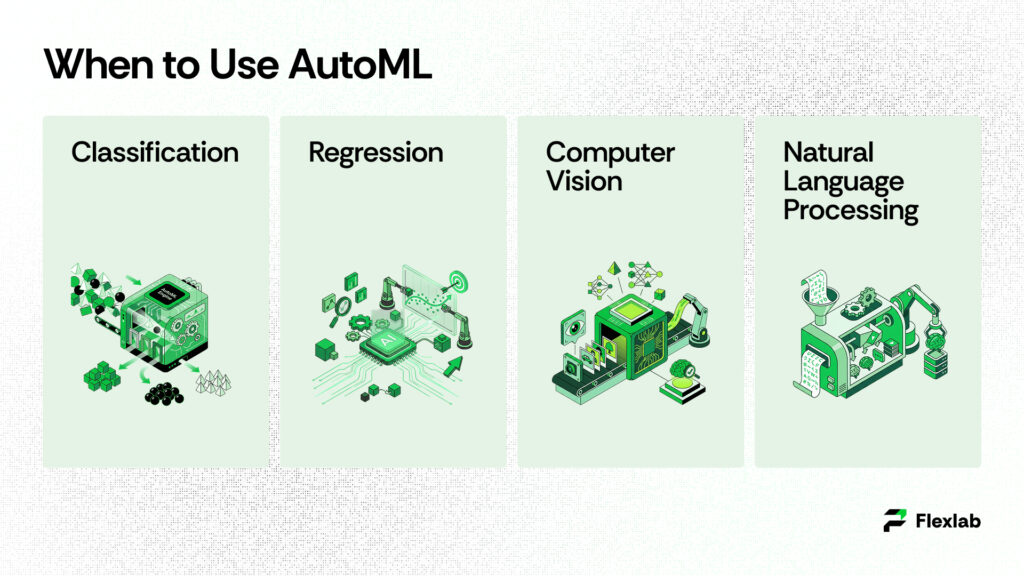
When to Use AutoML

Use cases of AutoML can be applied to a wide range of supervised learning and other machine learning tasks, including;

Classification

Classification is the machine learning task of assigning data inputs into designated categories. Predictive models leverage input data features to predict the correct labels, or outputs. AutoML systems can build and test a wide range of algorithms, such as random forests and support vector machines (SVMs), to process tabular data.

AutoML manages a variety of common machine learning tasks that businesses and developers encounter daily. For instance, it can sort data into categories (classification), predict specific numbers or values (regression), analyze images and videos (computer vision), and interpret human language in text (natural language processing or NLP). Whether you are a beginner or an expert, AutoML tools make it easier to build powerful models without getting bogged down in complex coding or mathematical details.

Common real-world examples include:

  • Fraud detection: Banks use it to flag suspicious credit card charges by looking at spending patterns, location, and time of day.
  • Spam filtering: Email services like Gmail rely on this to keep junk out of your inbox.
  • Disease diagnosis: Doctors might classify X-rays as “healthy” or “problematic” based on visual patterns.

The beauty is that AutoML detects these patterns on its own from your labeled dataset, builds the model, and even explains why it made certain choices, so you don’t need a PhD in data science.

Regression Explained Step by Step

Regression goes beyond classification by predicting exact value or number instead of just categories.It’s like drawing a trend line through your data to guess what’s next. For instance, if you run a car dealership, you could use past sales data to predict the price of a new SUV based on factors like engine size, fuel efficiency, color popularity, and safety ratings.

There are a couple of main types:

  • Linear regression: This assumes a straight-line relationship. For example, higher gas mileage usually means a higher car price. It’s great for simple forecasts like stock levels or website traffic growth.
  • Logistic regression: Even though it has “regression” in the name, it’s actually for probabilities, like the chance (say, 75%) that a customer will buy something or that a patient might get sick based on age, habits, and test results.

AutoML simplifies this process by automatically linking your input variables to the target outcome, such as price or risk score. Moreover, it can handle complex “multivariate” cases where numerous factors influence each other—tasks that would take weeks to set up manually. Common applications include market forecasting (predicting next quarter’s sales), risk analysis (estimating loan default odds), and even sports betting predictions based on player statistics.

Computer Vision Made Accessible

Computer vision enables machine to see and understand the world through cameras or photos, just like humans do. However, a computer will do much faster without being tired. AutoML tools generate ready-to-use models for tasks like:

  • Object detection: Spotting and boxing items in a photo, e.g., finding all the apples in a grocery store image or pedestrians for self-driving cars.
  • Image classification: Labeling a whole picture, like “this is a cat photo” vs. “dog photo.”
  • Optical character recognition (OCR): Reading text from scanned documents, receipts, or signs.

Picture content moderators on social media: AutoML can automatically scan uploads to flag inappropriate images. Similarly, factories can use it for quality control, where cameras detect defects on assembly lines before products ship. For more advanced applications, such as autonomous vehicles, AutoML can fine-tune pre-built models on your specific data, improving accuracy for tasks like road sign recognition or obstacle avoidance. Importantly, there’s no need for a team of vision experts—simply upload labeled images, and AutoML handles the rest, including video processing when necessary.

Natural Language Processing (NLP) Simplified

NLP enables AI to communicate with humans naturally by turning messy language into data that computers can process. Meanwhile, AutoML automates model building for text-heavy tasks such as:

  • Chatbots: Creating virtual assistants that understand questions like “What’s my order status?” and reply helpfully.
  • Sentiment analysis: Gauging if customer reviews are happy, angry, or neutral. It’s perfect for brands tracking feedback.
  • Named entity recognition: Picking out key details like names, dates, or places in legal docs or news articles.
  • Language translation: Switching English to Spanish on the fly.
  • Text classification: Sorting support tickets into “billing issue” or “tech problem.”

Without AutoML, you would either have to code models from scratch—which is very slow—or modify existing models that may not fit your needs perfectly. In contrast, AutoML optimizes everything automatically, leveraging powerful pre-trained models such as BERT for top performance. Moreover, it is multilingual, capable of handling data ranging from English tweets to Arabic contracts, and it scales efficiently to massive datasets like customer emails.

In short, these use cases show AutoML’s power: it turns raw data into smart predictions across industries, from finance to healthcare, without requiring you to be a machine learning wizard. Start with your data, pick a task, and let it do the heavy lifting.

6 Top Automated Machine Learning Tools in 2026

Icons shows Top Automated Machine Learning Tools in 2026

Let’s have a look at the best tools for AutoML and pick the right tool to grow your business:

1. Auto Sklearn

Auto-Sklearn is a free, open-source AutoML framework built on top of the scikit-learn library. Designed with usability in mind, it provides a simple and easy-to-navigate interface for building machine learning models through an automated process. Rather than relying on a single approach, the framework explores thousands of possible model configurations, including selecting suitable algorithms (such as tree-based models or neural networks), tuning hyperparameters, and preparing data through steps like scaling or handling missing values. To make this search efficient, Auto-Sklearn uses Bayesian optimization to intelligently narrow down options instead of testing them randomly, along with meta-learning techniques that draw on past projects to predict effective solutions for new tasks.

2. Google AutoML

Google Cloud AutoML provides a set of services for applications, including image recognition, natural language processing, and tabular data analysis. It has a simple interface for creating and deploying bespoke machine learning models. It’s part of Google Cloud, so it scales huge without you worrying about servers.

They have specialized versions:

  • General AutoML: For images (spotting objects), text (understanding language), or videos.
  • AutoML Tables: Made just for spreadsheets that handle classification, regression, or forecasting sales over time.

It automates data cleaning, model building, testing, and even explains why it picked certain features. You get a simple web dashboard or code it with Python.

3. H2O.ai (Driverless AI)

H2O Driverless AI is an all-in-one platform that covers the entire machine learning journey. From the outset, it handles everything from messy raw data to deploying a live, production-ready model. In other words, the H2O AI tool acts like an intelligent assistant by managing data preparation tasks such as fixing errors and creating new features. Additionally, it selects appropriate models and fine-tunes them for optimal performance. Most importantly, the platform also helps mitigate bias, for example, in cybersecurity risk assessment scenarios, thereby supporting more fair and reliable outcomes.

It works on both structured data (spreadsheets) and unstructured stuff (text or images). You can run it in the cloud, on your server, or locally.

4. Microsoft Azure AutoML

As part of Azure Machine Learning, this tool integrates seamlessly into the broader Azure ecosystem. Notably, it offers a user-friendly experience through either a drag-and-drop studio or Python-based workflows. In terms of functionality, it supports core machine learning tasks such as sorting data into categories (classification), predicting numerical values (regression), and analyzing future patterns through time-series forecasting.

It works nicely with other Azure stuff like data storage or Power BI for dashboards. You can specify your goal (e.g., “maximize accuracy”), and it tries dozens of models.

5. Databricks AutoML

Databricks AutoML is designed for big data professionals who want to simplify the process of building machine learning models on massive datasets. It provides an interactive environment for both model development and evaluation. Additionally, it can handle a wide range of tasks, including classification, regression, forecasting, and even NLP or image analysis on large-scale datasets.

6. TIBCO Data Science

TIBCO is a team-focused platform designed for building, sharing, and running machine learning models. In practice, it automates key steps such as feature engineering, model tuning, and deployment. Additionally, the platform includes collaboration-friendly features like version control, making it similar to GitHub for machine learning workflows and enabling teams to work together more efficiently.

Limitations of Automated Machine Learning

Some of the AutoML disadvantages are:

  • Weaker Models Than Expert Hands
  •  Black-Box Mystery
  • Junk In, Junk Out and Data Dependency
  • High Costs and Compute Hunger
  • Less Control and Customization
  • Privacy and Security Risks
  • Scalability and Consistency
  • No Common Sense or Creativity

Let’s dig into each disadvantage in detail.

  • Weaker Models Than Expert Hands

 AutoML leverages general recipes to search for the best setup; on the other hand, a skilled data scientist can often create better and more accurate models by customizing everything in detail over time. It’s good for quick wins but not always plays top performance on tricky data. 

  • Black-Box Mystery
    You get awesome results, but good luck figuring out why. AutoML hides how it picked features, tweaks, or fixes. Total black box. This sucks for banks or hospitals needing to explain decisions to bosses or regulators.
  • Junk In, Junk Out
    AutoML rocks with clean, labeled data but crashes on messy, biased, or small sets. Garbage data means bad predictions, overfitting (memorizes training but fails real world), or unfair biases like discriminatory hiring AI.
  • Expensive Compute Hog
    Testing thousands of model combos burns cloud cash. Hours or days on big data. Startups hate the bills, especially retraining for changing trends.
  • No Control for Experts
    Pros can’t fine-tune for weird industry needs or rare events. Too rigid for complex stuff like real-time AI. Skips deployment monitoring.
  • Privacy Nightmares
    Cloud tools touch sensitive health/finance data. Breach risks and GDPR/HIPAA headaches if security slips.
  • Inconsistent Results
    Random searches mean different outcomes each run. Weak on advanced feature work. Struggles with shifting data, like post-pandemic habits.
  • Zero Common Sense
    Great at patterns, terrible at “why” questions, ethics, or brand-new situations. Needs humans for real-world smarts.

How Flexlab Turns AutoML into 5-8x Marketing ROI

How Flexlab Turns AutoML into 5-8x Marketing ROI

As an AI development company and AI automation agency, Flexlab empowers businesses with Automated Machine Learning (AutoML) by integrating tools like Google AutoML, Azure, and H2O.ai into SEO, blockchain, and marketing workflows. Notably, they deliver professional models for fraud detection, churn prediction, demand forecasting, and personalization—without the need for in-house data scientists. In practice, Flexlab handles data preparation and custom tuning for applications such as crypto trading bot or NFT analytics (boosting returns by 25%), audience segmentation (achieving 5–8× ROI), and predictive maintenance (reducing downtime by 70%). Moreover, expert oversight overcomes black-box limitations, improving accuracy by 20–30%. Finally, models can be deployed seamlessly via Zapier or Gumloop into CRM and ERP systems for scalable, compliant results.

Ready to Automate your Edge?

📞 Book a FREE Consultation Call: +1 (201) 347-8591
📧 Email us: info@flexlab.io

Final Verdict: Automated Machine Learning

In conclusion, Automated Machine Learning (AutoML) transforms complex AI development into an accessible powerhouse, automating data prep, model training, and deployment for tasks like classification, regression, computer vision, and NLP. It is saving 80-90% time while driving wins in fraud detection, personalization, and forecasting across industries. 

From top tools like Google AutoML and H2O.ai to overcoming limitations like black-box opacity and data biases, it democratizes AI for non-experts and pros alike. Explore our Blockchain and AI blog and visit our LinkedIn page. Discover more on  AI marketing tools, multimodal AI, AI voice agents, AI-powered chatbots, AI business ideas, and AI voice assistants.

FAQs

1. What are the 4 types of machine learning?

Supervised learning trains on labeled data to make predictions, like classifying emails as spam or not. Unsupervised learning uncovers patterns in unlabeled data, such as grouping similar customers. Semi-supervised learning combines a small labeled set with lots of unlabeled data for better efficiency. Reinforcement learning lets agents learn through trial-and-error rewards, powering things like game bots or robots.

2. Is ChatGPT AI or ML?

ChatGPT is an artificial intelligence system powered by machine learning at its core. Specifically, it is built on a large language model, a type of ML trained on massive text datasets. During training, it undergoes supervised fine-tuning followed by reinforcement learning from human feedback. Overall, ChatGPT represents advanced AI driven by sophisticated machine learning techniques.

3. What is the difference between MLOps and AutoML?

AutoML automates the model-building phase, taking care of tasks like feature selection, training, and hyperparameter tuning to create models quickly. On the other hand, MLOps handles the operational side, including deployment, performance monitoring, scaling, and retraining models in production environments. In short, AutoML gets you a model fast, while MLOps ensures it runs reliably over time. Together, they form a complete ML workflow—from creation to ongoing maintenance.
Leave a Reply

Your email address will not be published. Required fields are marked *

The Impact of Automation Testing on Software Reliability

AI Assistants | AI Automation Agency | AI Automation Tools

Automation testing stops app launch disasters like login glitches or crashes, slashing bugs by 70% and accelerating releases in today’s high-stakes dev world.

Powered by tools like Selenium and CI/CD pipelines, it turns chaotic manual checks into precise, scalable quality machines that crush regression woes and edge cases. Whether battling tight deadlines or manual limits, discover how it outperforms while Flexlab’s AI-driven QA supercharges your workflow.

Dive in for strategies, top tools, and pro tips top teams use for bulletproof software in 2026!

What is Automation Testing?

Automation testing is a software testing approach that leverages tools and scripts to execute test cases automatically without human intervention. It executes predefined scripts that mimic user actions, compares results against expectations, and crafts reports on passes or failures. As compared to manual testing, it handles repetitive tasks effortlessly, such as write once, run endlessly on unit, API, UI, or regression levels. It increases testing efficiency and accuracy while decreasing time-consuming tasks. Moreover, automation testing tools like Selenium or Appium are turning tedious checks into efficient processes that scale with app complexity.

  • Why Use Automation Testing?

If you’re wondering why to use automation testing, here is your quick answer: Entrepreneurs and development teams save massive time on repetitive tasks by using it, and boost efficiency by up to 70% in large projects. Furthermore, it eliminates human errors caused by fatigue, ensures consistent results, and expands coverage to edge cases that are often skipped by manual testers. In a nutshell, it reduces costs for long-term and supports frequent releases in agile environments.

  • When to Use Test Automation

Automate tests that repeat frequently, such as regression tests after updates, or involve high volumes, like cross-browser checks. Skip it for one-off exploratory tests or ad-hoc UI tweaks better suited to humans. Ideal timing hits during stable sprints, post-unit coding, or in CI/CD for every commit to keep quality high without slowing velocity.

Manual Testing vs Automation Testing

Manual testing is executed by hand without using any tools, mimicking end-user interaction to detect bugs, usability issues, and gaps in requirements. It solely depends on observation, exploration, and judgment to validate software functionality in real-world scenarios.

On the other hand, automation testing uses scripts and specialized tools to run predefined test cases automatically. It checks on code repetitively, interfaces, or performance with consistent precision and speed.

A Brief Comparison: Manual Testing vs Automation Testing  

Aspect Manual Testing Automation Testing
Execution Human-driven, step-by-step by testers Scripted via tools like Selenium or Cypress
Speed Slower for repeats, flexible for ad-hoc Fast for large-scale, parallel runs
Accuracy Subject to human error or fatigue Highly consistent, no variability
Cost Low initial setup, high ongoing labor Higher upfront scripting saves long-term
Coverage Good for exploratory, limited volume Excellent for regression, broad scenarios
Best For UX, one-offs, unstable early builds Repetitive tasks, CI/CD pipelines

How Does Automation Testing Improve Software Quality?

Infographics showing a QA engineer reviewing automated test results

Automation testing boosts software quality through faster execution, error-free consistency, and scalable coverage. Here are the benefits of test automation that deliver real impact.

  • Increased Speed and Efficiency
  • Enhanced Accuracy and Reliability
  • Wider Test Coverage
  • Early Bug Detection
  • Better Resource Allocation
  • Improved Regression Testing
  • Consistent Documentation

Increased Speed and Efficiency

Automated tests run significantly faster than manual tests. It allows more frequent execution after every code change. This rapid execution is the foundation of the Continuous Integration/Continuous Delivery CI/CD pipeline. It provides faster feedback loops for developers and boosts the overall delivery of updates or new products to market.

Enhanced Accuracy and Reliability

Automated tests follow a predefined script every time. As a result, it prevents the human error that can occur during repetitive manual testing. This consistency provides reliable and accurate results. It also gives a higher level of confidence in the application’s quality.

Wider Test Coverage

Test automation executes thousands of complex test cases and scenarios, including edge cases and performance tests. These test cases are impossible or impractical to cover by manual testing. Therefore, automated tests provide comprehensive coverage that identifies more defects and vulnerabilities before they reach production.

Early Bug Detection

When tests are run frequently and automatically from the earliest stages of the software development life cycle (SDLC), such as during unit testing, defects are detected much sooner. As a result, bugs can be identified earlier and fixed promptly. Consequently, this approach makes issue resolution far less time-consuming and significantly more cost-effective.

Better Resource Allocation

Automation frees human testers from repetitive and time-consuming tasks. As a result, it allows them to focus on more complex, strategic, and exploratory testing, as well as user experience design and innovation. Moreover, automation scales effortlessly for large projects, thereby optimizing human resources for higher-value work. Ultimately, overall productivity increases as teams avoid burnout caused by routine checks.

Improved Regression Testing

After each update, automation swiftly revalidates the entire application to ensure that no existing features break, a process that would be too slow to perform manually. Furthermore, it maintains a living test suite that evolves alongside the codebase, thereby preserving stability across versions. As a result, this approach ensures long-term quality even as the software becomes increasingly complex.

Consistent Documentation

Test scripts serve as living documentation, clearly outlining expected behaviors and code interactions. In addition, they generate reports containing logs, screenshots, and metrics, which facilitate easy auditing and stakeholder reviews. Consequently, this traceability supports onboarding, ensures compliance, and aids in post-mortem analysis.

6 Key Types of Automation Testing

Diagram illustrating different types of automated tests, including unit, integration, and UI tests

Automated testing is essential for software reliability. It detects issues earlier and ensures high quality. Let’s have a look at the 6 types of test automation that everyone should know for effective software development.

  • Unit Testing
  • Functional Testing
  • Integration Testing
  • Regression Testing
  • Smoke Testing
  • Performance Testing
  • UI Testing

1. Unit Testing

Unit testing tests individual or the smallest parts of the code components automatically, like functions or methods, in isolation to verify they work correctly without dependencies. This test detects errors earlier in software development. It reduces fixed costs and uses automation testing frameworks like JUnit or pytest for quick execution. This test can be run frequently during coding for immediate feedback.

2. Functional Testing

Functional testing automates checks to ensure the software meets specified requirements and performs expected behaviors from a user’s perspective, validating inputs, outputs, and business logic without peeking inside the code. It treats the app as a black box, focusing on what it does, like login flows, form submissions, or payment processing, rather than how it’s built. Tools like Selenium, Katalon, or TestComplete simulate real user journeys across scenarios. This catches mismatches between features and specs early, preventing user frustration in production.

3. Integration Testing

Integration testing automates verification of how separate modules or services interact, ensuring data flows correctly between them. It uncovers interface issues that unit tests miss, such as API mismatches, using tools like Postman or Selenium. Ideal after unit tests to build confidence in combined functionality.​

4. Regression Testing

Regression testing automates re-running existing tests after code changes to ensure that new updates do not break prior features. Since this process is highly repetitive, it is ideal for automation within continuous integration pipelines like Jenkins. Furthermore, maintaining a suite of these tests for every release helps preserve overall stability.

5. Smoke Testing

Smoke testing automates basic checks on core features to ensure the build is stable enough for deeper testing. Consequently, it quickly identifies major failures, saving time on faulty versions, and often runs post-deployment. In essence, think of it as a “quick health check” before executing full test suites.

6. Performance Testing

Performance testing automates load simulations to measure speed, scalability, and stability under user stress. Tools like JMeter reveal bottlenecks, such as slow response times, helping optimize for real-world traffic. Use it for high-traffic apps to ensure smooth user experiences.​

7. UI Testing

UI testing automates the validation of user interfaces by checking elements like buttons and forms across browsers and devices. As a result, it ensures visual consistency and responsiveness, often using tools such as Cypress or Playwright. This approach is essential for web and mobile apps where user interaction is critical.

Main Challenges Associated With Automated Testing

Graphic showing common automation testing challenges like flaky tests and dependency issues

Automated testing brings big wins, but it comes with hurdles like tricky setups and data headaches that can slow teams down. Overcoming these requires smart planning, while following clear steps makes automation smooth and effective. Here’s a breakdown in plain terms to help you tackle both sides.

Complex Test Environment Setup

Setting up the right environment for automated tests often feels like piecing together a puzzle, with databases, APIs, and devices that don’t always cooperate. Consequently, it takes time to match production conditions exactly, and even one mismatch can cause flaky results or complete failures. To address this, start small with cloud tools like BrowserStack to mimic real setups without purchasing hardware, and use Docker for quick, repeatable configurations.

Data Management Issues

Managing test data is tough because you need fresh, realistic info without messing up production or repeating the same old datasets that hide bugs. Issues pop up like outdated data, broken scripts, or created redundant storage headaches. Fix it by generating synthetic data automatically and storing it in version control for easy updates and integrity checks.​

Dependency Management Issues

Dependencies between tests, services, or external APIs can make runs brittle—change one thing, and everything breaks. As a result, fragile chains form where order matters, or third-party glitches halt progress. To mitigate this, pin versions, isolate dependencies using tools like mocks, and incorporate CI/CD scans to detect risks early.

Version Compatibility Issues

New app versions, browser updates, or Java bumps can crash tests due to mismatched class files or deprecated features. It’s frustrating when a simple upgrade breaks your suite overnight. Test across versions regularly, use compatibility matrices, and lock tools to stable releases while planning upgrades

Top Automation Testing Tools for 2026

Icons of popular automation testing tools such as Selenium, Cypress, and Appium

Top automation testing tools for 2026 stand out for their speed, AI smarts, and cross-platform support, helping teams test web, mobile, and APIs faster. These picks come from recent industry rankings and suit different needs like open-source flexibility or enterprise scale. Here’s a curated top 6 with key strengths to pick the right one for your projects.​

1. Selenium

Selenium testing leads as the go-to open-source framework for web testing across browsers and languages like Java or Python. It shines in cross-browser automation with WebDriver for reliable scripts and Grid for parallel runs. Free and battle-tested, it’s ideal for devs building custom suites but needs coding skills.​

2. Cypress

Cypress testing excels in modern web apps, offering real-time testing, auto-waits, and time-travel debugging directly in the browser. In addition, it is JavaScript-focused, super fast for end-to-end tests, and easy for frontend teams to use. Moreover, as an open-source tool with paid cloud options, it is perfect for quick feedback loops without setup hassles.

3. Playwright

Microsoft Playwright offers robust cross-browser support for Chromium, Firefox, and WebKit, along with mobile emulation and API testing. In addition, it handles flaky tests effectively through auto-retry and parallelism, making it ideal for complex apps. Moreover, as an open-source and reliable tool, it is rapidly gaining popularity for full-stack automation.

4. Katalon

Katalon provides a low-code platform for web, mobile, API, and desktop tests, featuring built-in recording and AI visuals. In addition, it integrates easily with CI/CD and scales for teams, blending scriptless ease with advanced reporting. Moreover, its free tier makes it ideal for non-coders in QA-heavy workflows.

5. Appium

Appium dominates mobile automation for iOS and Android native or hybrid apps, using a single API similar to Selenium. In addition, it supports both real devices and emulators without requiring app changes, making it ideal for cross-platform testing. Moreover, as an open-source and extensible tool, it remains a staple for mobile-first projects.

6. Leapwork

Leapwork tops no-code lists with visual flows for end-to-end testing across web, desktop, and mainframes. AI handles maintenance, and it offers strong analytics for enterprises. Paid but scalable with CI/CD hooks, best for business users, speeding up regression without scripts.

Step-by-Step Guide on How to Start Automation Testing From Scratch

Automating testing saves time and catches bugs early by running scripts instead of manual checks. Follow these straightforward steps to get started, even if you’re new to it. This process works for most apps, from web to mobile.

  • Select the Right Tools

Pick tools that match your app, such as Selenium for web UI, JUnit for Java units, or Cypress for modern frontends. Additionally, consider team skills and free options first to avoid steep learning curves. Then, test a few on simple scripts to see which works best.

  • Define Scope and Plan

Decide what to automate by focusing on repetitive tests, such as logins or forms, while skipping one-offs. Next, map out goals, timelines, and data needs in a simple plan. Finally, prioritize high-impact areas to achieve quick wins and maximize ROI.

  • Design Test Cases

First, write clear, reusable test scenarios that cover both happy paths and edge cases. In addition, keep them independent so that one failure does not affect others. Finally, use data-driven approaches to swap inputs easily without rewriting code.

  • Build the Framework and Scripts

Set up a framework like pytest or Robot for structure, then code modular scripts with good names and error logs. Start small, version control everything in Git, and add mocks for tricky dependencies. Make scripts readable for easy handoffs.​

  • Set Up Environments

Create clean, isolated setups using Docker or cloud services like BrowserStack for real browsers and devices. In addition, match production as closely as possible without the hassle. Finally, automate provisioning to spin up fresh environments for each run.

  • Execute Tests

Hook into CI/CD tools like Jenkins or GitHub Actions to run tests on every code push. Additionally, schedule parallel runs for speed and monitor dashboards live. Start with nightly builds, and then move to continuous testing for faster feedback.

  • Analyze Reports and Maintain

Review logs, screenshots, and metrics immediately after runs to log bugs quickly. Then, update scripts for app changes weekly and treat maintenance like code upkeep. Finally, tweak flaky tests and gradually expand coverage for lasting value.

Unlock 70% Faster Releases: Flexlab’s Automation Testing Secrets

Illustration showing a faster software release cycle with Flexlab's AI-powered automation testing

Flexlab, a premier software development company specializing in AI and blockchain, empowers teams to excel in automation testing through comprehensive quality assurance and seamless DevOps services. In addition, they leverage top tools like Selenium, Cypress, and Appium to build custom frameworks that automate unit, integration, UI, and security testing techniques, thereby ensuring robust coverage across web, mobile, and API landscapes.

By integrating security testing for vulnerabilities and compliance early in CI/CD pipelines, we catch issues proactively, minimizing risks without compromising speed. Our DevOps services optimize environments with Jenkins and GitHub Actions for parallel runs and real-time dashboards, while AI-driven maintenance handles flaky tests automatically. 

This approach not only boosts efficiency and reliability but also frees developers for innovation, delivering high-ROI outcomes. As a trusted partner, Flexlab transforms testing from a bottleneck into a strategic advantage, helping Automation-based projects release faster and more reliably.

Ready To Elevate Your Automation Testing Strategy?

📞 Book a FREE Consultation Call: +1 (201) 347-8591

📧 Email us: info@flexlab.io

Final Verdict: Automation Testing

In conclusion, automation testing transforms software development by delivering superior speed, accuracy, wider coverage, early bug detection, optimal resource use, robust regression checks, and clear documentation, outshining manual methods in repetitive, scalable scenarios while complementing human intuition for UX exploration. 

Ready to take a free consultation for Automation testing? Contact us now, visit our LinkedIn page, and explore the blockchain and AI blog page for more insights, tool guides, and discover AI Strategy Consulting, AI Marketing Tools, Generative AI Applications, and Multimodal AI.

FAQs

Q1: What are the skills required for automation testing?

Automation testing requires strong programming skills in languages such as Java, Python, or JavaScript to write robust scripts. Familiarity with tools such as Selenium, Cypress, or Appium is essential for handling UI, API, and mobile tests. Knowledge of CI/CD pipelines like Jenkins, version control with Git, and frameworks like TestNG or pytest boosts efficiency.

Q2: Is automation testing a high-paying job?

Yes, automation testing ranks as a high-paying role, with salaries often ranging from $90,000 to $140,000 annually. Demand surges due to tech growth, skill shortages, and the need for faster release cycles in software firms. Senior roles or those with AI/ML expertise can exceed $160K, especially in hubs like Silicon Valley or remote setups.

Q3:What is an example of automated testing?

A classic example is a Selenium WebDriver script that automates user login on a web application. First, it inputs credentials and submits the form, then verifies successful dashboard access and logs screenshots upon failure. Consequently, this script runs repeatedly in CI/CD pipelines to catch regressions without manual effort. As a result, such tests ensure reliability across browsers like Chrome and Firefox.

The Role of AI in Transportation for Autonomous Vehicles

Multi-Agent Systems | Web3 Technology | AI Development Company

Transportation underpins modern society, helping with the movement of people and goods across distances. In 2022, the global transportation industry had a market value of $7.31 trillion, underscoring its significant economic impact. Self-driving cars once felt like science fiction. However, today they are quietly navigating test routes, highways, and city streets worldwide. Behind this technological innovation, there is not a single breakthrough, but a collection of intelligent systems working together. At the center of it all is artificial intelligence (AI), processing millions of decisions like human drivers, without thinking. From self-driving cars to smart traffic management systems, AI in transportation is improving mobility while reducing congestion and environmental impact. 

AI does not just replace the driver; it replaces perception, judgment, reaction, and learning, all at machine speed. This blog will break it all down in a simple and precise way and explain how AI-powered solutions are the backbone of autonomous driving. 

How is AI Transforming Transportation?

Smart traffic system using sensors and data analytics to manage vehicle flow

AI is integrated into different operations and aspects of transportation, streamlining operations and enhancing user experiences. Here is how AI is transforming the transportation industry. 

  • AI in self-driving cars, trucks, and buses helps navigate roads safely with the help of cameras, sensors, and deep learning models. 
  • With the help of AI algorithms, autonomous technology helps analyze real-time and historical data to optimize traffic signals, improve urban mobility, and significantly reduce congestion. 
  • In the fleet management system, AI solutions help logistics companies evaluate vehicle performance, optimize routes, and predict maintenance needs. 
  • AI, with the help of machine learning algorithms, helps improve public transportation by predicting demand, adjusting schedules, and enhancing user or passenger experiences. 
  • AI-powered road monitoring systems help establish smart city infrastructure by detecting hazards, automating toll collection, and improving the overall quality of transport.

Shortly, autonomous vehicles depend on AI not just to move forward, but to move safely and smoothly in real-world scenarios. 

AI in Transportation for Autonomous Vehicles

Autonomous vehicle using AI-based sensors and real-time decision systems

1. Improved Traffic Management System

AI-powered intelligent traffic management systems are redefining how cities deal with congestion. By monitoring and analyzing real-time data from cameras, sensors, and GPS systems, AI helps optimize traffic flow, helping reduce delay and fuel consumption. 

For instance, AI-driven traffic lights in Pittsburgh, Pennsylvania, have helped reduce travel time by 25% and vehicle emissions by 20%. Through sensor fusion, these autonomous systems adjust signal timings based on real-time traffic conditions, avoiding unnecessary stops and helping ease congestion. 

AI also supports high-definition maps like Google Maps and Waze, providing people with the fastest routes based on live traffic condition updates. Urban mobility will continue to improve, as more cities tend to adopt AI-driven smart traffic solutions.

Artificial intelligence in autonomous vehicles also supports route optimization. It evaluates traffic patterns, weather conditions, and road usage to select routes that reduce congestion and improve efficiency. This is not just about getting from one location to another faster, but about smoother traffic flow for everyone.

2. Teaching Vehicles to See the Road

One of the greatest challenges for autonomous vehicles is perception. Just like human drivers depend on vision and hearing to understand what is happening around them, autonomous vehicles rely on AI. Cameras, radar, and sensors collect raw information from the surroundings. On their own, these inputs or pieces of information are meaningless streams of data. However, AI helps turn them into understanding. 

Moreover, AI models identify lanes, traffic lights, pedestrians, cyclists, vehicles, road edges, and obstacles. They make real-time vehicle tracking possible, even when conditions are not ideal. Unforeseen environments like fog, rain, shadows, or poor lighting can confuse traditional systems. However, AI learns from vast and different datasets in different environments, allowing it to recognize subjects even when they are partially hidden or distorted. 

This ability to ‘see’ accurately is essential. Without AI-powered perception, autonomous vehicles would not know where the road ends or where danger begins. 

3. Enhanced Road Safety

AI is significantly improving road safety by preventing human errors, which account for over 90% of traffic accidents all around the globe. Advanced Driver Assistance Systems (ADAS) driven by artificial intelligence can detect lane violations and issue warnings. It can also evaluate driver behavior to avoid drowsy or distracted driving. Furthermore, on top of it all, it can automatically apply brakes to avoid collisions. AI-powered dashcams and in-cabin monitoring systems are also becoming standard for commercial fleets, helping recognize unsafe driving behaviors and ensuring compliance with safety standards. 

Additionally, AI systems do not miss signals, ignore signs, or drive unsafely under emotional stress. AI systems are tested extensively in simulated environments before being implemented or deployed. They are exposed to millions of scenarios, including rare and dangerous ones, to make them even more efficient. 

4. Predictive Maintenance

Traditional vehicle maintenance is often reactive, resulting in costly breakdowns and unforeseen repairs. However, AI-enabled predictive maintenance tools tend to analyze sensor data to recognize potential mechanical issues before they become serious problems that need extensive solutions. For example, AI-driven systems in commercial fleets help monitor engine health, tire pressure, and brake performance. If a problem is detected, the system warns the operator to schedule maintenance, avoiding expensive downtime. 

In the aviation industry, AI-powered predictive maintenance is helping airlines minimize delays and maintenance costs. Such advanced transportation systems help reduce operational costs and enhance reliability, making transportation more efficient and reliable for both businesses and consumers. 

According to a study by UIC, operators who installed predictive maintenance saw a 15% boost in reliability and a 20% reduction in maintenance costs.

5. Learning From Experience 

One of the greatest advantages of AI in autonomous vehicles is its ability to learn from experience. Every mile driven generates data. This data feeds into autonomous vehicle software, helping it enhance object-detection, prediction accuracy, and decision-making strategies. When a vehicle comes across a rare event, that experience can be shared across an entire fleet. This translates into the improvement of the whole fleet because of one vehicle’s experience. Human drivers learn individually; however, autonomous vehicle software integrates AI systems to learn collectively. 

Over time, this shared learning reduces errors, improves safety, and helps autonomous systems handle edge cases that are difficult to program manually.

6. Decision-Making in Real Time

Once an autonomous vehicle understands its surroundings, it decides on its own about what to do. This is where AI becomes the decision-maker, adjusting its behavior based on the required level of autonomy, whether it is helping a human driver or working fully on its own. 

Should the vehicle completely stop or slow down? Is it safe to switch lanes? How close is too close? With AI integration in vehicles, these decisions are made continuously while balancing safety, comfort, and traffic rules. 

AI systems balance multiple factors at once. They tend to consider speed limits, road conditions, nearby vehicles, and legal constraints. This kind of visual understanding is often driven by a Convolutional Neural Network (CNN), which helps the vehicle interpret camera images and recognize critical objects on the road. Unlike human drivers, AI does not get distracted or fatigued, and it applies the same rules and decision logic consistently every time.

What makes this strong is adaptability. AI does not rely on a single rigid rule. It evaluates situations dynamically, choosing the safest and most efficient action based on real-time data.

7. Understanding Movement and Behaviour

Seeing and identifying objects is only the first step. Autonomous vehicles must also understand and detect what other vehicles are likely to do next. 

AI helps vehicles analyze movement patterns to predict behavior. It also identifies whether a pedestrian is about to cross the road, whether a nearby car is going to change lanes, or whether a cyclist is slowing down. All of this happens in fractions of a second. 

With AI implementation in transportation, this is very critical because safe driving depends on the right anticipation. It mimics human drivers who constantly make assumptions based on their experience. Similarly, AI also works like this, but at a much larger scale. It learns from millions of scenarios that allow it to detect even minor signals that indicate risk or change. 

With the help of collision avoidance systems, autonomous vehicles predict motion rather than just reacting to it. Consequently, it helps autonomous vehicles drive more smoothly and responsibly, avoiding sudden and unsafe maneuvers. 

Real World Examples of AI in Transportation

Self-driving cars and intelligent traffic signals operating in a smart city

Autonomous vehicles are no longer a science-fiction concept; they are making a real appearance all over the globe now. Here are some of the real-world examples of AI in transportation; 

  • Waymo uses AI to operate driverless taxis in selected cities. The taxis use AI to handle pedestrians, complex turns, and heavy traffic using real-time learning and decision-making. 
  • Tesla uses camera-based AI instead of heavy dependence on maps. Their vehicles improve continuously through data collected from different vehicle experiences on the road. 
  • Public Shuttles: Self-driving public shuttles mostly operate on fixed routes in airports, campuses, and business parks. These vehicles have AI integration to safely navigate pedestrians and short-distance routes. 
  • Warehouse Vehicles: AI-driven warehouse vehicles are used to transport goods inside the warehouse and ports. These autonomous vehicles help improve efficiency and reduce accidents in controlled environments. 

Challenges of Autonomous Vehicles

Illustration showing safety, regulation, and infrastructure challenges for self-driving cars

Alongside a huge number of benefits, there are some challenges as well that autonomous vehicles have to come across. 

  • Human Behaviour: Human behaviour can be unpredictable; drivers may ignore rules, and pedestrians may jaywalk. AI must constantly adjust to human mistakes. 
  • Weather Conditions: Unforeseen or difficult weather conditions, such as snow, fog, rain, and glare, may interfere with sensors and the AI-driven vision system. 
  • Poor road infrastructure, such as faded lane markings, broken signals, and unclear signage, tends to confuse AI systems.
  • System Security Risks: Autonomous vehicles are prone to security risks. Therefore, they must be protected from system failures and cyber threats. 
  • Public Trust and Regulations: Many people still doubt the accuracy of AI-driven self-driving cars or autonomous vehicles. Governments must set safety standards and regulations before the mass adoption of AI-integrated autonomous vehicles. 

Concluding Remarks About AI in Transportation

Autonomous vehicles are not driven by magic or mystery. They are driven by systems driven by intelligent automation that see, learn, decide, and adapt in real time. From understanding the road to predicting behavior and making split-second decisions, Artificial intelligence supports every important function of autonomous transportation. What makes this technology powerful is not just automation, but intelligence. AI allows vehicles to grow safer with experience, smarter with data, and more responsive to the world around them.

As transportation continues to evolve, AI will remain the engine behind autonomy, secretly transforming how we move through the world. As AI continues to strengthen, autonomous vehicles will become more capable, more reliable, and more integrated into everyday life. They will perform logistics, public transport, personal travel, and emergency services in ways that go beyond driving itself.

Move Ahead with AI Automated Business Operations

Move Ahead with AI Automated Business Operations

The future of transportation is intelligent, connected, and automated with AI, and Flexlab is here to help you bring that change. Whether you run a logistics company, fleet service, mobility startup, or public transport operation, we build AI software that turns your data into real action. From route optimization and vehicle tracking to autonomous system support and safety analytics, Flexlab designs solutions tailored to your unique business goals, not generic templates.

Our team works closely with you to have a clear and detailed understanding of your workflows, challenges, and growth plans, then builds reliable AI tools that improve efficiency, reduce costs, and enhance safety across your operations. 

Ready to Grow Your Business?

📞 Book a FREE Consultation Call: +1 (201) 347-8591
📧 Email us: info@flexlab.io

Discover real-world success stories in our portfolio, have a look at our solutions, and get your AI development solutions today. Contact us or have a look at our services. See what our clients have to say about us and how you can start your AI-powered transport journey with us.

To have more detailed insights into different topics, explore our blog page for more blogs like public vs private blockchain, benefits of using white label crypto exchanges for startups, and what is multimodal AI? 

FAQs

How will AI transportation change the world?

AI transportation will reduce accidents, cut travel time, and make mobility safer by removing human error from the road. It will reshape cities with cleaner traffic flow, lower emissions, and smarter, more accessible transport for everyone. Also, it will ensure reduced labor costs while providing higher profits. 

Which car brands are using AI? 

Car brands utilizing AI today include Tesla, Mercedes-Benz, BMW, Toyota, and Hyundai, all of which integrate AI for features such as autonomous driving assistance, smart navigation, and in-car intelligence. Other examples include Audi, General Motors (GM), Ford, and Chinese manufacturers such as Baidu’s robotaxi projects and AITO, which utilizes Huawei AI, demonstrating AI applications across driving, safety, and user interface. 

What is the future of AI in travel?

AI will make travel smoother by planning trips for you, avoiding delays, and keeping journeys safer and less stressful. It will also create more personalized experiences, so travel feels easier, greener, and built around real people’s needs.

Why Quality Assurance Is Essential for Product Excellence

AI StrategyAI Marketing Tools | Generative AI

In a digital economy where a single software glitch can wipe out $300 million in market value in minutes, understanding quality assurance is a survival requirement. According to recent industry reports, the cost of poor software quality in the US alone has soared to over $2 trillion annually. This staggering figure depicts why quality assurance has evolved from a final bug check into a strategic powerhouse driving the entire SDLC.

A modern quality assurance process focuses on defect prevention through rigorous quality assurance standards and proactive planning, rather than reacting to errors after a product reaches the user. When QA is neglected, the consequences are catastrophic, including broken application programming interface connections, security breaches, and frustrated users abandoning your product.

To stay competitive, industry leaders are embedding TQM principles into every phase of product development, from the first line of code to the moment AI agents improve customer experience in a live environment.  In this blog, we’ll explore the critical role of quality assurance, compare it with quality control, and show how each impacts product reliability and business success.

What Is Quality Assurance?

Quality assurance is a structured, proactive approach to ensuring that a product or service consistently meets defined requirements before it reaches the users. Rather than reacting to defects after launch, QA focuses on improving the systems, workflows, and standards used during product development, thereby preventing issues earlier.

Essentially, QA is about reliability and trust. It ensures teams follow repeatable processes, document expectations clearly, and validate outcomes at every stage. Modern QA integrates seamlessly throughout the build process, supporting faster releases while maintaining stability. If implemented correctly, it becomes a business enabler, helping teams scale without sacrificing quality.

  • Why Quality Assurance Is Important

Quality assurance is important because it protects brand reputation, prevents costly errors, and ensures a reliable experience for customers. By following a structured quality assurance process, you can streamline product development, reduce defects, and maintain compliance with industry standards. In today’s fast-paced digital world, strong QA practices are mandatory to deliver secure, functional, and high-quality products that meet both business and customer expectations.

What Is the Difference Between Quality Assurance and Quality Control?

Difference Between Quality Assurance and Quality Control

Understanding quality assurance vs quality control enables teams to build better products and avoid costly mistakes. While both aim to improve quality, they focus on different stages of the development process and serve different roles.

Quality Assurance

Quality assurance is a proactive, process-focused practice designed to prevent defects before they occur. In particular, it concentrates on how work is planned, documented, and executed throughout product development. Moreover, QA establishes standards, defines workflows, and ensures teams follow consistent methods. As a result, organizations can deliver reliable, high-quality results consistently.

Quality Control

Quality control is a reactive, product-focused practice that identifies defects after development is complete. It involves testing, inspections, and reviews to confirm that the final product meets defined requirements. QC validates outcomes, ensuring issues are detected before release.

The Role of Total Quality Management in Quality Assurance

Total quality management is a company-wide approach that ensures quality is built into every function, rather than being treated as a final checkpoint. Instead of isolating responsibility within a single team, TQM aligns leadership, operations, and support functions around a shared commitment to consistency and customer satisfaction.

In quality assurance, TQM provides the strategic foundation that connects people, processes, and accountability. It encourages prevention over correction, long-term improvement over short-term fixes, and data-driven decisions over assumptions. When applied correctly, TQM strengthens trust across teams and supports sustainable growth without slowing innovation.

By embedding quality into organizational culture, total quality management allows QA practices to scale effectively while maintaining reliability and clarity across the business.

The 7 Pillars of Quality Assurance 

Strong quality outcomes are built on foundational principles that guide how organizations operate, make decisions, and maintain high standards. These principles form the foundation of effective quality management, enabling teams to deliver consistent and reliable results.

Here are the seven pillars that every successful quality assurance program relies on:

7 Pillars of Quality Assurance

1. Customer Focus 

Quality is measured by how well a product meets real-user requirements, not just internal expectations. Delivering value and usability is the ultimate goal.

2. Leadership Commitment 

Leaders must set clear expectations, provide resources, and develop accountability to maintain standards across teams.

3. Engagement of People 

Every team member, from developers to support staff, should feel empowered to identify risks and contribute to quality improvement.

4. Process Approach 

Work should be managed as connected processes rather than isolated tasks, ensuring consistency, efficiency, and better coordination across departments.

5. Continuous Improvement 

Through regular evaluation and refinement, organizations can adapt, learn from mistakes, and therefore continuously raise quality standards.

6. Evidence-Based Decision-Making 

Decisions about quality should be guided by data and metrics, which ensure reliable and predictable outcomes.

7. Relationship Management 

Strong standards for suppliers and partners prevent external risks from affecting the quality of the final product, building trusted relationships that support overall success.

Quality Assurance Standards & ISO 9000 

Quality assurance standards are a global language of trust. For any business looking to establish credibility, complying with frameworks such as ISO 9000 is the ultimate seal of approval.

Quality assurance standards ensuring trust and consistency

How Standards Boost Credibility:

  • Global Recognition: ISO certification signals to international clients that your quality assurance process meets systematic, globally recognized benchmarks.
  • Risk Mitigation: These standards require organizations to identify and manage risks systematically, ensuring product development stays on track and potential failures are detected early.
  • Operational Efficiency: Established quality assurance standards reduce waste and unnecessary repetition. Whether using statistical process control to monitor manufacturing or automated testing for software, teams know exactly what quality should be.
  • Customer Confidence: Following quality assurance best practices verified by third-party standards builds brand loyalty further than what marketing alone can achieve.

By integrating these standards into your software quality assurance strategy, you can easily create a culture of excellence reflected in every application programming interface and every interaction where AI agents enhance customer experience.

Types of QA Testing 

A resilient quality assurance process relies on multiple testing methods to ensure a product’s reliability in every scenario. Utilizing various types of QA testing strengthens credibility, minimizes risks, and supports a successful software development life cycle.

Types of QA Testing

  • Functional Testing 

Functional testing ensures that each feature works as targeted, based on business requirements. For instance, if you click Add to Cart, does the item appear correctly? This ensures product development goals are met on a foundational level.

  • Regression & Automated Testing 

As new code is added, regression testing identifies any unintended issues, while automation helps execute repetitive tests quickly and accurately. Consequently, this combination saves time and reduces human error, thereby keeping the product stable with each update.

  • API & Integration Testing 

Modern software relies on an application programming interface to communicate with other services. QA teams test these connections to ensure data flows correctly, maintaining a seamless user experience.

  • Performance & Load Testing 

Additionally, performance testing simulates high traffic to measure speed, responsiveness, and stability. This step is crucial for quality management, ensuring products remain reliable under heavy usage.

  • Security Testing 

Security testing identifies security gaps and protects user data. It is a core quality assurance best practice to safeguard the system and maintain overall product transparency.

  • User Acceptance Testing (UAT) 

Finally, real users test the product to ensure it is insightful and meets their needs. UAT confirms that a product is not only functional but also user-friendly and ready for launch.

  • Why Diversity in Testing Matters

Furthermore, using multiple types of QA testing ensures total quality across all aspects of the product. Focusing on only one area might leave critical security, performance, or integration issues undetected. By covering all these bases, QA teams provide a safety net that allows developers to innovate with confidence.

Automation Tools: The Modern QA Engine 

Automation tools powering modern QA

In a fast-moving product development cycle, manual effort alone can’t keep up. Automation tools are the secret ingredient that lets teams scale efficiently, improving speed without sacrificing quality. By integrating these into your software development life cycle, you can choose from reactive bug-fixing to proactive quality management.

Essential Quality Assurance Tools for 2026 

Selecting the right tech stack is half the battle. Key tools dominating the industry include:

Selenium & Playwright: Industry leaders for web-based automated testing, providing strong cross-browser support.

Appium: Handles native and hybrid mobile apps efficiently, supporting modern product development.

Postman: Critical for testing your application programming interface (API) to ensure smooth data exchange.

JMeter: Simulates thousands of users for performance testing, ensuring platform stability.

Why Automated Testing is Critical 

Automation creates a safety net. By following quality assurance best practices such as continuous testing, every code commit is automatically verified. This reduces human error, speeds up regression testing, and allows testers to focus on high-value exploratory work. Moreover, integrating AI-driven tools can further improve customer experience, making QA smarter and more proactive.

Quality Assurance Process 

Quality assurance process ensuring product reliability

The quality assurance process is the structured framework that ensures products meet high standards before they reach customers. Unlike reactive quality checks, QA focuses on prevention over correction, embedding quality into every stage of product development. A typical quality assurance process follows the following key steps:

1. Requirement Analysis 

Understanding business and user requirements is critical. In this step, everyone becomes aware of what quality looks like for the products, thereby setting measurable standards.

2. Test Planning 

Test plans outline the scope, objectives, resources, and schedule for QA activities. By doing so, they help teams align their work with the quality assurance standards, ensuring that nothing is overlooked.

3. Process Implementation 

During development, QA practices like code reviews, checklists, and peer audits are applied to prevent errors early. Embedding these practices reduces rework and improves efficiency.

4. Testing & Validation 

This stage involves executing test cases, performing inspections, and, wherever possible, using techniques such as automated testing. The goal is to identify defects before the product reaches the end user.

5. Reporting & Feedback 

QA teams document findings and provide actionable feedback to developers and stakeholders. As a result, lessons are captured, and continuous improvement can be applied in future cycles.

6. Continuous Improvement 

By analyzing metrics, monitoring performance, and implementing refinements, the QA process evolves. This step closes the loop and strengthens reliability across future SDLC versions.

Quality Assurance Examples: Real-World Impact Across Industries

Quality Assurance is really about peace of mind. It identifies small issues before they turn into big, expensive problems and keeps systems reliable. It protects both customers and the business. The following examples show how an early QA catch in finance can save millions and a lot of headaches.

Real-world quality assurance delivering business impact

1. The Financial Sector: Preventing The Million Dollar Glitch

In Fintech, an error in an application programming interface (API) can lead to financial disaster. Imagine a banking app where a currency conversion error occurs due to a lack of statistical process control.

  • The Scenario: A major global bank is updating its cross-border payment system.
  • The QA Strategy: They implement thorough automated testing to verify millions of transaction variations. Because security is paramount, they utilized various types of QA testing, such as penetration testing, to ensure hacker-proof code.
  • The Result: By following strict quality assurance standards, the bank identifies a logical error in the application programming interface that would have double-charged users. The bug is fixed in the software development life cycle (SDLC) before a single dollar is moved.

2. Healthcare Technology: When Quality Saves Lives

Software quality assurance is literally a matter of life and death in healthcare. Medical devices and patient tracking systems must be flawless.

  • The Scenario: A health-tech startup is developing an AI-powered diagnostic tool.
  • The QA Strategy: They use total quality management to ensure every department, from data science to UI design, is aligned. They deploy AI agents to improve customer experience by simulating how doctors interact with the data under high-stress emergency room conditions.
  • The Result: Through extensive user acceptance testing (UAT) and quality management protocols, they ensure the software integrates perfectly with hospital databases. The product launches with zero critical defects, gaining FDA approval faster than expected.

3. E-commerce: Handling the Black Friday Surge

The cost of quality, for retailers, is never more apparent than during peak shopping seasons.

  • The Scenario: A national retailer expects 10x their normal traffic on Black Friday.
  • The QA Strategy: They use automation tools such as JMeter to perform massive load testing (one of the essential types of QA testing). They also use statistical process control to monitor server response times in real-time.
  • The Result: The quality assurance process reveals that the checkout application programming interface bottlenecks when more than 50,000 users are active. The team scales their cloud infrastructure and optimizes the code weeks before the event, resulting in their most profitable and crash-free holiday season ever.

How to Choose the Right Quality Assurance Tools for Your Business

With so many automation tools and quality assurance services in the market, how do you pick the right ones? It’s not about buying the most expensive software; it’s about alignment with your product development goals.

Assessing Your Needs

  1. Project Scale: If you’re a small startup, you might start with open-source quality assurance tools such as Selenium. If you’re an enterprise, you might need a full-suite quality management platform.
  2. Team Expertise: Does your team have the coding skills for script-based automated testing, or do you require low-code automation tools?
  3. Budget vs. Risk: In high-risk industries (like Finance or Healthcare), investing in premium quality assurance services is an insurance policy against future litigation and loss.

Flexlab Software Quality Assurance That Prevents Problems Before Launch

Flexlab QA ensuring flawless software launches

Flexlab empowers teams to ship rock-solid software without last-minute disruptions by embedding quality assurance into every stage of development. We detect risks early, fortify your SDLC, and ensure performance, security, and integrations hold up under pressure. If you’re ready to replace firefighting with predictable, high-quality releases, the next step is a conversation.

Ready to Grow Your Business?

📞 Book a FREE Consultation Call: +1 (201) 347-8591
📧 Email us: info@flexlab.io

Explore our services to see how we leverage AI Assistants, automation, and modern engineering practices to solve critical business challenges, or check out our portfolio to see real automation and AI-driven QA solutions built for speed, scale, and reliability. To discuss a strategy tailored to your goals, contact us and start a conversation today. Dive into practical insights on the blog page to stay ahead of trends, or follow our latest thinking and updates on LinkedIn.

Conclusion: Quality Assurance Is Not an Act, It’s a Habit 

Quality Assurance is about trust. It’s the commitment you make to customers that your product will work when it matters most. From the earliest stages of the software development life cycle to the moment AI agents enhance customer experiences in production, quality should be the heartbeat of your organization.

By strengthening your quality assurance process, understanding the difference between quality assurance vs. quality control, and embracing automated testing, you’re doing more than preventing bugs; you’re building a reliable brand. And when you’re ready to scale with confidence, investing in professional quality assurance services can help ensure your next launch isn’t just functional, but exceptional.

FAQs

  1. How can AI improve software quality assurance? 

AI enhances QA by automating repetitive testing, detecting patterns in defects, and predicting potential vulnerabilities before they occur. Machine learning algorithms can analyze large datasets, prioritize test cases, and simulate real-world user interactions. By integrating AI into QA workflows, teams can achieve faster testing cycles, higher accuracy, and a smarter, proactive approach to preventing errors.

  1. What role do metrics and KPIs play in effective QA? 

Metrics and KPIs provide measurable insight into the effectiveness of QA processes. Tracking defect density, test coverage, and time-to-resolution helps teams identify weaknesses, optimize testing strategies, and make data-driven decisions. Using these metrics ensures accountability, improves transparency, and drives continuous improvement across software development projects.

  1. What are common pitfalls businesses face when implementing QA, and how can they be avoided? 

Businesses often struggle with QA when testing is done too late, processes are inconsistent, or tools are underutilized. Other pitfalls include poor documentation, unclear requirements, and neglecting automated testing. These issues can be avoided by embedding QA early in the SDLC, using automation strategically, establishing clear standards, and fostering a culture of accountability and continuous improvement.

Key Advantages of AI in FinTech for Companies and Users

Blockchain and IoT | Multi-Agent Systems | AI vs Automation

Over the last few years, the world has seen a remarkable transformation in the financial sector, driven by the fusion of technology and finance. What is FinTech? Finch is short for Financial Technology, which refers to innovative digital technologies that improve financial services, such as banking, payments, lending, investments, and insurance. From mobile banking apps to digital wallets to robo-advisors, Fintech is redefining how we interact with money. Fintech allows faster, more efficient, and more accessible financial services than ever before.


At the heart of this revolution lies Artificial Intelligence (AI)—the technology that mimics human intelligence, learns from data, and makes informed decisions. For both businesses and consumers, AI provides a range of benefits that enhance financial services, making them better, smarter, and more accessible. 

In this blog, we will explore the benefits and potential uses of AI in Fintech, discovering how it empowers financial institutions, startups, and customers. 

How AI is Reshaping Fintech?

How AI is Reshaping Fintech?

The integration of AI in the financial sector represents a dynamic aspect at the forefront of disruptive innovation in the financial services industry. By leveraging AI assistants and intelligent automation, Fintech companies are redefining customer experience and entering a new era of personalization. AI in finance is characterized by the implementation of machine learning, natural language processing, and cognitive computing to empower fintech businesses. It helps companies process large volumes of financial data records in real-time, identify patterns, and prevent fraudulent activities. 

Here are a few major areas where AI is actively transforming the Fintech Sector.

  • Fraud Detection 
  • Personalized Services
  • Customer Support Automation
  • Algorithmic Trading
  • Process Automation
  • Credit Scoring

Let’s discover how these smart innovations bring solid benefits to both businesses and customers.

Key Benefits of AI in Fintech

Key Benefits of AI in Fintech

Artificial intelligence is becoming the backbone of next-generation Fintech businesses rapidly. From enterprise chatbots that deal with client inquiries to AI algorithms that provide creditworthiness, AI is reshaping almost every aspect of the financial sector. Here are some of the key benefits of AI in Fintech.

1. Smarter Fraud Detection and Prevention

Financial fraud is one of the greatest challenges for banks and financial institutions in 2025. According to a 2024 report by Statista, fraud losses for global online payments are expected to exceed USD 48 billion by 2030. Blockchain and AI have become a critical line of defense against such cyber threats. As financial transactions have moved online, cybercriminals have become more active and sophisticated. Old and traditional fraud detection systems rely on predefined conditions, which cannot adapt quickly to increasingly evolving threats. 

However, to combat this, AI uses machine learning algorithms that continuously analyze patterns through transaction data. If any unusual behavior or activity takes place, AI systems flag or block it instantly, resulting in improved fraud prevention. Unusual or suspicious activities include unexpected location, an odd spending pattern, or suspicious login attempts, etc. 

For instance, Mastercard uses AI-powered intelligence tools that can analyze more than 75 billion transactions annually. AI technology also helps identify suspicious activities with high accuracy. 

Similarly, PayPal deploys deep learning to detect fraudulent transactions in real time, saving the company millions of dollars annually. 

For businesses, AI integration helps reduce financial losses and protect brand reputation. For customers, it improves trust and security, ensuring their funds, treasures, and personal data remain safe. 

2. Enhanced Customer Experience

Consumers in today’s age expect financial services to be fast, secure, and tailored to their unique needs. AI makes it happen seamlessly by analyzing customer data to understand consumer goals, spending habits, and preferences.  

For example, digital banks like Revolut and Monzo use AI-driven business intelligence to offer insights, such as budgeting advice, automatic savings, and spending highlights. Leveraging AI in customer service helps recommend personalized investment portfolios or credit products based on user profiles. 

According to Deloitte’s report on Fintech Insights in 2023, 70% of consumers say they prefer that are capable of “understanding” their habits and offer personalized solutions. For businesses, customization of services increases engagement and loyalty. On the other hand, for consumers, when services are built around their needs, they are more likely to stick to the brand. Therefore, AI helps Fintech businesses create human-like experiences, but faster, more precise, and 24/7 available.

3. AI-Powered Chatbots and Assistants 

Gone are the days when customers had to wait on hold for a bank representative to respond. AI agents now provide instant support, answering queries, offering advice, and guiding users through transactions. AI-powered assistants can use natural language processing (NLP) and natural language understanding to connect and interact with customers through a chatbot interface. 

In addition to this, these AI-powered chatbots and assistants can guide customers through new features and services. This way, they offer personalized recommendations for products or services that would help customers with their business or financial situation. 

For example, Bank of America’s virtual assistant, Erica, tends to serve more than 35 million users. Erica helps them check balances, pay bills, and get insights into their spending with the help of natural language conversations. 

For businesses, these AI-driven chatbots can help banks and fintech companies improve their operational efficiency. AI enables process automation for time-consuming clerical tasks, including data entry, invoicing, online payment processing, and financial data analysis. Also, chatbots help reduce operational costs by freeing up human force for complex tasks. For consumers, they provide 24/7 assistance. They ensure availability, anytime, anywhere. Additionally, owing to their natural language processing, these chatbots also provide multilingual support
4. Credit Risk Assessment and Management 

Financial business comes with several risks, and credit risk is one of the greatest ones. In the past, financial businesses or banks used to rely on credit risk modeling to predict how likely customers were to repay loans. 

Risk management is one area where AI has made substantial improvements. AI-driven credit assessment evaluates alternative data such as mobile usage, utility bill payments, transaction history, and even online activity to assess creditworthiness. This helps make the process more accurate and inclusive. For example, AI can help detect customers who are more likely to default on loans, allowing fintech businesses to make informed decisions. Upstart, a US-based AI lending platform, uses more than 1000 variables in its machine learning models to evaluate consumers.

For consumers, AI-driven risk assessment and management means faster approvals and fairer access to financial services. For businesses, this means minimized risk of fraud, and it allows them to reach more potential customers responsibly. 

5. Algorithmic Trading and Portfolio Management

Use of artificial intelligence technologies in fintech helps provide valuable insights and predict changes in market trends, exchange rates, and investments. AI applications make use of data analytics that account for news, the current state of financial markets, economic indicators, and sentiments across social media platforms. They can help with automated trading and portfolio management by offering risk vs. return calculations and appropriate financial advice. 
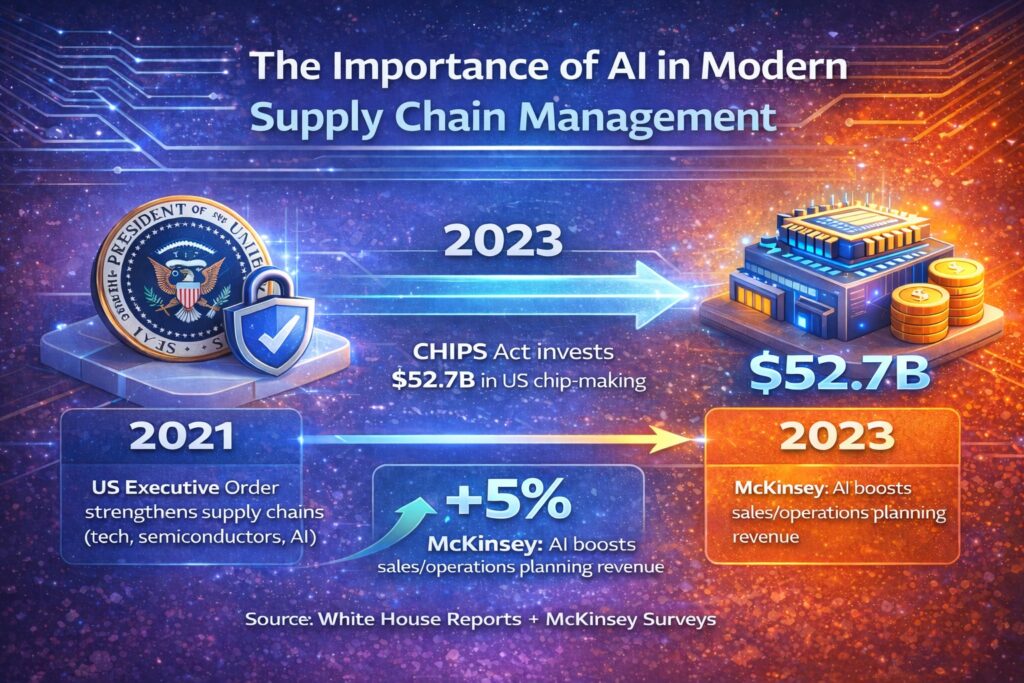
Additionally, integrated with blockchain technology, AI helps ensure transparent and tamper-proof records, improving trust and transparency. In advanced investment management systems, AI helps automate asset allocation, risk management, and rebalancing strategies based on investor goals and market trends. 

These applications and technologies can be personalized to individual risk profiles, depending on past investment history and financial goals. For instance, HSBC is using AI to boost its predictive analytics to recognize potential high-growth stocks. This intelligent automation not only maximizes returns but also helps minimize risks. Together, AI and blockchain create a more efficient, data-driven, and transparent financial ecosystem for both businesses and consumers. 

5. Streamlined Operations and Cost Efficiency

AI-powered intelligent automation has significantly reduced the need for repetitive manual tasks in Fintech operations. Activities, such as data entry, compliance regulations, and transaction processing, can now be performed without manual assistance. For example, Robotic Process Automation (RPA) driven by AI helps Fintech companies handle high volumes of regulatory paperwork and consumer onboarding efficiently. 
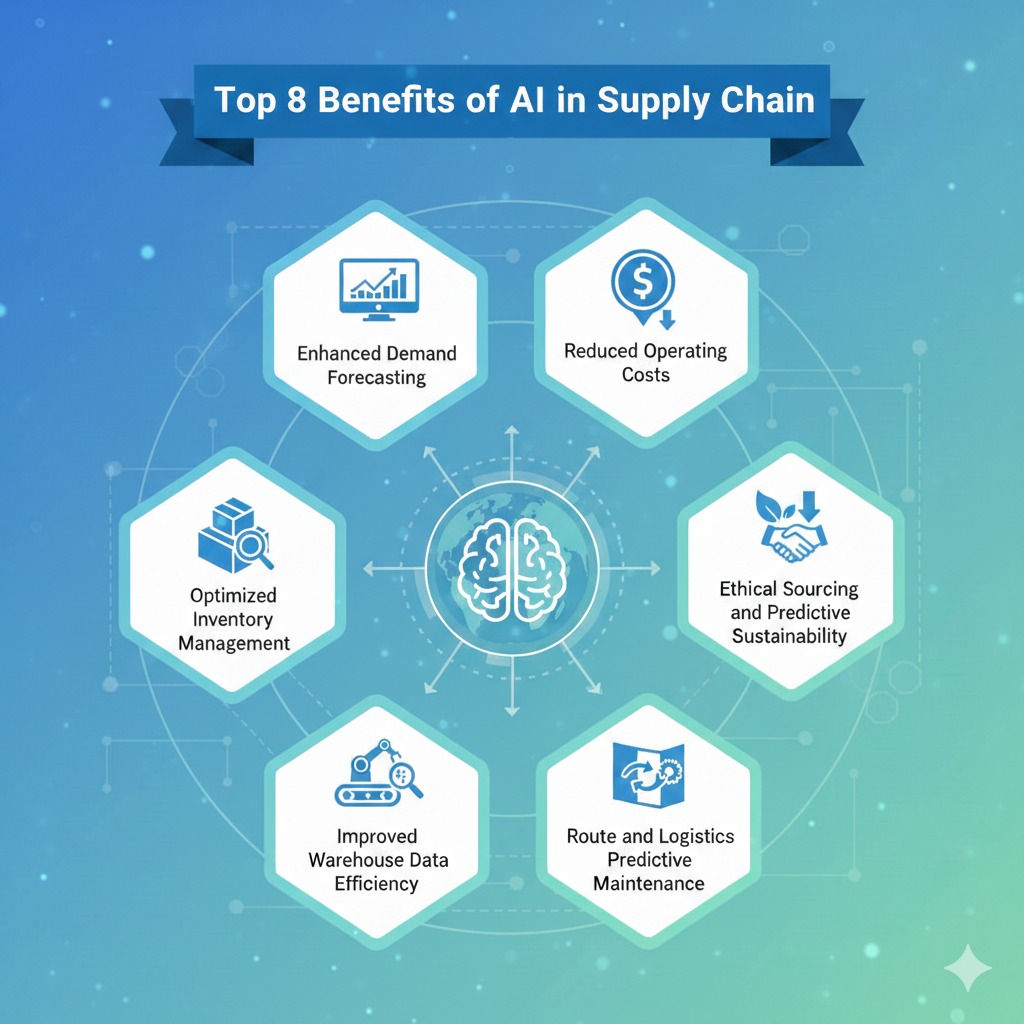
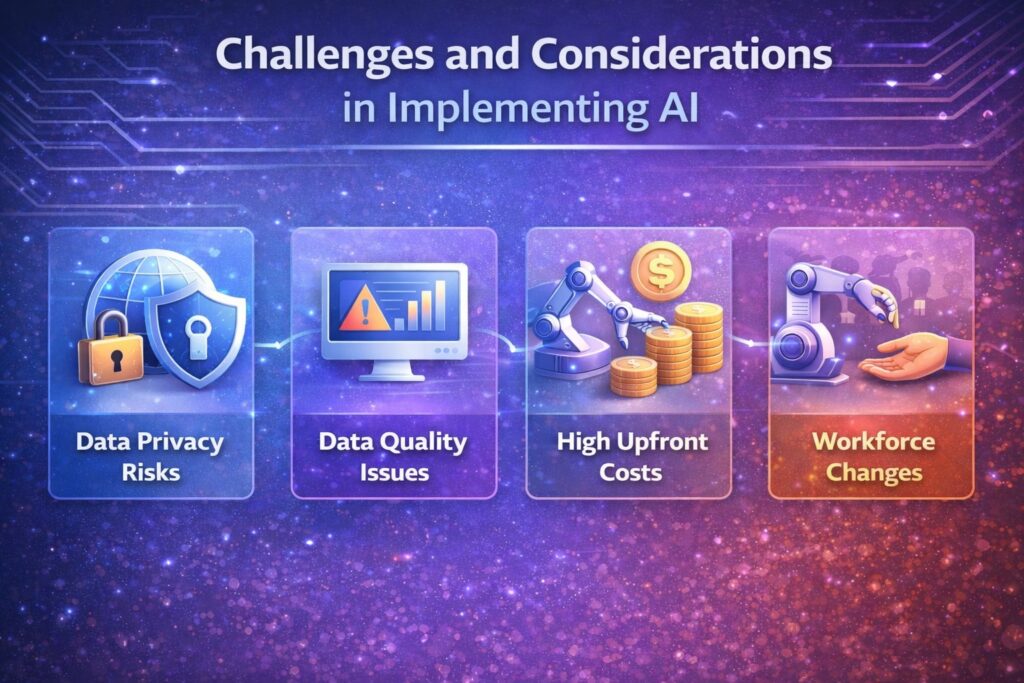
According to a report by McKinsey in 2023, AI automation can help reduce operational costs by 30% in financial institutions, while improving employee productivity by 20%.

For businesses, that means higher profit margins and better resource allocation. For consumers, it means lower fees, faster service, and more accessible financial products. 

Real World Examples of AI in Fintech 

Machine learning applications in modern finance systems

To better understand how AI is making a difference in the Fintech sector. Here are some of the real-world examples where AI is bringing revolution.

  • PayPal: PayPal is using AI to analyze transactions and detect fraudulent activities and behavior in milliseconds, ensuring safe online transactions.
  • Square: Square uses AI to evaluate small business loan applications quickly, allowing entrepreneurs to access funding faster.
  • Revolut: Revolut integrates AI for customer support automation and spending pattern analysis.
  • Klarna: Klarna uses machine learning for individualized shopping experiences and risk-based credit scoring
  • American Express: leverages AI to predict cardholder churn and tailor loyalty programs and offers accordingly. 

These examples prove that AI is not just a futuristic idea; it’s a present-day powerhouse revolutionizing the FinTech ecosystem.

Challenges and Ethical Considerations of AI in Fintech

Data security and ethical concerns in financial technology

While AI offers significant benefits when it comes to the Fintech sector. However, it also comes with challenges that Fintech firms must address responsibly. Here are some of the challenges Fintech businesses come across.

  • Data Privacy: Since AI collects and relies on a large number of datasets, ensuring user data is protected is crucial. 
  • Algorithmic Bias: AI systems can unintentionally reflect social or economic biases based on customer usage, or if they are not monitored properly.
  • Transparency: Sometimes consumers demand a clear understanding of how AI-driven decisions, such as loan approvals and creditworthiness, are made.
  • Centralized Use of Generative AI: Generative AI models hold immense potential, but centralized implementation faces concerns like data management, outdated banking applications, and retrieval-augmented generation.

Regulators and Fintech companies are constantly working on ethical AI frameworks to ensure fairness, accountability, and transparency. Responsible use of AI is the key to maintaining discipline and sustainability in the sector.

Conclusion: Benefits of AI in Fintech In a Nutshell

AI has become the backbone of modern financial businesses. From fraud detection and risk management to personalized banking and automated operations, AI is revolutionizing financial services into safer, faster, and more inclusive systems. 

For businesses, AI in fintech means higher operational efficiency, reduced costs, and smarter and informed decision-making. On the other hand, for consumers, it translates into personalized banking, automated investments, robust security, and easier access to financial services. 

As AI continues to evolve and thrive, the line between finance and technology will blur even further. This revolution is on its way to creating a world where managing money becomes intelligent, effortless, and intuitive. 

Therefore, the future of fintech is not just digital, it’s AI-powered. Also, it promises to make finance more human, accessible, and helpful for everyone.  

Want a Reliable AI Development Company for Your Fintech Business?

Flexlab team developing AI-powered financial solutions

Unlock the full potential of your financial business with Flexlab’s AI-powered services designed for the finance sector. We specialize in developing scalable AI and blockchain solutions that speed up innovation, optimize operations, and cut development costs by up to 80% while delivering new features within 30 days, or we work for free until we do.

Whether you’re looking to streamline customer onboarding, detect fraud in real-time, automate risk analytics, or personalize financial product offers, Flexlab provides pre-vetted AI engineers and tailored development teams that match your tech stack and business culture. Start with a free technical audit and strategy session, and let us build a future-ready, data-driven platform that gives consumers smarter services and your business a competitive edge. Give us a call if you want to hire one of the best AI software development companies for your Finance business to thrive and grow.

Ready to Grow Your Business?

📞 Book a FREE Consultation Call: +1 (201) 347-8591
📧 Email us: info@flexlab.io

Visit our website and get to know about us and the services we provide. Contact us today for innovative blockchain-based solutions for your business. 

Want to dive deeper into blockchain app development, What are NFTs?, and AI in digital marketing. Have a look at our blog page for detailed insights and expert perspectives. 

FAQs

1. What is the 30% rule in AI?

The “30% rule” in AI refers to the idea that around 30% of tasks in most jobs can be automated using artificial intelligence, while the remaining 70% still require human judgment, creativity, or emotional intelligence. It highlights how artificial intelligence helps enhance human work, rather than replacing it. 

2. What are the 3 Cs of AI?

The 3 Cs of AI are Comprehension, Cognition, and Computation, representing how AI systems understand data (comprehension), think and make informed decisions (cognition), and execute tasks efficiently through processing power (computation). Together, they define AI’s ability to simulate intelligent human behavior and its ability in natural language processing. 

3. Is ChatGPT LLM or Generative AI?

ChatGPT is both an LLM (Large Language Model) and a Generative AI system. As an LLM, it’s trained on massive datasets to understand and generate human-like text, while as generative AI, it creates original responses, ideas, and content based on user input. In essence, all versions of ChatGPT are powered by large language modeling, the core technology behind generative AI.  

Understanding the Difference Between Custodial and Non-Custodial Wallet

Multi-Agent Systems | Web3 Technology | AI Development Company

A custodial vs non-custodial wallet is one of the most important decisions in the world of cryptocurrency. Crypto is no longer a niche experiment—it’s a global financial movement. Whether you are buying your first $100 worth of crypto or managing a six-figure portfolio, one question matters more than most realize: Where will you store your digital assets?

That’s where your crypto wallet storage comes in handy. 

This is where the debate of custodial vs non-custodial wallets begins. It sounds technical, but at its core, it’s a matter of trust, control, security, and responsibility.

Blockchain technology has gained immense attention from ordinary investors, business leaders, and developers. These business leaders and developers are researching how to integrate these wallets seamlessly into their ecosystems to provide an approach that is significantly better than conventional financial systems.

If you want a clear, human explanation of which wallet is right for you, you are in the right place. By the end of this blog, you’ll know exactly which kind of wallet is best for your goals and experience level.

Why Wallets Matter More Than You Think?

A crypto is not like a physical wallet; it does not hold your money or coins. Instead, it helps protect the keys that let you access and control these coins on a blockchain network. If you lose these keys, you lose your crypto. Hand your keys to the wrong person, and they can take everything that you have. 

That’s exactly why picking the right type of wallet is the foundation of safe crypto ownership. This brings us to two major categories of crypto wallets;

  1. Custodial Wallets– where your keys are in someone else’s custody.
  2. Non-Custodial Wallets– where you protect your own keys. 

It sounds pretty simple and straightforward, but your choice of wallet is going to have a huge impact on your crypto security

An Introduction to Custodial Wallet

What is a custodial wallet? A custodial wallet is like using a bank. A custodial wallet is basically a wallet in which the private keys are held by a third party. A company– usually an exchange such as Coinbase, Binance, or Kraken- manages your private keys, stores your funds, and deals with security matters on your behalf. It means that the third party has complete control over your funds, while you only have to permit sending or receiving payments. 

With the help of a custodial wallet, consumers get a clean interface, a user-friendly app, and the ease of resetting their password if they forget it. 

If you are a beginner, this setup can feel like a sigh of relief. You don’t have to worry about losing seed phrases, and there’s no technical complexity involved. Best of all, it keeps the process stress-free.

How Does It Work?

How Does a Custodial Wallet Work

Before jumping into which crypto wallet suits your work best, let’s demystify how each of them works. Here is an explanation of how a custodial wallet works; 

  1. Users create an account on an exchange or crypto service.
  2. The specific exchange or crypto service stores your crypto and secures the private keys.
  3. You log in and make a transaction whenever you want.

You get the access, they keep the control. 

This leads to the famous phrase in crypto; 

‘Not your keys, not your crypto.’

However, that does not necessarily mean that custodial wallets are not good. In fact, they are trusted and used by millions of users. 

Some of the most popular examples of best custodial wallets are: Free Wallet, Coinbase, Binance, Bitgo, BitMex, and Blockchain.com

The best part about custodial wallets is that there’s no seed phrase or native crypto knowledge needed; if you can run an email account, you can operate a custodial wallet.

What are Non-Custodial Wallets?

What is a non-custodial wallet? A non-custodial wallet gives you full control over your assets. You yourself hold the private keys, signing authorities, and seed phrase. No middlemen. No company or exchange is storing your funds. Hence, no one can freeze your digital assets. Basically, non-custodial wallets are self-custody wallets that directly connect you to decentralized networks, allowing interaction with DeFi and other decentralized applications. Non-custodial wallets use private key and public key pairs to access assets and allow users to execute transactions. 

Another advantage of a self-custody wallet is not having to wait for withdrawal approvals, resulting in faster transaction times.

Examples of Non-Custodial Digital Wallets

Examples of non-custodial wallets include Mobile wallets (Trust Wallet, MetaMask, Exodus), paper wallets, hardware wallets, or cold wallets (Ledger, Trezor, Keystone), Browser extensions (Phantom), and Desktop apps (Electrum, Atomic Wallets). 

With great power comes great responsibility, and that’s exactly the trade-off here. 

Difference Between Custodial and Non-Custodial Wallets

Difference Between Crypto Digital Wallets

1. Custodian of Private Keys

The most important factor to consider while comparing a custodial vs non-custodial wallet is who actually holds and has access to private keys. When it comes to custodial wallets, third-party or middlemen hold and manage the private keys. Whereas, in the case of non-custodial wallets, all the blockchain protocols and cryptocurrency transactions are in control of the user. So, if you want to create a wallet where you can be your own bank and safeguard your virtual assets, go with the idea of creating non-custodial blockchain wallets. 

However, if you want someone else to store and protect your digital assets, you grant them permission to send or receive assets. 

2. Transaction Type

Another key factor to consider when comparing custodial and non-custodial crypto wallets is the type of transaction. The transactions are reflected on the chain in real time in non-custodial wallets. But transactions are not reflected in the case of custodial wallets. Non-custodial wallets lead the show when it comes to the type of transaction. 

3. Security

In the case of a custodial wallet, all the sensitive user information is stored in hot and cold storage, which can be hacked by data intruders. For this reason, the custodial wallets may have security concerns unless the authoritative exchange or party implements strong security measures.

Non-custodial wallets give you full ownership of your assets, and all the sensitive information and data remain with users. This reduces the risk of data being stolen or leaked if managed responsibly. However, it is still possible if the user shares the data with the wrong person or if the device gets stolen. Both custodial and non-custodial wallets are highly secure, yet they both face some security concerns. 

4. Possibility of Recovery and Backup

When it comes to backup and recovery options, non-custodial crypto wallets lag behind custodial wallets because once you lose the seed phrase, they are gone for good. 

The custodial wallets keep the private key with themselves, so even if you lose the access or login information, you can still regain access by requesting the third party or the crypto exchange. However, it is not possible in the case of custodial wallets, where the user is the sole authority. The non-custodial wallets work the best for experienced traders ready to carry the great responsibility of storing the private keys safely. 

Since it’s extremely difficult to recover or retrieve the lost private key, the users of non-custodial wallets need to be extra careful. 

5. Transaction Time and Cost

With the custodial wallet, every transaction needs approval from the central authority. Consequently, there could be a delay in the transaction going through. On custodial wallets, the transaction costs are typically higher because of the involvement of custodians and other intermediaries. 

Non-custodial wallets can authenticate transactions without involving centralized exchanges, so they are usually quicker than custodial wallets. Transaction costs on non-custodial wallets are usually lower because there are fewer or no commission-seeking intermediaries. 

6. Offline Accessibility

Custodial wallets need an internet connection to reach centralized servers and access blockchain data. Therefore, custodial wallets can only operate online, making them prone to cyber attacks. 

On the contrary, non-custodial wallets can operate both online and offline. A non-custodial wallet can work both from a web browser and a mobile application. However, a hardware wallet is the safest, because users can make transactions even offline, thereby protecting private keys from hackers. 

7. Account Creation

For custodial wallets, users are required to complete Know Your Customer (KYC) and Anti-Money Laundering (AML) forms for security and crypto regulatory compliance. This can be a lengthy and time-consuming process. 

On the other hand, non-custodial wallets do not require KYC or AML form completion. Therefore, creating a non-custodial wallet may be quicker to set up. 

Which One Should You Choose?

The majority of crypto users end up using both(custodial vs non-custodial wallet). However, here is an easy guide depending on your situation; 

Use Custodial Wallets If:

  • You’re new to crypto
  • You want a simple, beginner-friendly app experience
  • You prefer recovering access if you lose your password
  • You don’t want to or are unable to manage private keys
  • You trade or swap crypto often

In short, custodial crypto wallets are great for beginners, traders, and casual users.

Use Non-custodial Wallets If:

  • You prefer having complete ownership
  • You tend to hold crypto long-term
  • Privacy is your foremost priority
  • You use DeFi, NFTs, or Web3 apps
  • Above all, you don’t want to rely on crypto exchanges

Consequently, non-custodial users are ideal for advanced users, long-term holders, and Web3 explorers. 

Future of Wallets: Where is It Going?

Future of Digital Wallets

The future of wallets lies somewhere in the middle of custodial vs non-custodial wallet. We are already seeing technological advancements in this field with the invention of:

  • Smart Contract Wallets: Smart contract wallets let you recover access without seed phrases. Examples of smart contract wallets include Argent and Safe Wallet. These wallets combine the convenience of custodial with the control and independence of non-custodial. 
  • Multi-Party Computation (MPC) Wallet: In multi-party computation, keys are split into multiple parts, so no one fully controls them— not you, not the company or exchange. It is an emerging protocol for safer and secure self-custody. 
  • Bio-authentication wallet: Bio-authentication wallets combine face ID pr fingerprint with encrypted hardware security. This is still evolving, but it could make crypto custody far more user-friendly. 

Final Verdict: Custodial vs Non-Custodial Wallet

There is no universal winner. Only a wallet that fits your priorities and goals. Users can choose a custodial wallet if they are looking for ease. However, if your priority is to be independent or to have complete control over your assets, choose a non-custodial wallet. Also, you can choose both when you need balance, and most people do. 

Crypto is not just about investment; it’s about empowerment. It does not matter which wallet you pick; in fact, the most important step is understanding how your choice affects your control, your assets’ security, and your financial freedom. Now that you have in-depth information about custodial and non-custodial wallets, you can make your decision confidently.

Start Your Crypto Journey with Flexlab

Start Your Crypto Journey with Flexlab

Now that you have in-depth information about custodial vs non-custodial wallet, it is time to utilize them the right way. 

Starting your crypto journey should not feel risky or confusing. And for this very purpose, Flexlab has you sorted. Flexlab makes it simple to buy and sell cryptocurrency with a clean, beginner-friendly, and easy-to-use platform built for real people, not just for experts. Flexlab lets you seamlessly integrate your crypto wallets, so your assets are in your control from day one. Connect your existing wallet or set up one, then manage, send, and receive crypto without hopping on different platforms. With clear transaction flows and secure wallet connections, Flexlab removes the friction that often holds beginners back. Whether you’re holding long-term or making regular moves, Flexlab gives you a smooth, reliable way to interact with your wallet and grow confidently in the crypto space.

Ready to Grow Your Business?

📞 Book a FREE Consultation Call: +1 (201) 347-8591
📧 Email us: info@flexlab.io

Discover real-world success stories in our portfolio, explore our solutions, and get your blockchain development solutions today. Contact us or have a look at our services. See firsthand what our clients say about us and how you can start your crypto journey with us.

To have more detailed insights into different topics, explore our blog page for more blogs like public vs private blockchain, benefits of using white label crypto exchanges for startups, and what is multimodal AI? 

FAQs

1. Is PayPal a custodial wallet?

Yes, the global payment giant PayPal has integrated a custodial wallet for its payment operations. PayPal allows users to buy, sell, and hold bitcoin through its custodial wallet integration across its platform. PayPal manages the private keys and cryptocurrency storage on behalf of users. 

2. Can I lose my crypto with a non-custodial wallet?

Non-custodial wallets eliminate third-party vulnerabilities, but there’s a trade-off. If you lose your private key or seed phrase, there’s no way to regain access or recover your crypto. So, yes, security of your non-custodial wallet is in your hands. 

3. What is the 30-day rule in crypto?

The 30-day rule in crypto usually refers to a tax rule where you can’t sell a crypto asset at a loss and buy the same asset again within 30 days to claim that loss for tax benefits. It’s meant to prevent “wash trading” for tax reduction, though how it applies depends on your country’s tax laws.